Invoice Parametric Definitions
Workcube Invoice Module allows you to calculate your invoices accurately, issue them on time and track your invoices effectively. It allows you to present your invoices to your customers online and to track, pay or reject their invoices.
Attention:Before using the invoice module, all relevant parameters must be defined in accordance with the operation of the companies.
Purchase Invoice Accounting Definitions
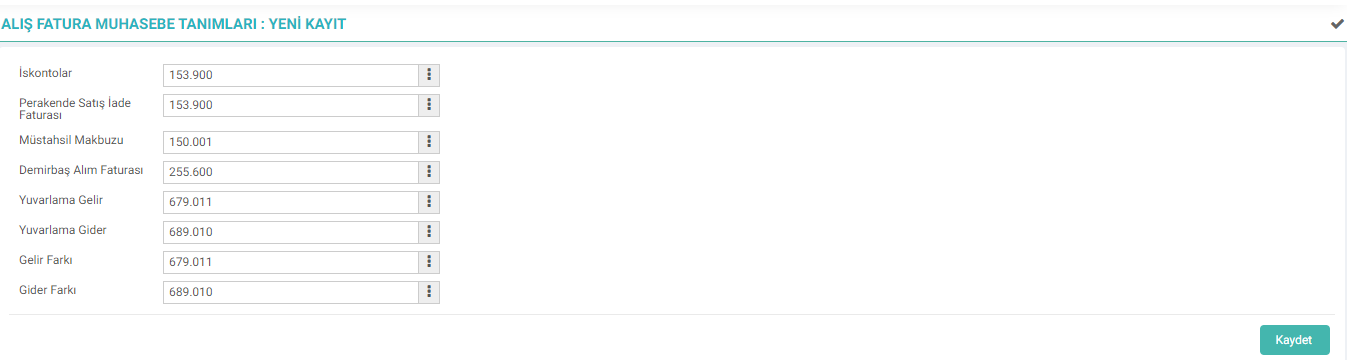
Sales Invoice Accounting Definitions

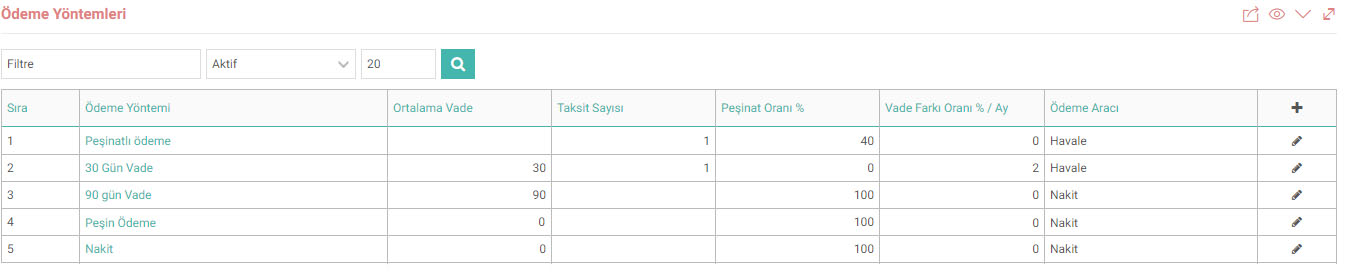
Payment Method
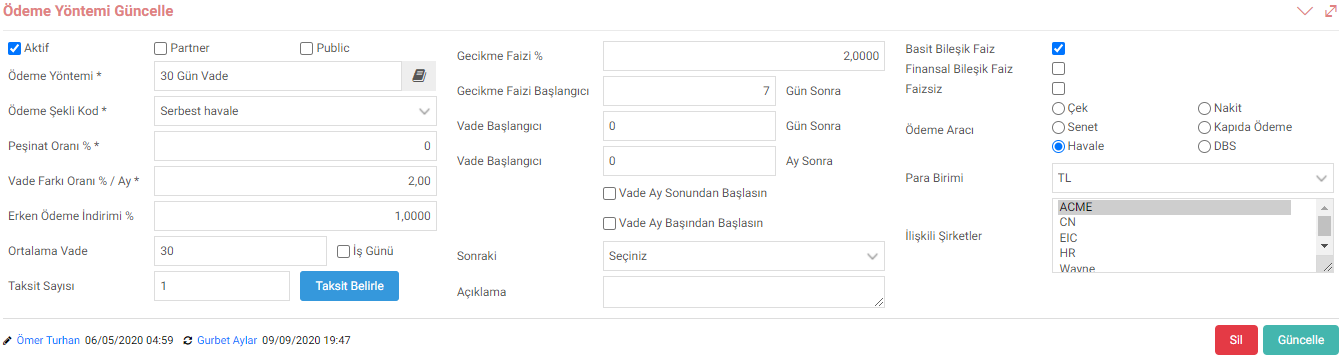
When adding a Payment Method, the following screen will appear.
Document Number
Here you can proceed with 2 options.
On the Printer Names screen; You can select contacts and create a group. After determining the series, the number will continue to increase within this group.
You can create your own serial number via the Document Number Settings screen on your Me page. Personalized numbers will be automatically assigned to you when saving an invoice to the system in line with the serial number created.
Buying-Selling Cancellation Categories

Feedback
2.2.11.5.10. Goods Purchase Invoice
Goods Purchase Invoice; It is used to process goods/service purchasing information. After the payment for the product purchased from a customer is made, a "Goods Purchase Invoice" is issued.
2.2.11.4. Sales Invoice
A sales invoice is a document showing that the goods or services offered by the seller have been sold to the buyer.
Purchase Invoice
Purchase Invoice is used to enter the invoices issued by the seller in return for the purchased goods or services.