Depositing Money from Cash Register to Cash Register
With Whops, depositing money from cash register to cash register can be done easily via the Workcube screens.
Path: Extensions > Addon Modules > Whops > Depositing Money from Cash Register to Cash Register
The Cash Register to Cash Deposit screen can be used. If it is not created from the cash registers screen, a cash register must be defined. When defining a cash register, the cash register and the branch of the cash register must be the same. Otherwise, it will not appear as a selection.
When defining the cash register, the "Let it work with Whops" option must be selected.
Cash registers can be listed in certain date ranges according to branch, whops and cash register.
Information about the cash register and the cash register to which money is deposited can be accessed from the list. It is also included here how much cash has been delivered to the cash register in total.
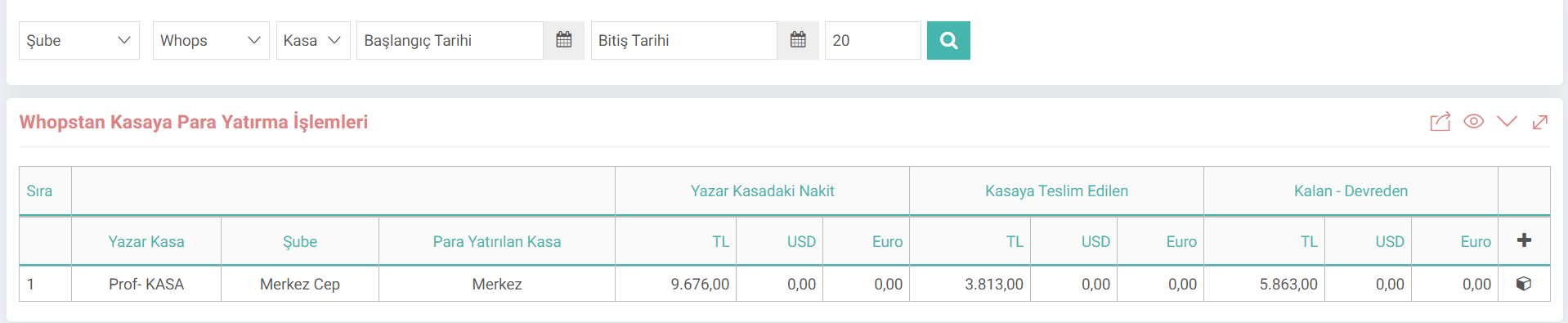
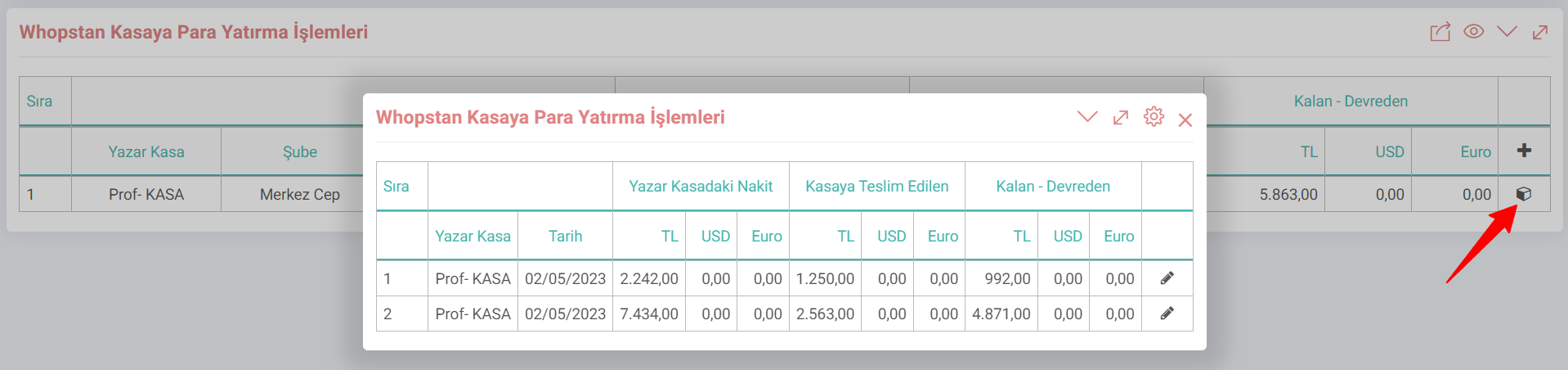
By clicking on the box at the end of the cash register's line, information on how much money has been deposited is shown here.
Now let's examine how to transfer money from cash register to cash register.
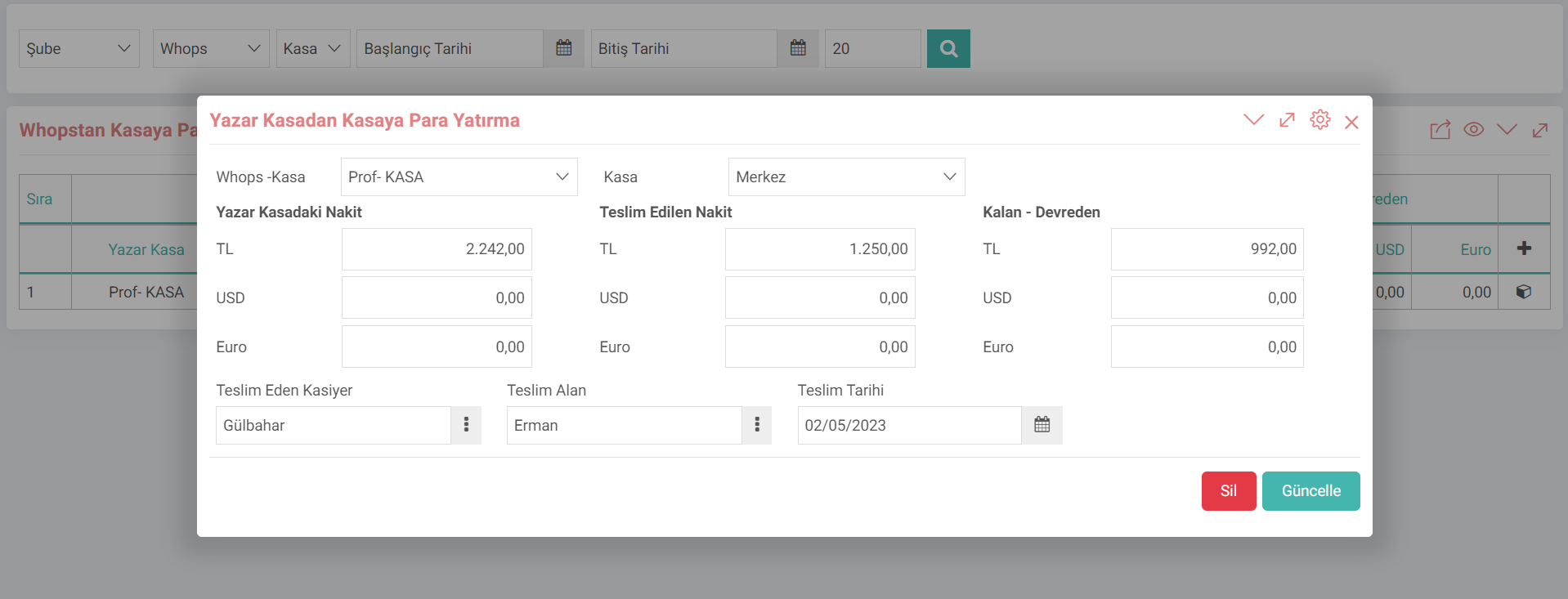
- You can transfer money from cash register to cash register by clicking the "+" button.
- Cash register and cash register information are selected. When the cash register is selected, the cash in the cash register comes automatically.
- The incoming amount comes according to the retail sales invoice.
- The numerical value of how much cash has been delivered must be entered in the Delivered Cash field.
- After selecting the delivering cashier and the delivery recipient, the transaction is performed by clicking the "Save" button.
Hint: Retail Since this transaction is made through the sales invoice transaction type, it will make an accounting transaction. For this transaction to work correctly, products, current and similar parametric accounting definitions must be complete.