Forum
Forum application; It enables you to create a strong collaboration by bringing together employees, users and customers. In the forum section, discussion topics are created for current business or project ideas. Information flow is ensured by posting questions and answers on the subject in the forum. By creating a forum, the quality of work or projects is increased.
Path: Intranet > Forum
Forum Listing
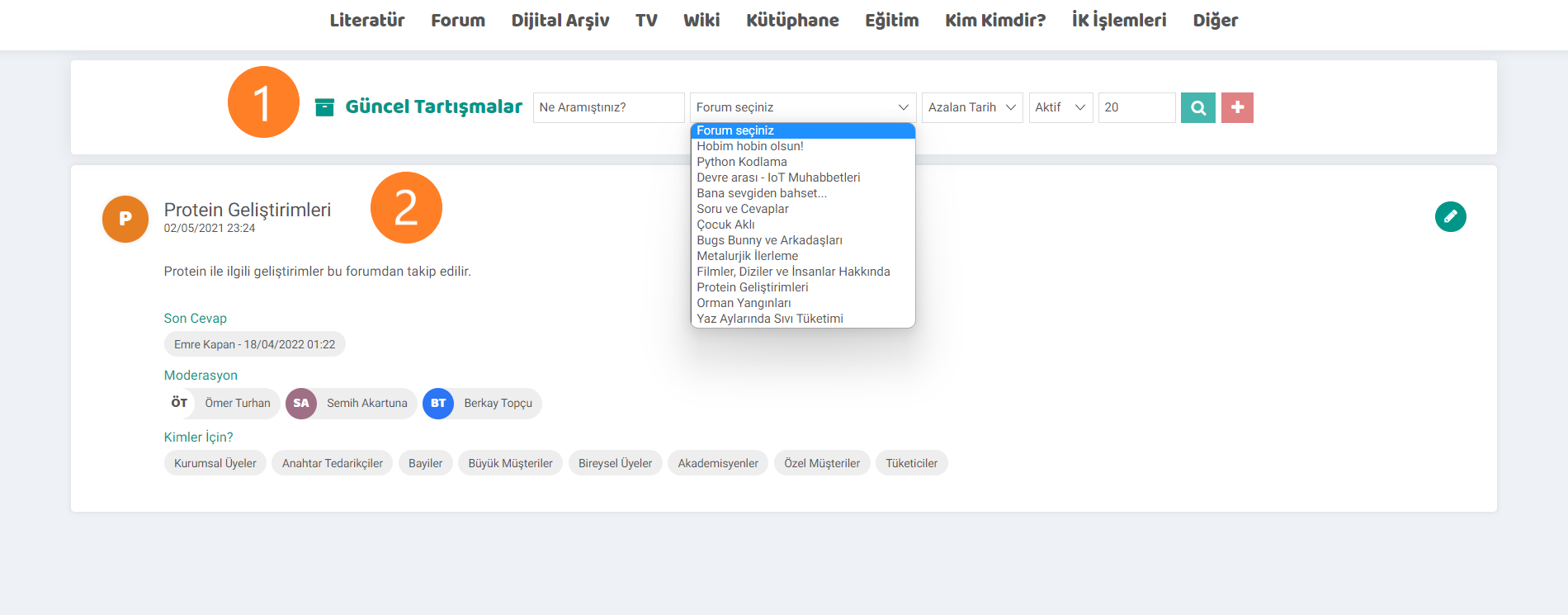
- In the forum listing section, you can search for the topic you want to get information about or view the forum titles from the select forum section and access the relevant forum.
- In this area, all forums created when listing without selection are displayed. The subject of the forum, the last reply written to the form, the person administering the form, and the information for whom the form was created are displayed. If you want to make changes to the forum, you can do so via the update screen by clicking on the pencil icon.
Adding and Updating a Forum
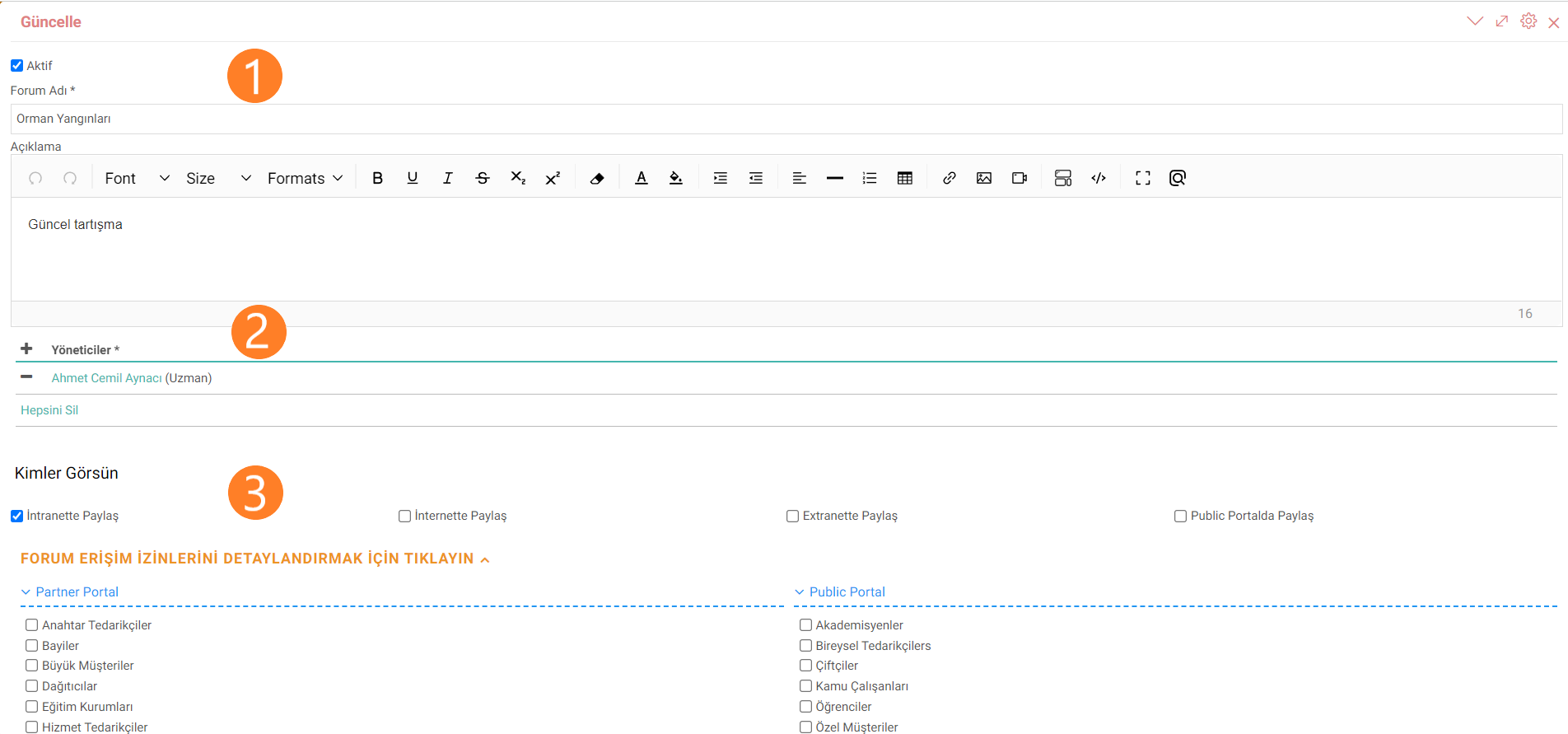
Forum adding and updating screens work in the same way.
- The name of the topic or event to be created is entered. The content of the topic and the questions to be asked can be specified in the description field.
- The people and moderators who will manage the form are determined.
- The details of the forum's access information are selected with the help of selection boxes. The audiences the forum addresses are determined.
Recommendation:If the questions to be asked in the description field are determined, this will prevent the speakers from going off-topic.
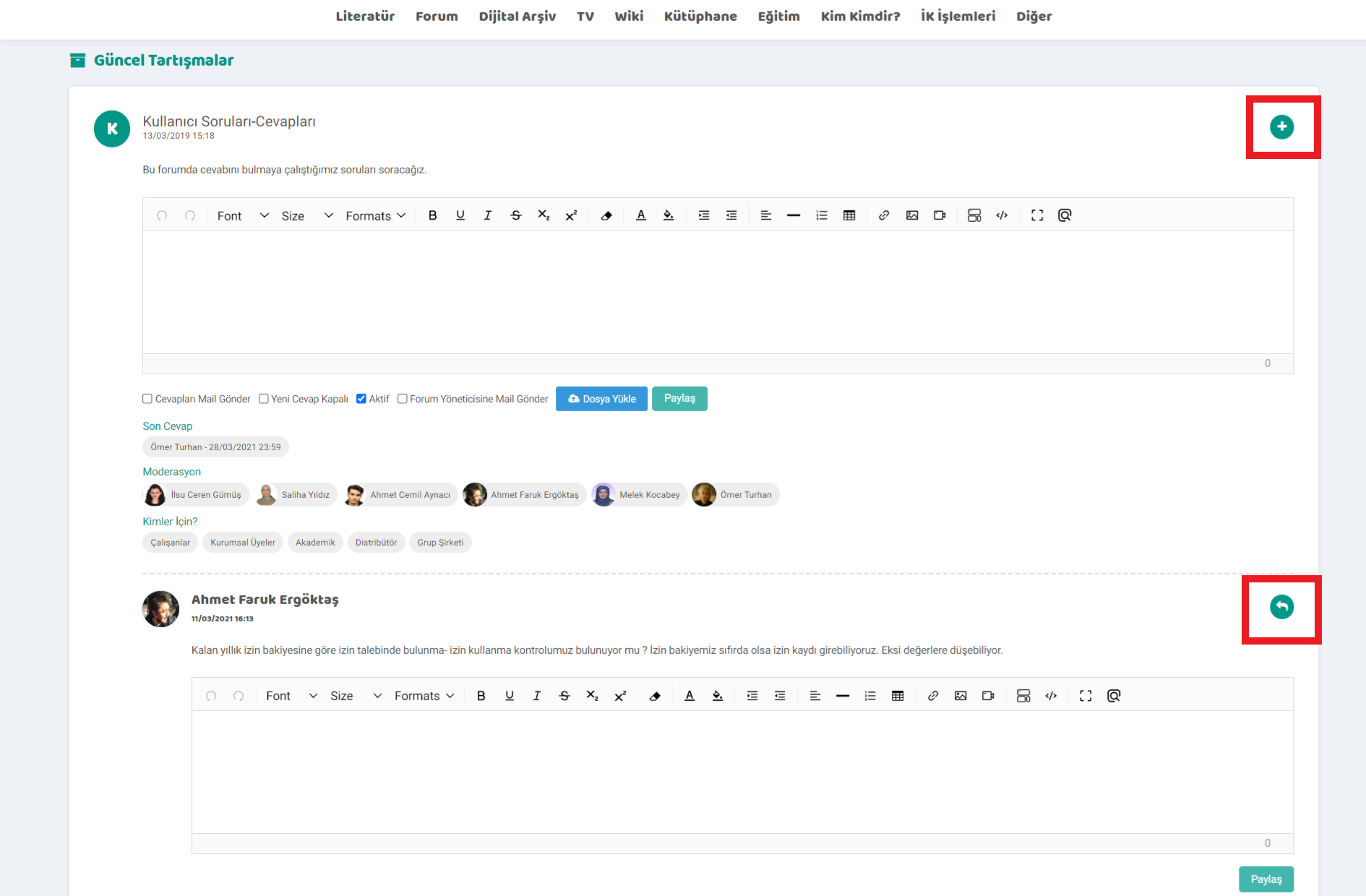
Plus in the created forums. A new topic is added to the forum with the help of the icon. File uploading is done about the subject. How the issue should be conveyed, to whom it should be conveyed, and the status of the issue are determined by the options.
Answers and questions can be added to the answers or questions written in the forum topic with the reply icon.

Kullanılması istenmeyen kelimelerin yasaklanmasını sağlar. Bu sayede daha saygılı ve güvenli bir çalışma ortamı yaratılır.