Phone - Call Center
On the Phone-Call Center screen, there are services such as call records, contacts, blacklist, queues, MT statuses and audio files provided to us by the Cloud Switchboard with which we are integrated. These services are collected and managed in a single area.
How to Use?
Calls made by the call center can be followed with the following details.
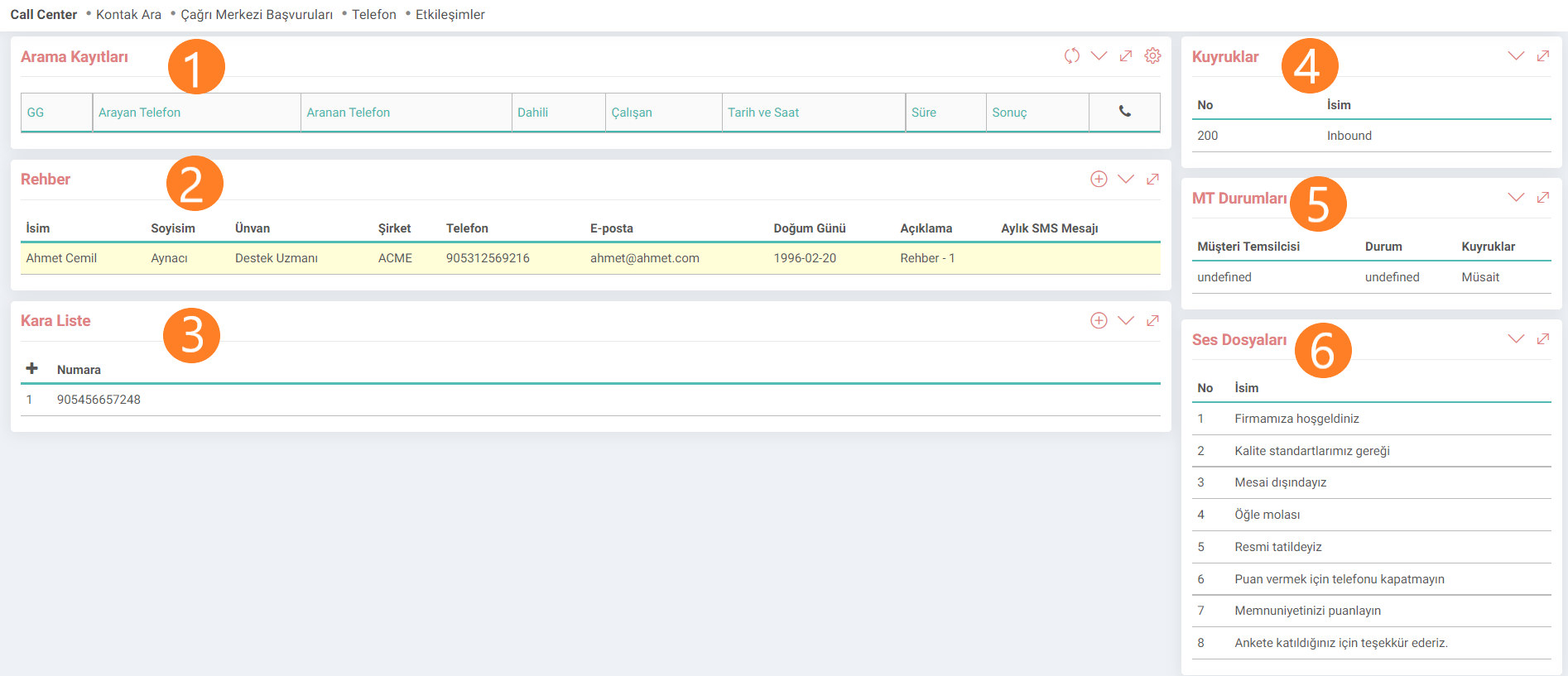
1. Call Records: In this section, the caller number, the called person number, the extension number, the date and time period of the call and call result information are displayed.
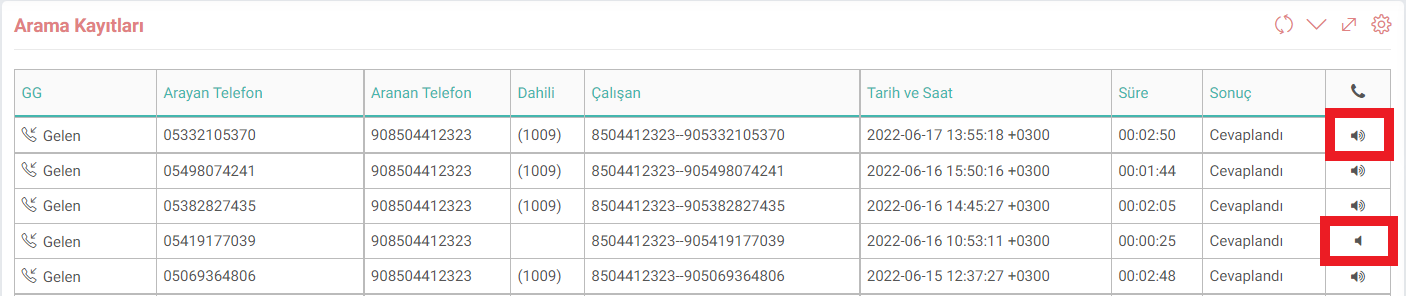
If there is an audio file, the audio recording can be downloaded and listened to by clicking on the icon. If there is no audio recording of the conversation, the second icon appears on the line.
2. Contacts: Contacts are added to the contacts with the plus icon in this field. At the same time, people added from the Cloud Switchboard screen are listed in this area. Operations such as deletion and updating can also be performed.
3. Black List: Blocked numbers are listed. The number is added from this field or it is added from the Cloud Switchboard field and listed in this field.
4. Queues: Customers waiting during the conversation are listed in this area.
5. MT Status: You can see the status of the Customer Representatives and which queue they are members of.
6. Audio Files: You can access all audio files in the switchboard and new audio files can be loaded or deleted. These operations are performed in the Cloud Switchboard section.