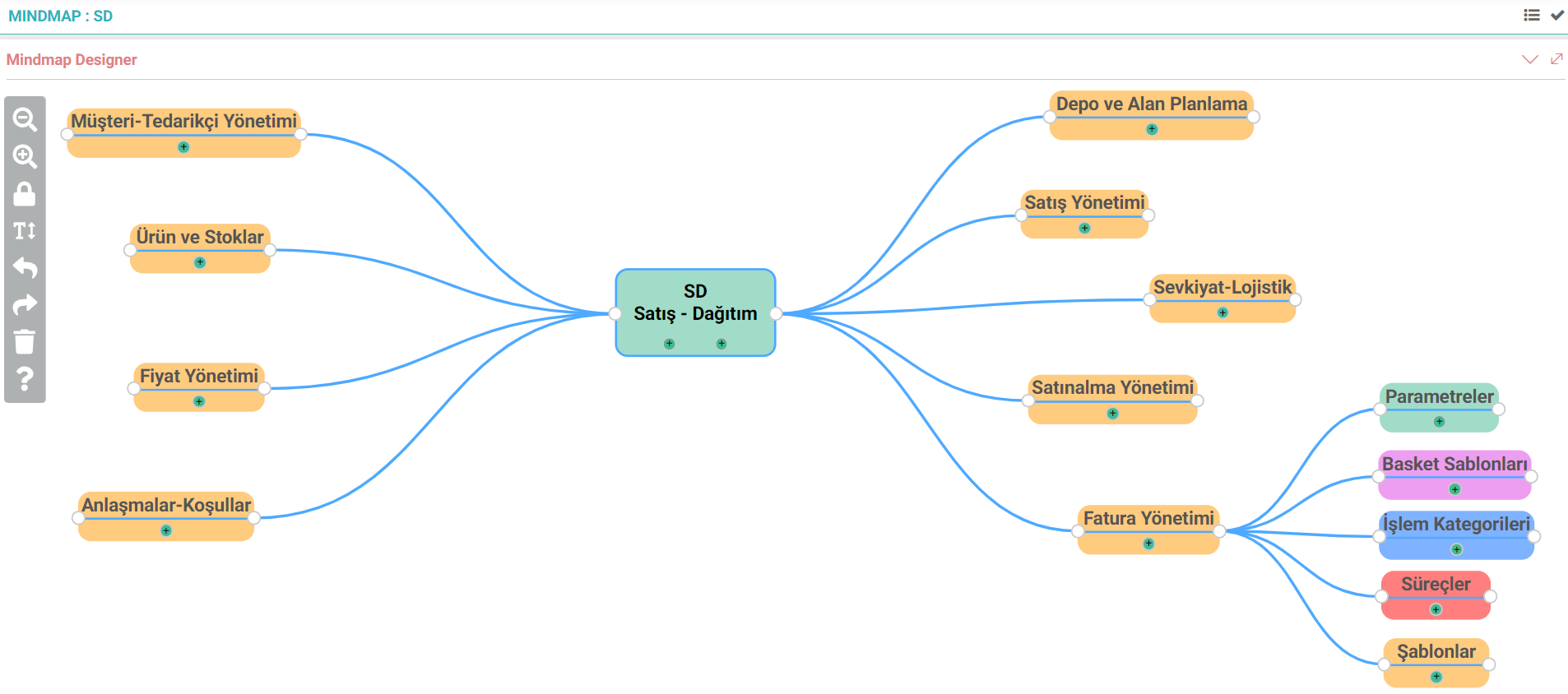
Mindmap Designer
Mindmap is one of the most frequently used diagram types to visualize thoughts by expressing them with connections and to accelerate understanding and analysis of the subject. Mindmap can be used on the agenda to digitalize the notes taken when designing the flow of a new project or attending a meeting.
From the Mindmap field under BPM While designs can be made, new designs can also be made and saved from the Mindmap Designer area in the project detail or agenda detail. These saved ideas can then be updated or deleted.
- A new page opens with the + button.
- A phrase called Main Idea appears in the center of the opened page and is changed according to the content of this topic.
- The topic can be colored or the text style can be changed to attract attention.
- Side branches are created with the + button under the main idea. Each side branch can create new side branches within itself.
- The positions of the branches can be adjusted by dragging and dropping.
- After all operations are completed, the file name is given and saved in the field at the bottom of the page.
- You can zoom in or out with the magnifying glass icons.
- The mindmap is locked with the lock icon.
- It is colored with style or the font is changed.
- Previous next with forward or rewind. The process is returned.
- All changes made with the Clear icon are deleted.
- Delete: Delete selected
- Mouse Left Click: Drag and Drop
- Mouse Right Click: Delete
- Ctrl + Scroll: Zoom in/Zoom Out
Mindmap Designer
Mindmap is one of the most frequently used diagram types to visualize thoughts by expressing them with connections and to accelerate understanding and analysis of the subject. Mindmap can be used on the agenda to digitalize the notes taken when designing the flow of a new project or attending a meeting.
From the Mindmap field under BPM While designs can be made, new designs can also be made and saved from the Mindmap Designer area in the project detail or agenda detail. These saved ideas can then be updated or deleted.
- A new page opens with the + button.
- A phrase called Main Idea appears in the center of the opened page and is changed according to the content of this topic.
- The topic can be colored or the text style can be changed to attract attention.
- Side branches are created with the + button under the main idea. Each side branch can create new side branches within itself.
- The positions of the branches can be adjusted by dragging and dropping.
- After all operations are completed, the file name is given and saved in the field at the bottom of the page.
- You can zoom in or out with the magnifying glass icons.
- The mindmap is locked with the lock icon.
- It is colored with style or the font is changed.
- Previous next with forward or rewind. The process is returned.
- All changes made with the Clear icon are deleted.
- Delete: Delete selected
- Mouse Left Click: Drag and Drop
- Mouse Right Click: Delete
- Ctrl + Scroll: Zoom in/Zoom Out
Feedback
It is a diagram used to visualize ideas by expressing them with connections, and to digitalize the notes taken while designing the flow of the project or when attending a meeting.
Mindmap Designer
Added/Edited Function: Control Panel > BPM > Mindmap Designer has been added.
Usage: By pressing the + button from the BPM, project or agenda detail, a new page opens and the main idea and its sub-breaks are created. Breaks, that is, side branches, can be changed by dragging and dropping and the design is saved.
Benefit: One of the most frequently used diagram types to visualize thoughts by expressing them with connections and to accelerate understanding and analysis of the subject is Mindmap. With Mindmap Designer, these ideas and designs were made digitally.