Customer-Supplier Parametric Definitions
Customer is the consumer of the product or service. The producers of raw materials and products that companies or individuals will use to sell products and services are called suppliers. You can check your registered business network from the Customer-Supplier module.
Before using the Customer-Supplier module, all relevant parameters must be defined in accordance with the operation of the companies. Parameters are located under Customer-Supplier in Control Panel > System > Parameters .
Corporate Member Categories
You can manage more than one company on the system, so you can see and perform transactions with the same members in all your companies or in a single company. If you want to see the same member in your other companies, you can choose from the related company field.

Corporate Member Relations
This is a parametric setting where you define the type of relationship your company has commercially with the Corporate Account. For example; Dealer, Supplier etc.

Individual Member Relationship Types
This is a parametric setting where you define the type of relationship your company has commercially with the Individual Account. For example; Dealer, Supplier etc.

Top Sectors
The defined top sectors are selected when adding a Corporate Account. Sub-sectors can be defined that are connected to upper sectors.

Sub-Sectors
Records made in sub-sectors may or may not be connected to the upper sector. If the upper/lower sector distinction is not used, only the subsectors are included in the members.

Departments
When registering the contact persons of the corporate account, that is, the employees, you can determine in which departments they work.

Company Types
Company Types help in detailing the corporate account. It is selected when registering the corporate account.

Income Level
Income level is the living level of the individual account. The definitions made here are selected when registering an individual account and help to classify the individual account.

Duties
With this parameter, the contact persons of the corporate account, that is, the employees, are determined in which task/position they are placed when registering.

Card Exchange Types
The definitions made here are from the "Reason for Issue" field when adding to the Loyalty Card-Wallet field in the Corporate Account detail.

Profession Type
The definitions made in this field are selected when adding an Individual Account. Deferred payment limit is a field where a definition is entered to reduce the maturity when the profession type is selected on the installment sales screen.

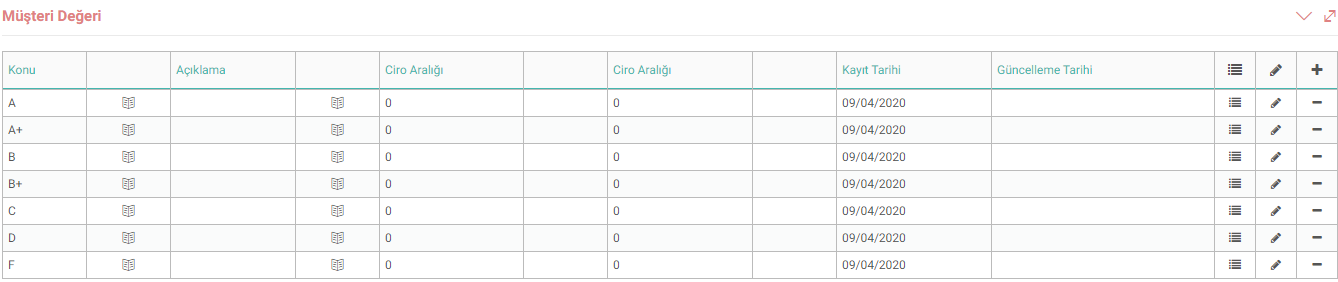
Customer Value
Customer value is the value offered to customers, which is the main reason why they continue to do business with any business. The definitions made here are selected when adding a Corporate Account.
Company Employee Status
The definitions made in this parameter are selected from the "Status" field in order to indicate the employee's status on the Corporate Account Contact Persons detail page.

Number of Company Employees
In order to determine the size and volume of the company, the number of employees in the company is scaled on certain scales. defined.

Member Special Definition
Member special definition is a special parameter that you can create depending on your business and choose when registering a member. For example; If you want to filter your customers according to the number of orders they place, you can add definitions as follows;

Competencies
The competency levels of the Individual Account are determined by this parameter. For example; By registering Independent Consultants in Individual Accounts, you can enter their competencies according to their relevant branches.

Corporate Member Initial Types
Entered here definitions are selected in the “Relationship Form” field when adding a Corporate Account. It is defined how the relationship with the corporate account begins. For example; If a relationship has been established through advertising, "Advertisement" is selected in the relationship type field.

Hobbies
The definitions made here are in the links at the top right of the Individual Account detail page. It is selected from the Other > Hobby field.

Reasons for Blacklisting
With the help of this parameter, the reasons for blacklisting are defined. These definitions are selected in the Agreement/Conditions section on the Risk and Working Information page in the details of the Corporate and Individual account.

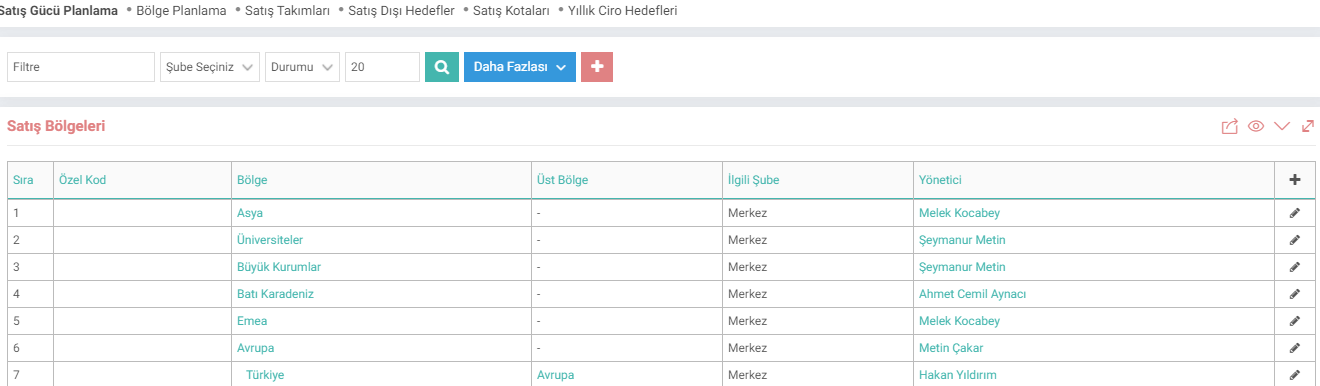
Sales Region
Sales regions are defined in this field. It is the segment of the market that the salesperson is responsible for selling to. "Access Control by Sales Regions" in the Company Flow Parameters is affected by this parameter.