Company Definitions
Multiple companies are managed in a Workcube system. Company definitions are made by the system administrator. When creating company definitions, information such as company name, title and tax number are entered. Additionally, the company's logo and other information can also be added. It ensures that the information entered in company definitions, e-mail transmissions, output templates and e-government data are correct.
Path: Control Panel > System > General Settings > Company Definitions
Company Definitions
Companies/businesses to be managed on Workcube definitions should be made. A company database schema is automatically opened in the Workcube database for each company.
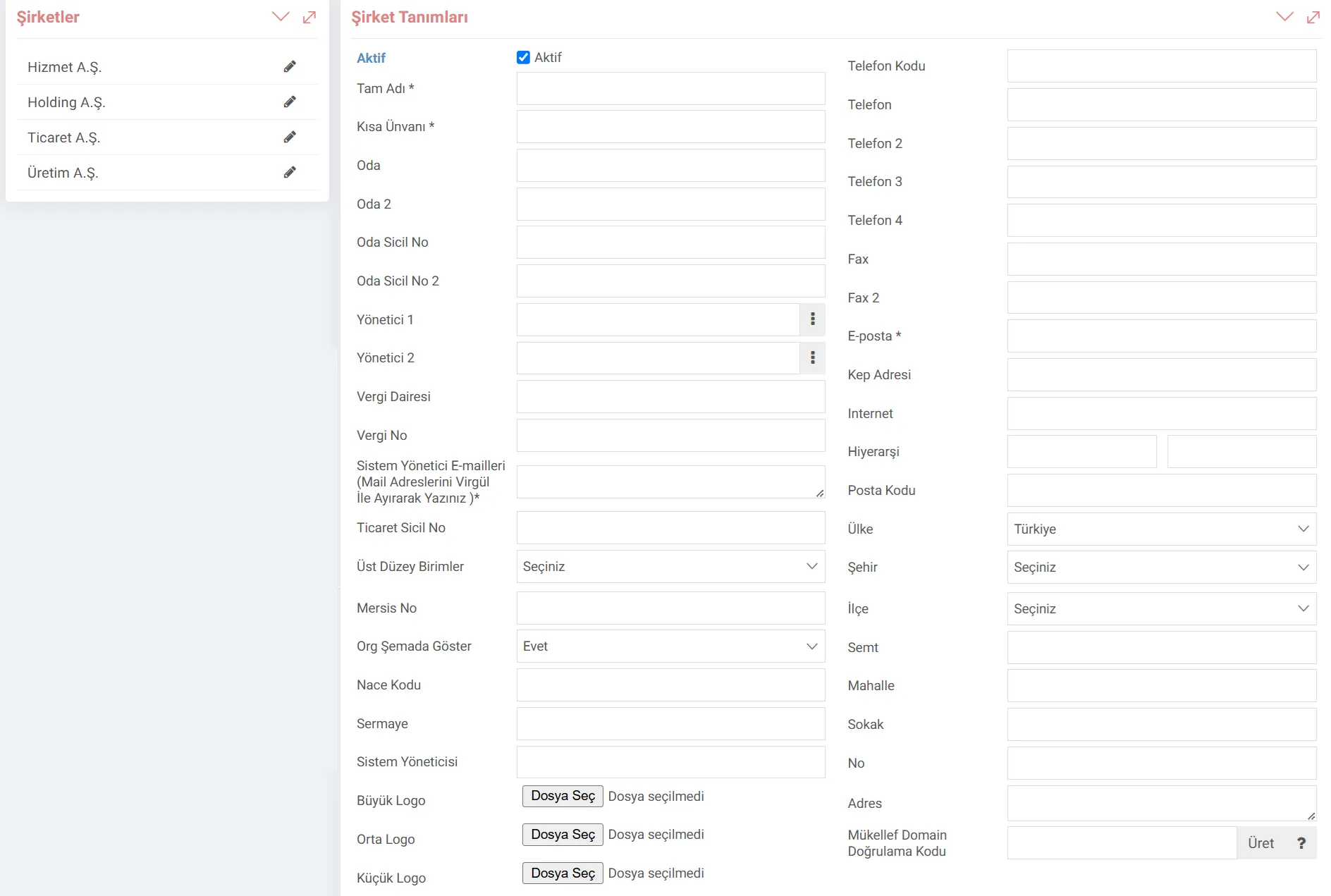
- Full Name: The Official title of the Company must be entered here. The data entered here will be sent in e-government transactions and e-mail sending. Therefore, it is important to write it completely and correctly.
- Short Title: Short Title is used in listing or reporting pages.
- Tax Office and Tax Number: The entered information is used in templates and e-government transactions. Since queries are made via TIN, especially in e-government transactions, having this field correct allows sending-receiving invoices or creating a ledger.
- System Administrator e-mails: Enables errors occurring on the pages to be sent as e-mails to the person defined here. In this way, error messages can be displayed in detail.
- Nace Code: It is a code system used to classify economic activities in the European Union. It is a mandatory field for e-Ledger. If it is not defined, the e-ledger cannot be displayed.
- Address Information: Country, City, District, etc. The entered address information is displayed in the templates. Standard templates dynamically pull from the address information contained here. Therefore, with the change made here, the templates are directly affected without the need for code.
- Logos: Large/Medium/Small logo in the desired size is added. Every place on the system that uses a logo is fed from here and is dynamic.
- Taxpayer Domain Verification Code: Workcube is used by an accounting company, it is filled in if the accountant and the company are using Workcube. If you are receiving real-time accounting data from your taxpayer, you must provide this code you have produced.
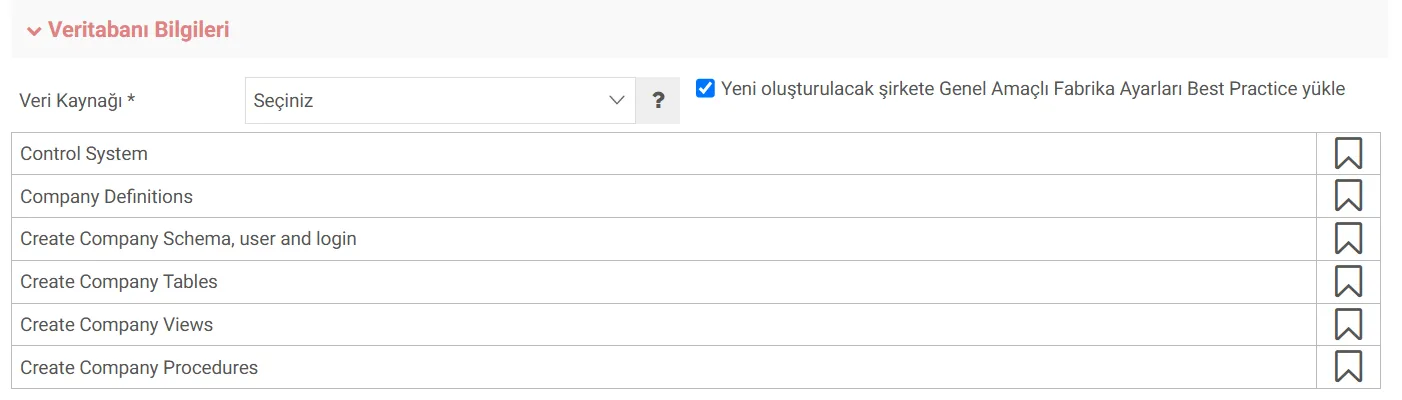
Database Information
If an additional company is opened on the system, the new company tables you will open will be created from the tables in the data source you choose. The company to be created can be selected here. If you want to install General Purpose Factory Settings Best Practice in the newly created company, you can check the box.