Page Settings
There are different customization options on Workcube. These options can expand or simplify the application. With customization, a single Workcube works in endless variations. Page Settings; It is part of the definition and settings customizations.
Path: Related Page > Control Panel > System > Page Settings
There are factors that affect the operation of a Workcube page. Page Settings is the set of definitions and settings by which the basic settings of the page are configured. Seeing the Page Settings under System depends on the authority.
If the user has Admin authority, he can view the Page Settings area on all pages, or if the "Power User" box is checked in the modules in the authorization group detail, he becomes authorized in the selected modules and can only view and make changes to the "Page Settings" settings of these modules.
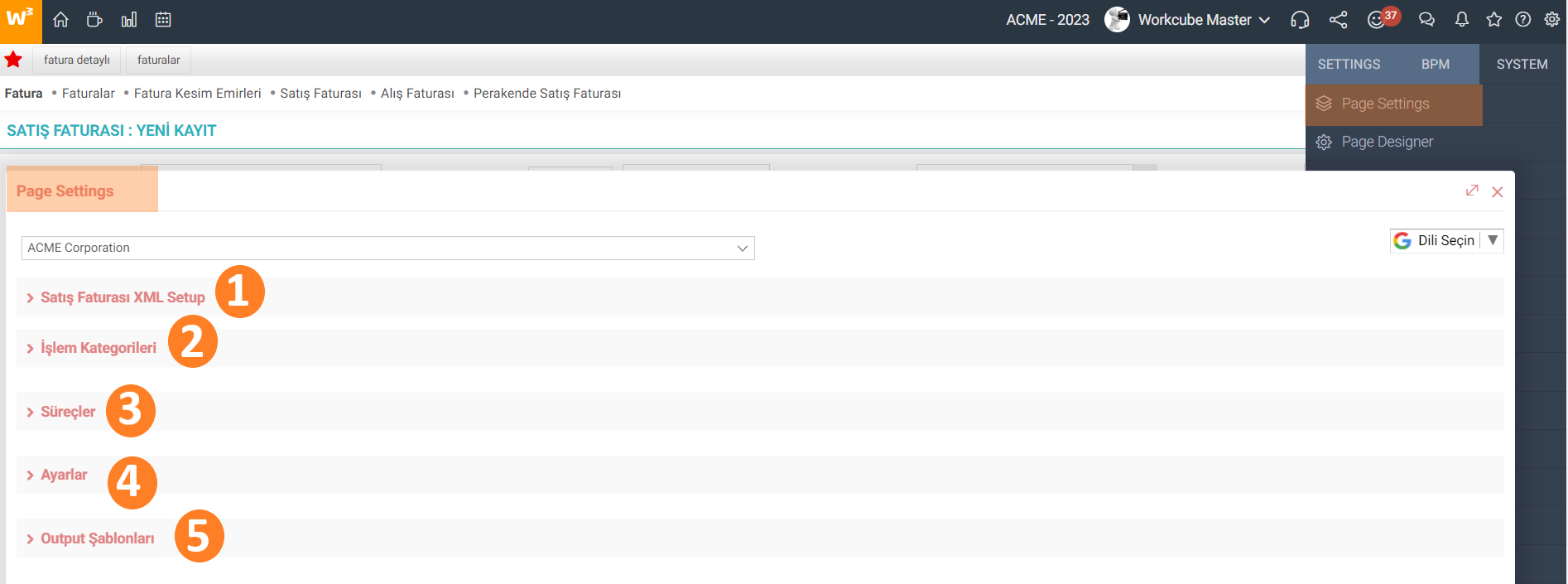
During implementation, there are precursor, main and successor processes. Processes, process categories, parametric definitions fall into these primary operations. These definitions can be made in each job family under the BPM solution, as well as the operations that need to be done under Page settings and can be done from there.
XML Setup
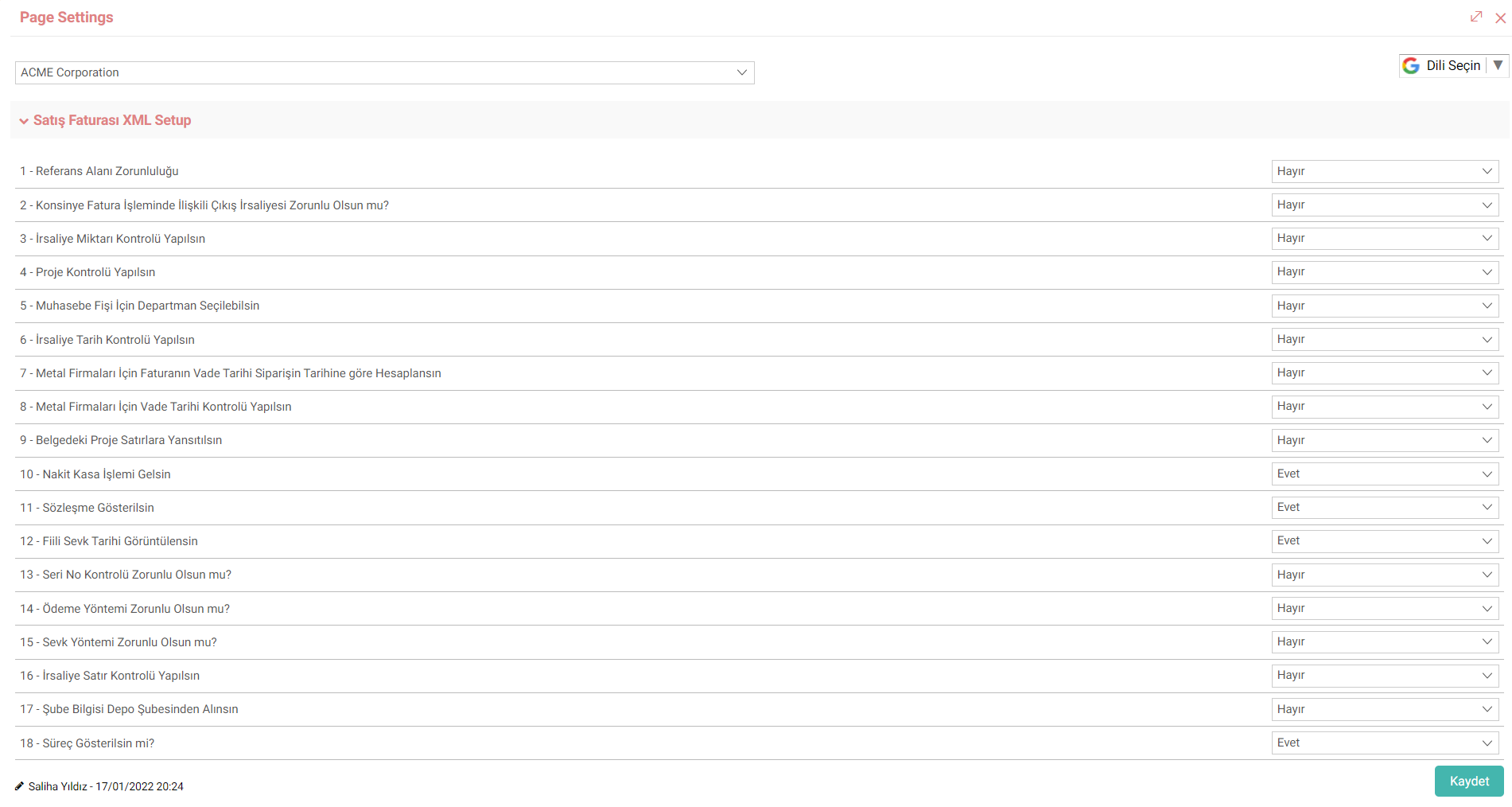
If special settings are made for a page, the page's XML settings are created in Workcube. Depending on the XML settings, there may be differences in the page such as fetching data, calculating, and displaying results. You can check the xml settings when you want to analyze the page or understand how it works. It is the most important rule set in shaping the page. Each page's XML Settings are on its own page. For example, the XML settings of the listing, adding and updating pages of the relevant Business Object are different from each other.
Action Categories
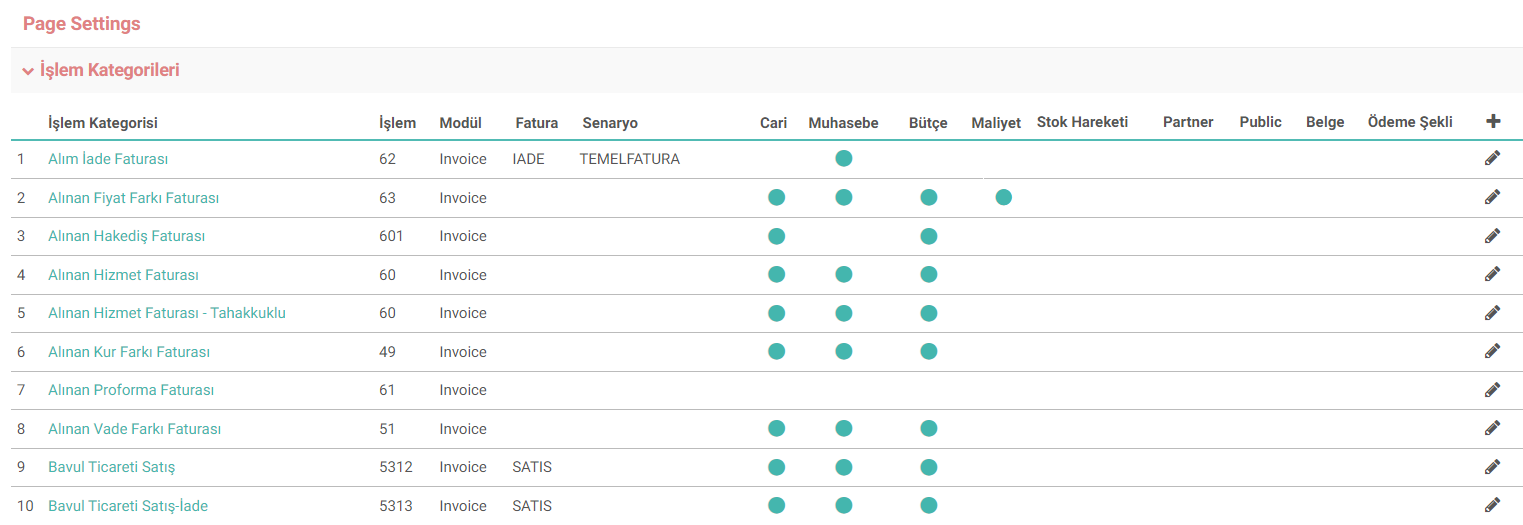
The action category settings used on the page affect how the page works. For example, if the accounting transaction is not marked in an invoice record, the relevant invoice will not appear in the accounting transactions. If the process categories to be used in the relevant module during Step-by-Step Implementation are associated, they are located under Process Categories in Page Settings. If it is not listed here, you can associate it and directly view the settings with which the transaction category works. When you want to make changes, you can go to the details and update the relevant transaction type by clicking on it.
Processes
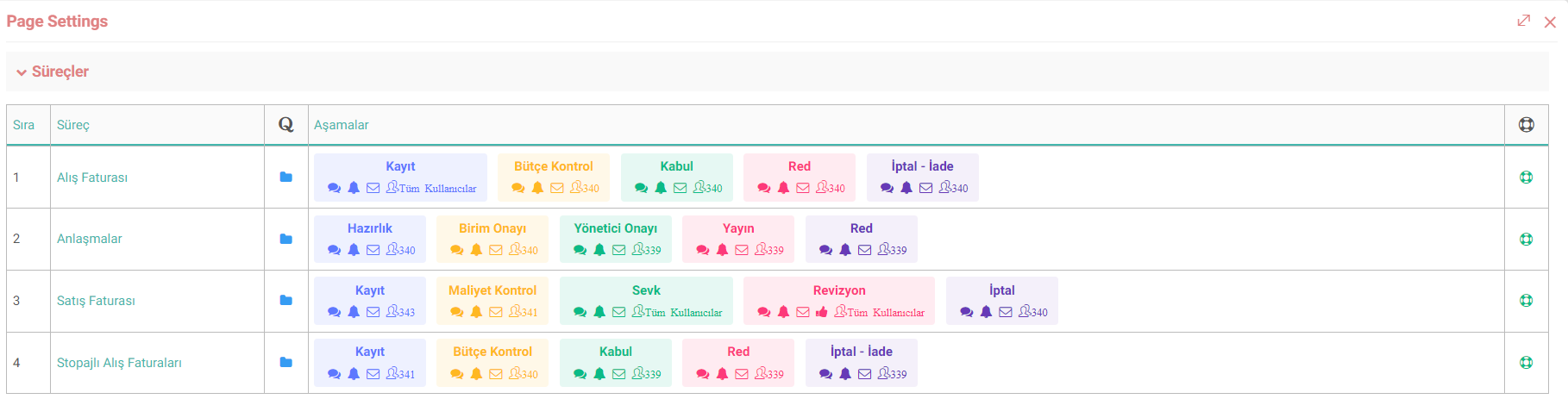
Processes are the most critical element among Workcube forms. In fact, the life cycle of a job is adjusted by adding stages to the processes. It controls your transaction, determines the direction it will take, makes warnings and sends e-mails. In other words, it decides whether a transaction will be performed or not. If the processes and stages to be used in the relevant module are defined, they are located under Processes in Page Settings. You can view settings directly on the page, such as which processes and stages there are, and how many people have stage authorization. When you want to make changes, you can go into detail and update the relevant process/stage by clicking on it.
Settings
Settings are the pages where the basic parametric values of Workcube are defined. If a parametric value is used constantly, recording operations are performed through the parameters. These definitions required for the module are found under the settings. You can make new recording or editing operations by clicking on the relevant setting.

Output Templates
Showing the selected criteria on the page or the desired data to be output is done through Output templates. Output templates defined in the system or specially designed templates for the relevant business object are added by associating them with the module/business object via Woc Documents. These previously added output templates are located under Output Templates in Page Settings. If it is not included here, you can link it and view it.

Recommendation: Adjustments made on Page Settings concern the entire system, not user-specific. It is one of the implementation items, especially the changes made in the xml definitions affect the page and the working logic of the system. Therefore, careful consideration should be given before granting authority in this area.