Watalogy Parametric Definitions
Watalogy; It is a combination of software platform, integration and logistics services that integrates businesses working with Workcube with marketplaces. There are settings and definitions that need to be made before using the Watalogy Plugin.
Watalogy Partner Definitions
Path: Control Panel > System > Parameters > Watalogy Partner Definitions
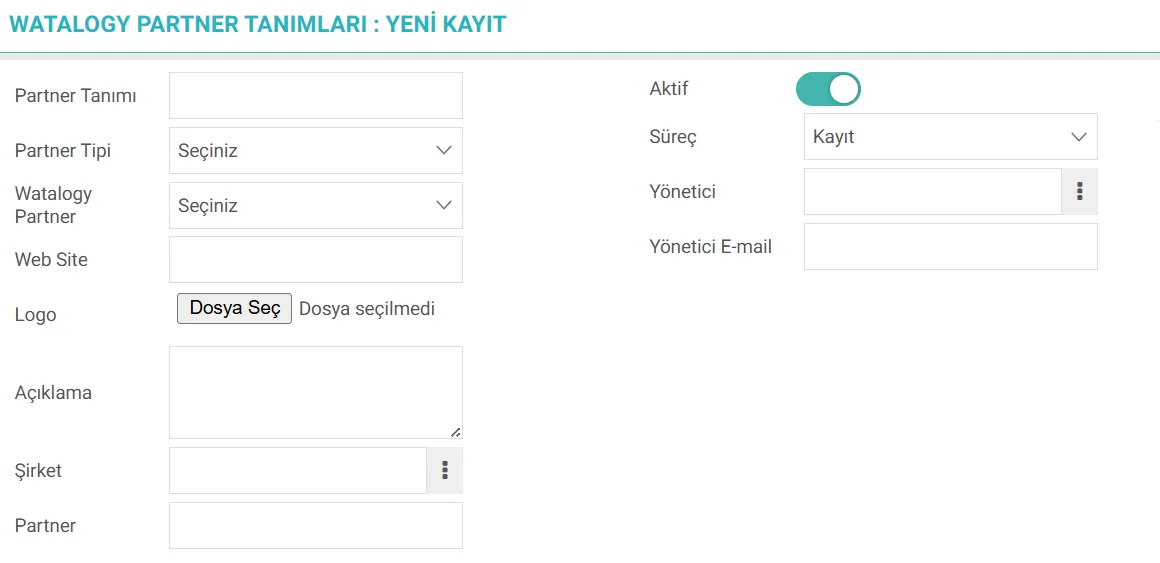
Here Marketplace definitions are made. After the definitions are made, relevant selections are made in the product details and matched.
Partner Description: The descriptive name of the partner you will register in the system is entered. This name will represent the partner in lists and reports. For example; Trendyol, Hepsiburada, Amazon etc.
Partner Type: Partner type is selected from the drop-down list. E-Commerce Platform, Logistics Service Provider, Marketplace
Watalogy Partner: Partner selection can be made.
Web Site: The partner's official website URL address is entered.
Logo: Partner's corporate logo is loaded.
Description: This is where the Partner can enter short and concise explanations about the business model, scope or purpose of being included in the system.
Company: The corporate account of the Defined Partner in the system is selected.
Partner: Administrator of the selected Corporate Account automatically
Process: If the opening of the partner will proceed with an approval/warning mechanism in the internal operation, the relevant stage selection is made here. The status of the partner is specified.
Administrator: The system administrator who will be responsible for the partner is appointed.
Administrator Email:The selected administrator's corporate email address is automatically reflected in this field.
Watalogy Product Categories
Path: Control Panel > System > Parameters > Watalogy Product Categories
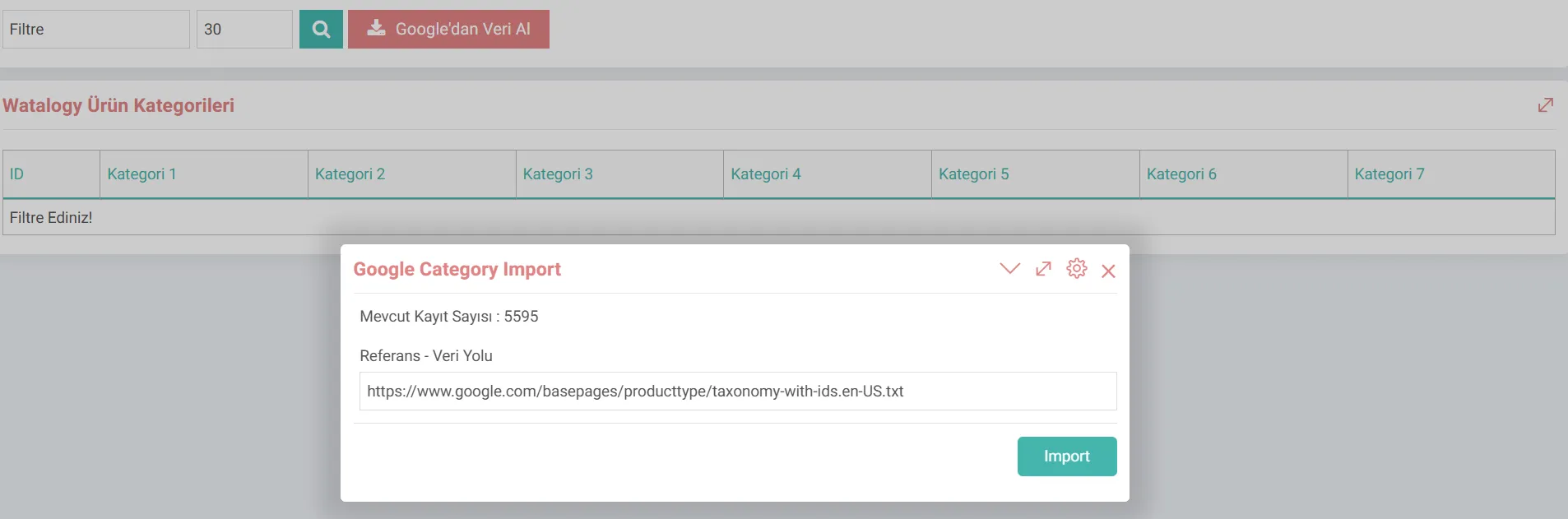
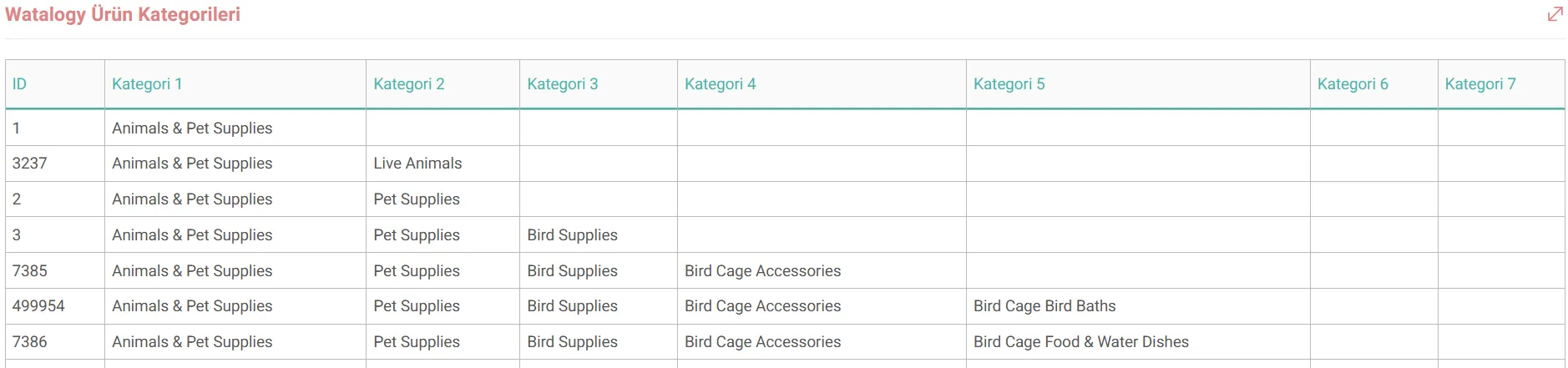
Product categories are defined and used via Google. Google Taxonomy is a comprehensive, hierarchically organized list of categories created by Google that is used to standardize and classify retail products around the world.
Each category has a unique numerical identification (ID). It is a vital system especially for e-commerce sellers and Google Shopping ads.
Importance and benefits of categorization
- Correct Matching: Google uses its users' search terms, product By matching this category information in the data, it ensures that ads are shown in the most relevant search results.
- Relevance: Correct category use increases the relevance of ads and therefore the click-through rate.
- Bid Strategy: Google Ads Shopping campaigns allow the creation of special bid strategies for certain product categories.
- Reporting: Allows advertising performance to be examined on a category basis and to display which product types provide the most returns.
- Category-Specific Features: Some categories (for example; Clothing and Accessories, Software) have additional mandatory product features as per Google's policies. (e.g.size, color, age group). Defining the category correctly ensures that these conditions are met.
- Taxation: Especially on some platforms, it can help determine the amount of tax the customer must pay or refund policies.
- Platform Compatibility: Many other marketing platforms, such as Facebook catalog ads, Instagram Shops, also use this category structure of Google to classify products. Categorizing products once ensures a consistent structure across different channels.
Hint: This data-exchange is achieved via WEX. WEXs should be checked.
Products
Path: ERP > Sales-Distribution > Product and Stocks > Products
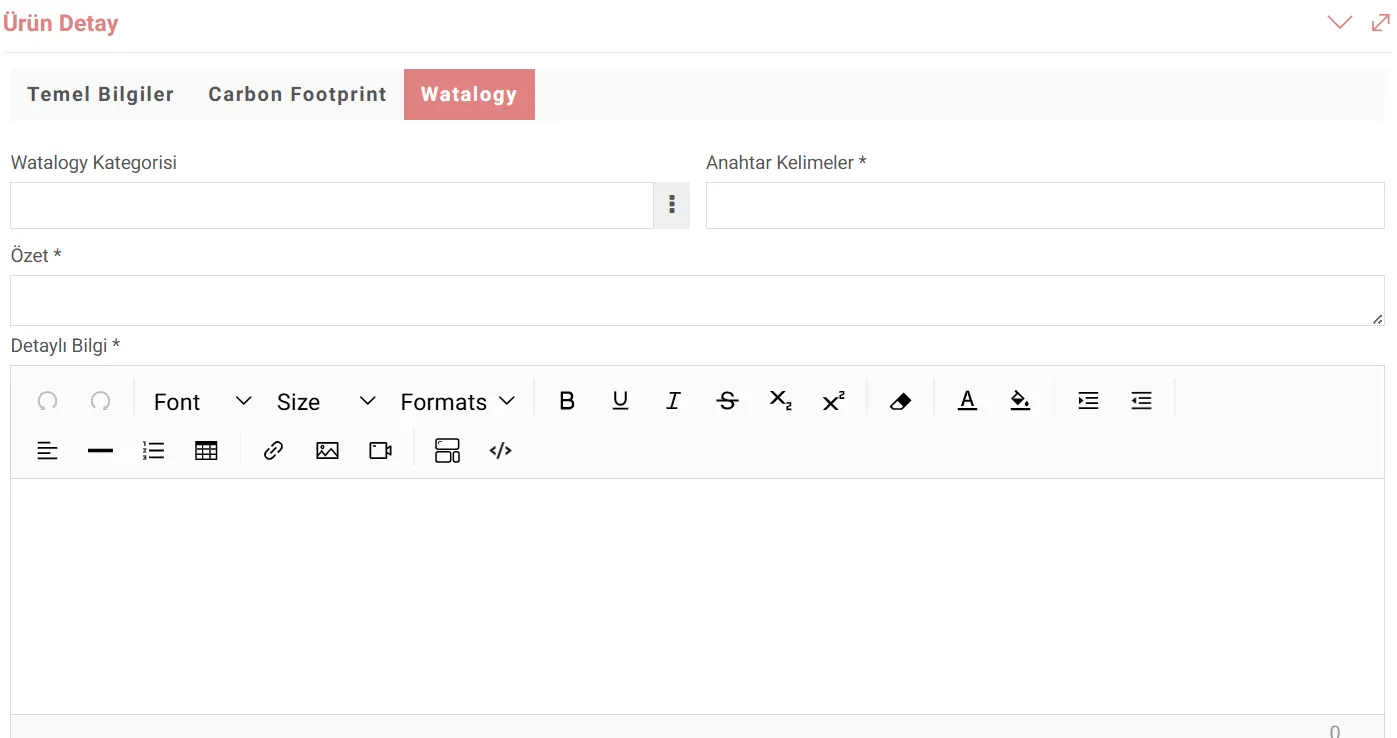
Once Product Categories are imported Then, product matches are made by selecting the Watalogy Product Category on the Watalogy tab in the product detail.