Motor Vehicles
Monitoring motor vehicles, performing periodic maintenance on time, monitoring fuel consumption, monitoring mileage checks, and using information such as warranty, maintenance contract, insurance information, leasing contract effectively are of great importance in terms of both efficiency and occupational safety. Missed maintenance or improper inspection can lead to costs.
With Motor Vehicle Management, companies can manage cars, construction equipment, trucks, trailers, etc. Detailed tracking of all vehicles is provided on a purchasing or rental basis.
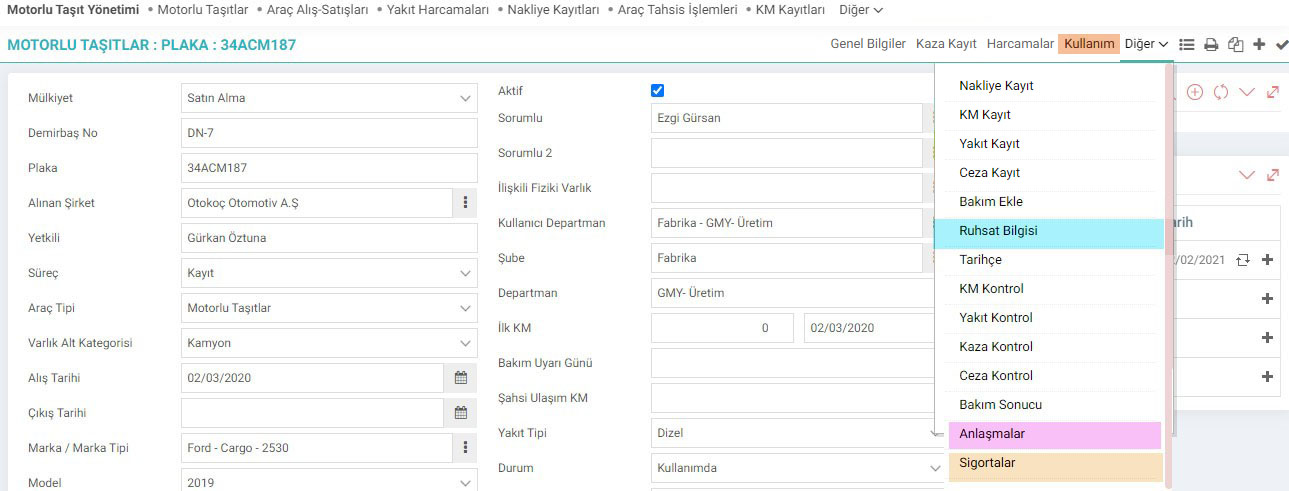
You can reach the motor vehicles page via the following path.
Path: PAM > Assets > Motor Vehicle Management > Motor Vehicles
You can add a new motor vehicle with the "+" icon on the Motor Vehicles page or go to the update screens by listing.
On the right of the screen. You can add documents related to the vehicle in the "Documents" section.
You can define up-to-date information about the vehicle, such as KM and Fuel, from the "Latest Transactions" section.

Information about the maintenance of the vehicle from the "Maintenance Plan" section at the bottom of the screen.

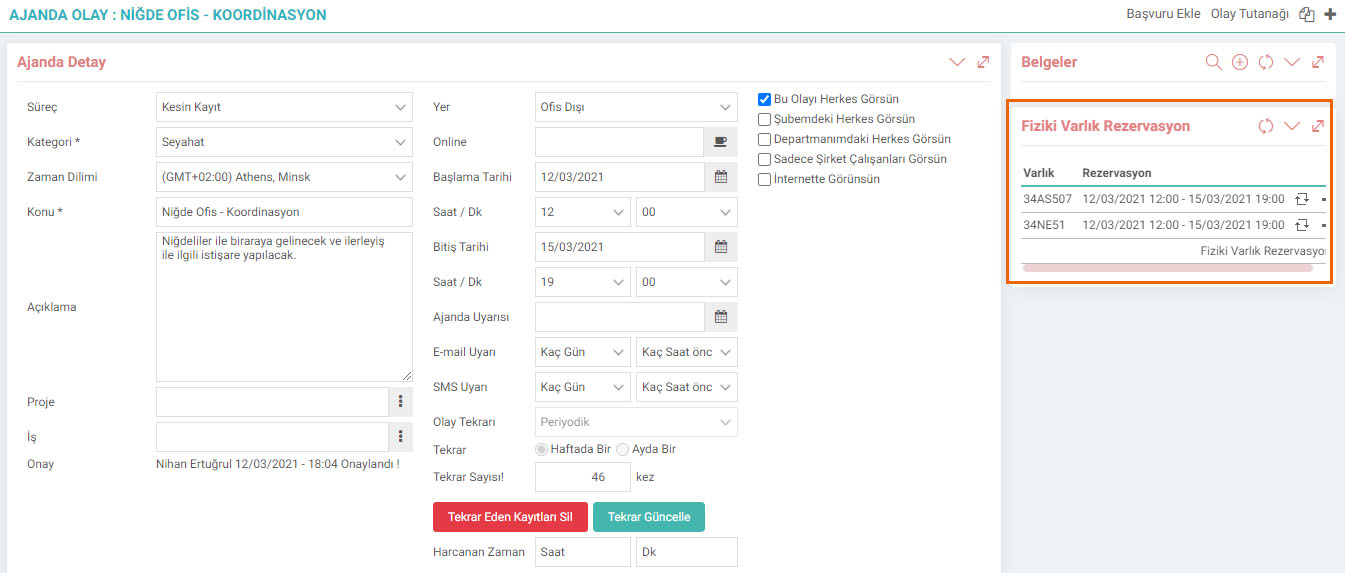
Usage (Reservations)
Vehicles can be reserved through agenda entries. It is very important for the efficient use of resources. From the usage area, we can view the date range in which the vehicles were reserved and in use.

Example Agenda;
License Management
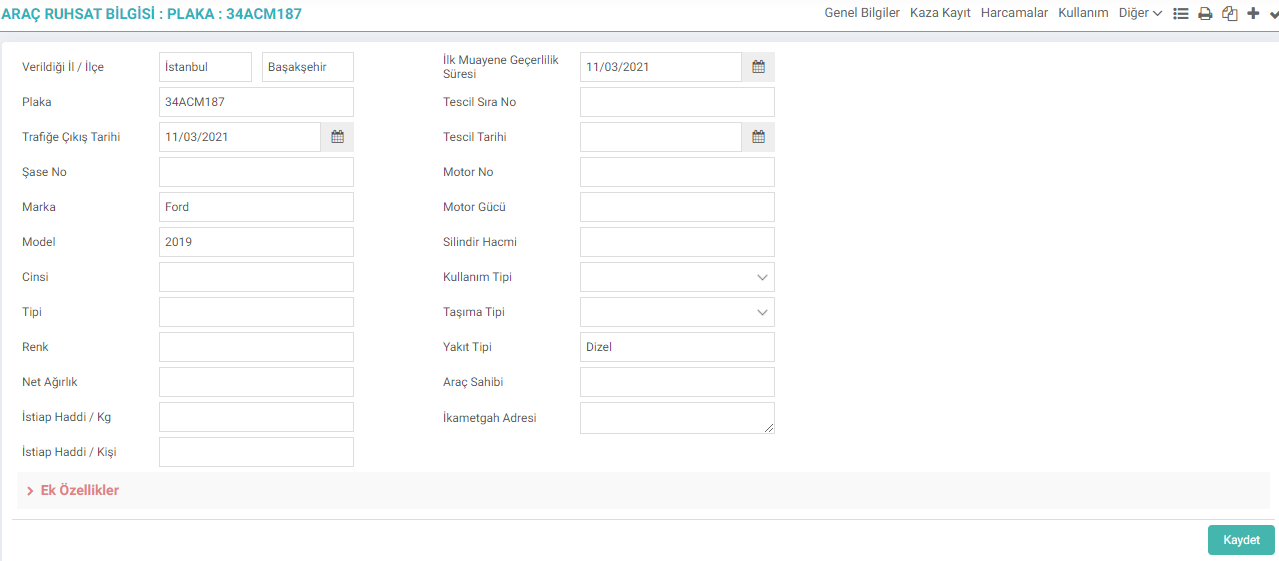
- License All license information and additional features such as province, district, registration plate number, date of entry into traffic, chassis, brand, model, breed, type, color, weight, load limit/kg and person, inspection entry period and date, registration sequence number and date, engine number and power, cylinder volume are added.
- Use and fuel type are selected for the defined license.
- Carrying capacity and defined unit are selected.
- Km fuel cost, initial km information, size information and 5 different feature information are added.
- License holder information and vehicle residence address are added.
- The history of the vehicle, ownership information and related updates are recorded in Word, Excel and PDF formats.
- License information can be saved in Word, Excel and PDF formats, printed and sent by e-mail.
Vehicle Agreement Management

- For each agreement, a title is created, description and vehicle information are added.
- The agreements are associated with the company and the responsible employee, and is displayed.
- Agreement start-end date is added.
- The agreement document is scanned and associated.
- Agreements can be associated with the relevant project.
- Support category status and rental information are added.
- Price and currency are added, payment period is determined.
- Fuel and maintenance expense information type is followed.
Insurance Management

- Vehicle insurance information is tracked.
- Insurance start and end dates and insurance expiration period are monitored.
- Insurance company information is entered.
- Insurance name, policy number, premium amount information is tracked.
From other areas, vehicle mileage, fuel or fine registration transactions and their checks can also be carried out.

Kullanılan araçların harcadığı yakıtın tipleri girilerek kayıt altında tutulmasını sağlar.
Ek bilgiler, ekranlar üzerinde yapılan kayıtlara ait, o kayda ilişkin detay ya da spesifik olarak eklenmesi gereken bilgiler için kullanılan bir fonksiyondur.
Motorlu taşıtların eklenmesi, listelenmesi ve detaylarının takip edilmesi için kullanılır.
İş süreçlerinin tasarım ve akışlarını oluşturur.
Kaydedilen belgelerin çıktılarının alınması için kullanılır. Standart şablonlar seçilebilir ya da özel şablonlar eklenebilir, ayrıca şablonlar yetkiye bağlanabilir.
Motorlu taşıtların eklenmesi, listelenmesi ve detaylarının takip edilmesi için kullanılır.
Feedback
Description in Motor Vehicles Listing
Added/Edited Function:In PAM > Assets > Physical Assets > Motor Vehicles business function; "Should I get a description" option has been added to the listing page xml settings.
Usage: If Yes is selected in the