Renewal Center Operations
Renewal Center is an add-on designed for the use of renewal centers that have the necessary documents in TSE standards. Registration and follow-up of renewal applications, certification of the renewed product with TSE integration; Warranty certificate, technical service acceptance form, renewed product report, renewal certificate transactions are carried out with the templates in the printing center.
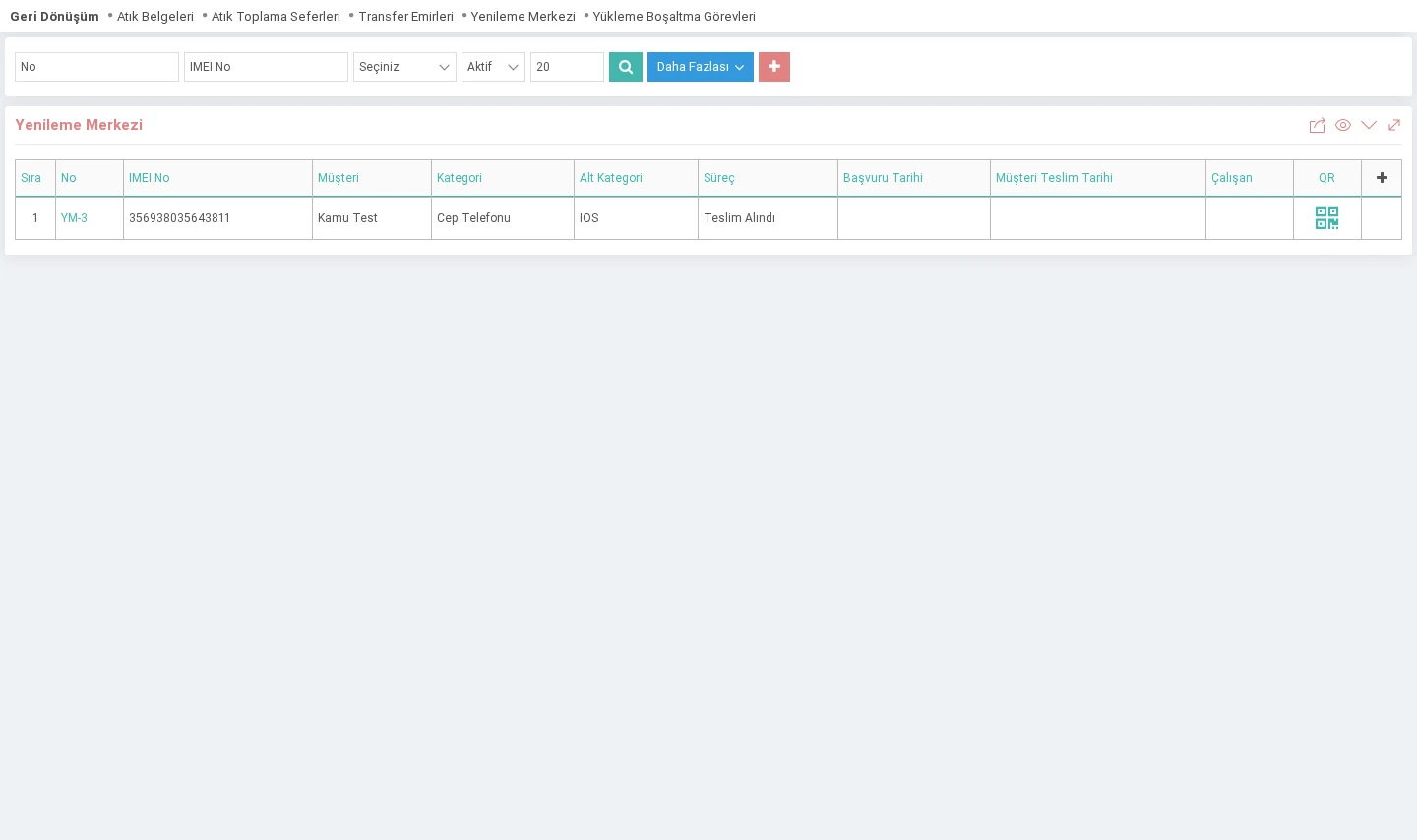
Path:Extra > AddOns > Recycling > Renewal Center
Renewal Center Registration
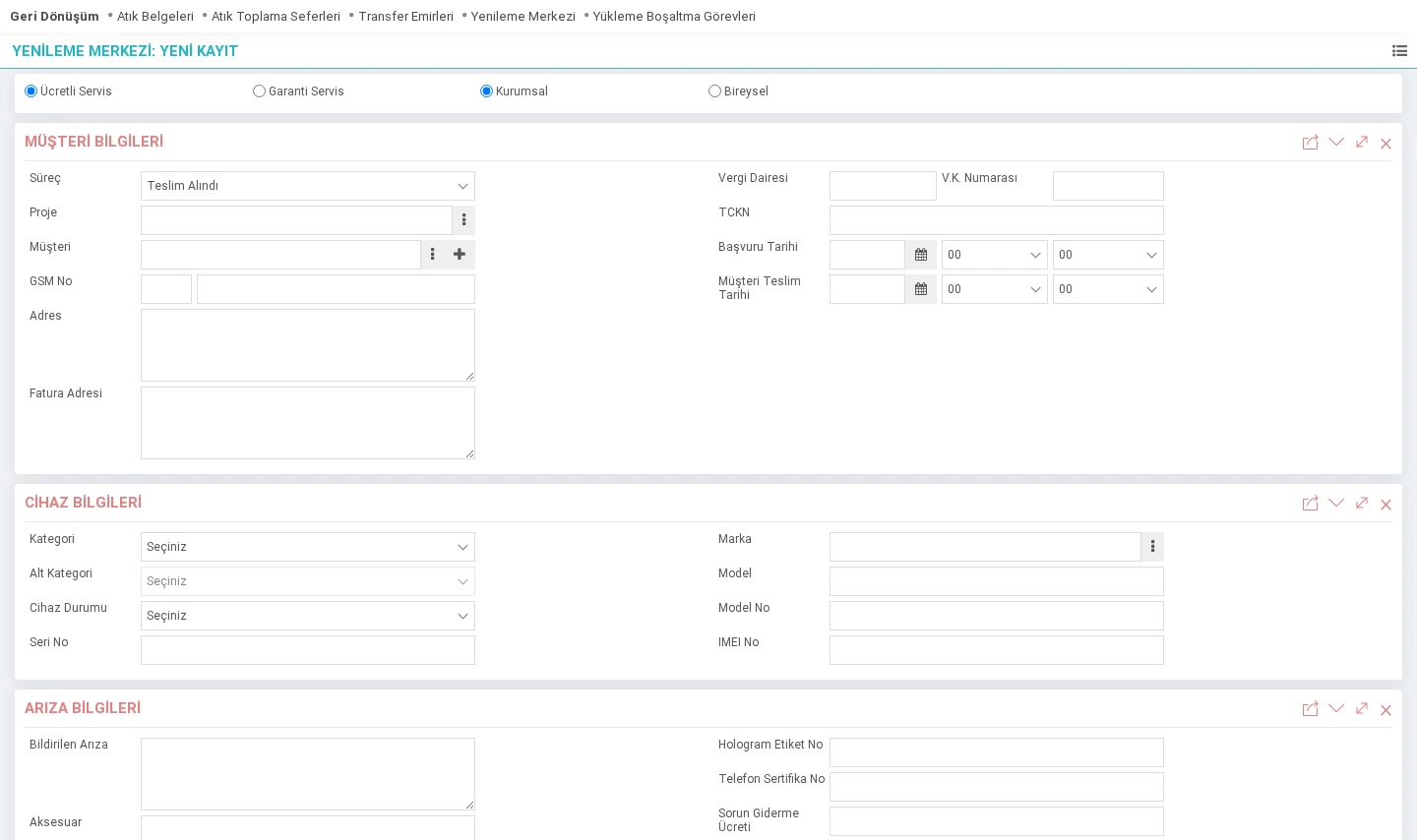
Customer Information

- Paid & Warranty Service: If a fee will be charged for the service, warranty is selected if it is provided within the scope of a paid warranty.
- Corporate & Individual: The customer to be served is selected as a corporate or individual account. indicates that you are a member.
- Process: This is the field where the stage of the registration is selected. The status of the transaction is updated as transactions are made.
- Project: Selection is made if the service to be provided is within a project. It is not a mandatory field.
- Customer: If it is a Customer registered on my site, the selection is made from the popup. When the selection is made, customer information is filled automatically. If it is not registered in the system and will be registered at that time, it will be directed to the Corporate/Individual registration page depending on the selection.
- GSM No: Mobile phone information is entered. If this field is filled in the customer's card, it will appear automatically
- Address & Billing Address: Address information is entered. :If this field is filled in the customer's card, it will come automatically
- Tax Office & Tax ID Number & TR ID Number: If this field is full in the customer's card, it will come automatically
- Application Date: Date the application was received.
- Customer Delivery Date: Information on the date on which the device will be delivered to the customer after the repair process.

- Category: & Sub-Category: One of the parameter information defined in the TSE standard is selected.
- Device Status: The state in which the device was received is indicated.
- Brand: One of the previously defined device brands is selected.
- Serial No & Model & Model No: This is the text field where the device information is entered.
- IMEI No: This is the text field where the IMEI number of the device is entered. Since IMEI numbers are 15 digits, it checks the character compatibility and gives a direct warning in case of incorrect records and does not register them.
Fault Information
The details and post-processing operations while receiving the device before the transaction are recorded by the person who recorded it in the fault information field. is filled in.

- Hologram Label Number: Enter the hologram label number used in TSE integration.
- Phone Certificate Number: Enter the certificate number used in TSE integration.
- Warranty Period: This is the field where the warranty period determined for the refurbished device is entered. The data entered in this field is reflected in the "Warranty Certificate" template.
Update Page
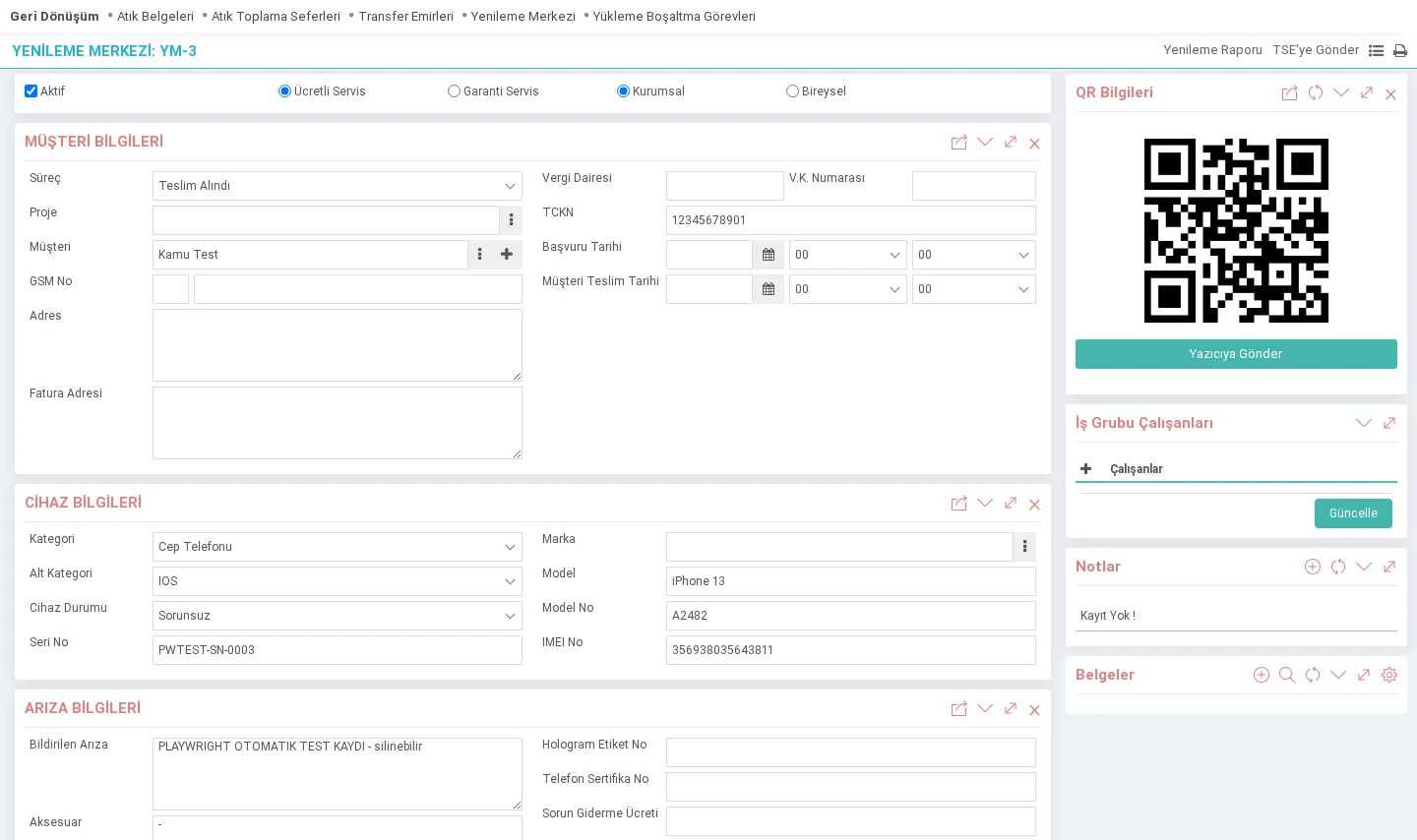
The information entered on the adding page and detailed information such as subsequent transactions, work group employees, notes and documents are entered on the update page. Additionally, QR Code information can be accessed on the update page.

- Other Applications of the Member: Previously recorded renewal center applications belonging to the customer are displayed.
- Product Service Transactions: Transactions performed for device renewal and amount information are entered.
- QR Information: This is the area where the data received upon return from TSE integration is displayed in QR form.
- Renewal Report: When clicked, it directs to the renewal report page created in TSE standards.
- Send to TSE: Enables the relevant data to be sent to TSE when clicked.
Attention!: Since the Send to TSE button requires company-based work, its integration must be ensured.
Eventler