Form Generator
Form Generator; It is used to define the forms you will process for all orders, campaigns, surveys, recruitment, performance, etc. transactions and screens you will use on the system.
Path: Control Panel > System > General Settings > Form Generator
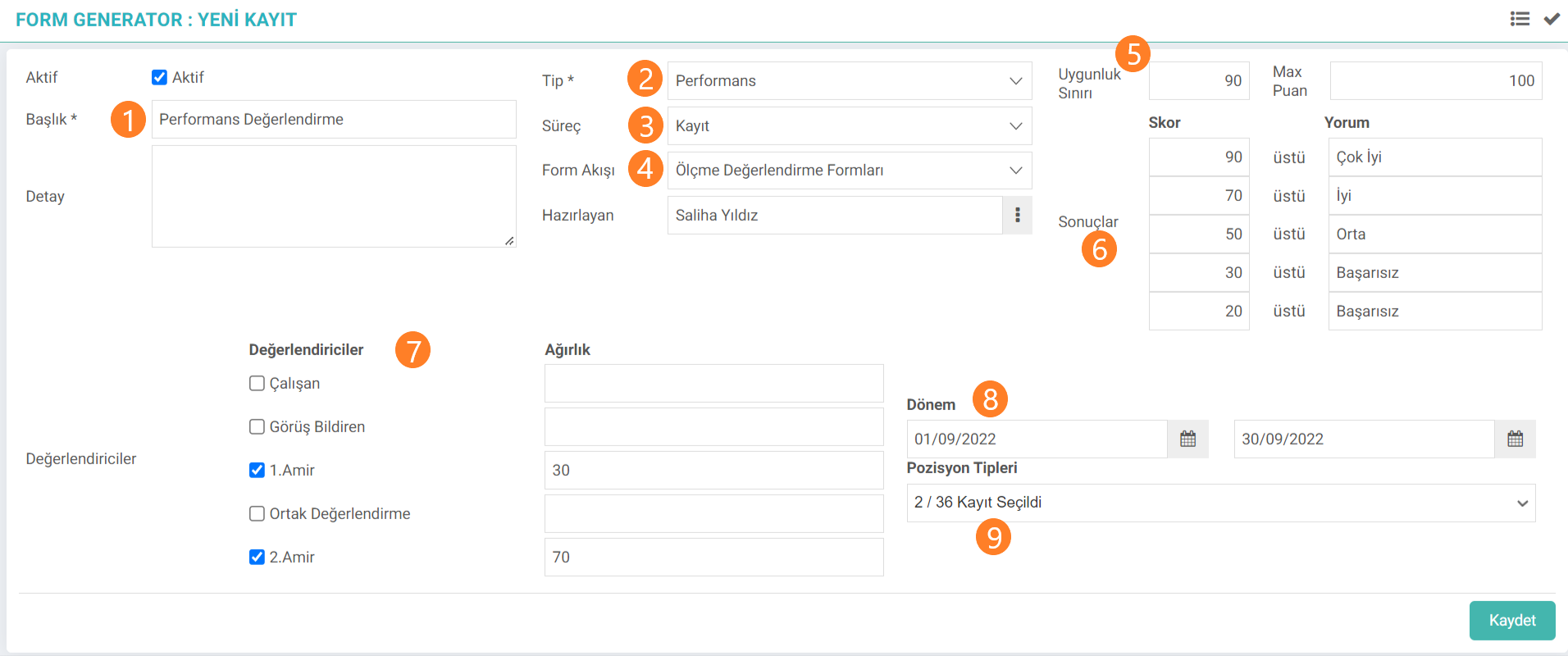
1. Title: In order to follow the form, the title definition is entered.
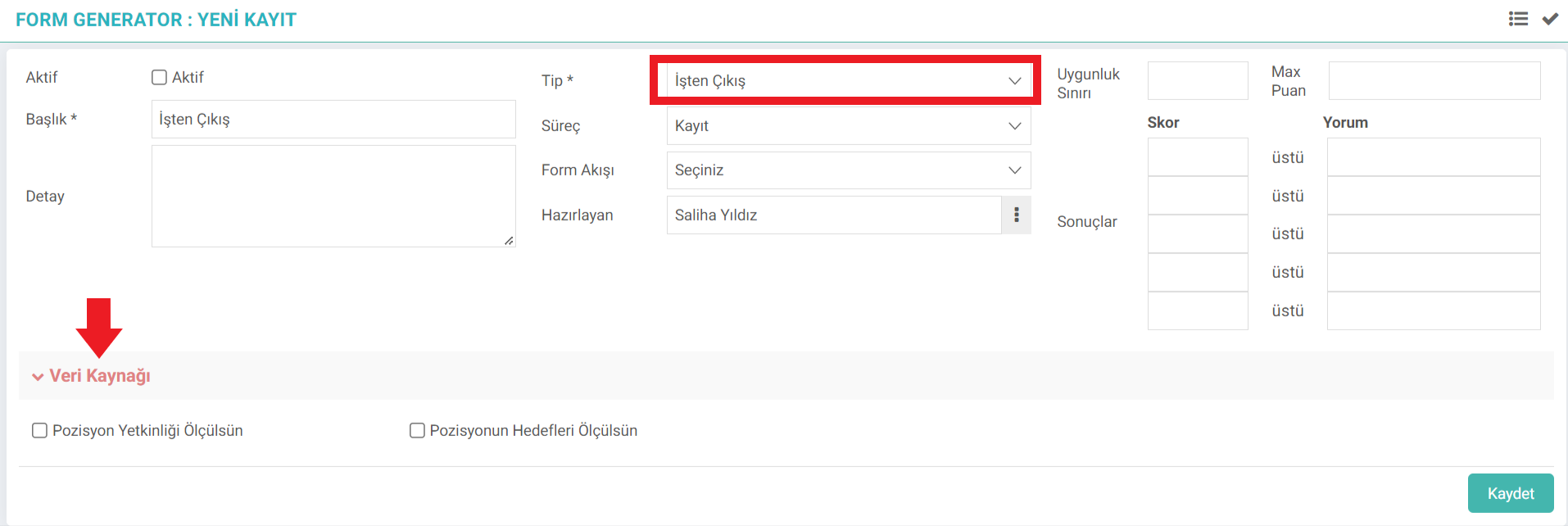
2. Type: For whichever screen or function the form is defined here, the relationship is established by selecting the relevant type. Depending on the Type selection made, selections and criteria are made in the data source field on the screen. Since the Performance type is selected in the example image, the Evaluators and Weight fields are automatically fetched by the system. When Dismissal is selected in the Type field, the options suitable for dismissal operations are listed as in the image.
3.Process: This is the area where the defined form is followed up step by step.
4. Form Flow: The relevant screen relationship on which the defined form will run is made.
5. Eligibility Limit: Acceptable score and Max score are defined for scoring according to the questions and criteria defined for the form.
6. Results: After the evaluation, acceptable/unacceptable lower and upper score limits for score ranges are determined.
7. Evaluators: It is determined who will evaluate the form and the weight to which the evaluators will evaluate it.
8. Period: Select the date range in which the form can be used. Attention: The form cannot be used outside this specified date range.
9. Position Types: Choose which position types the form will be used for.
After filling in all this information, click the Save button. Sections-Questions to be added to the form are loaded on the update screen after saving.

The button marked in the red area directs you to the questions field for evaluation in the form.
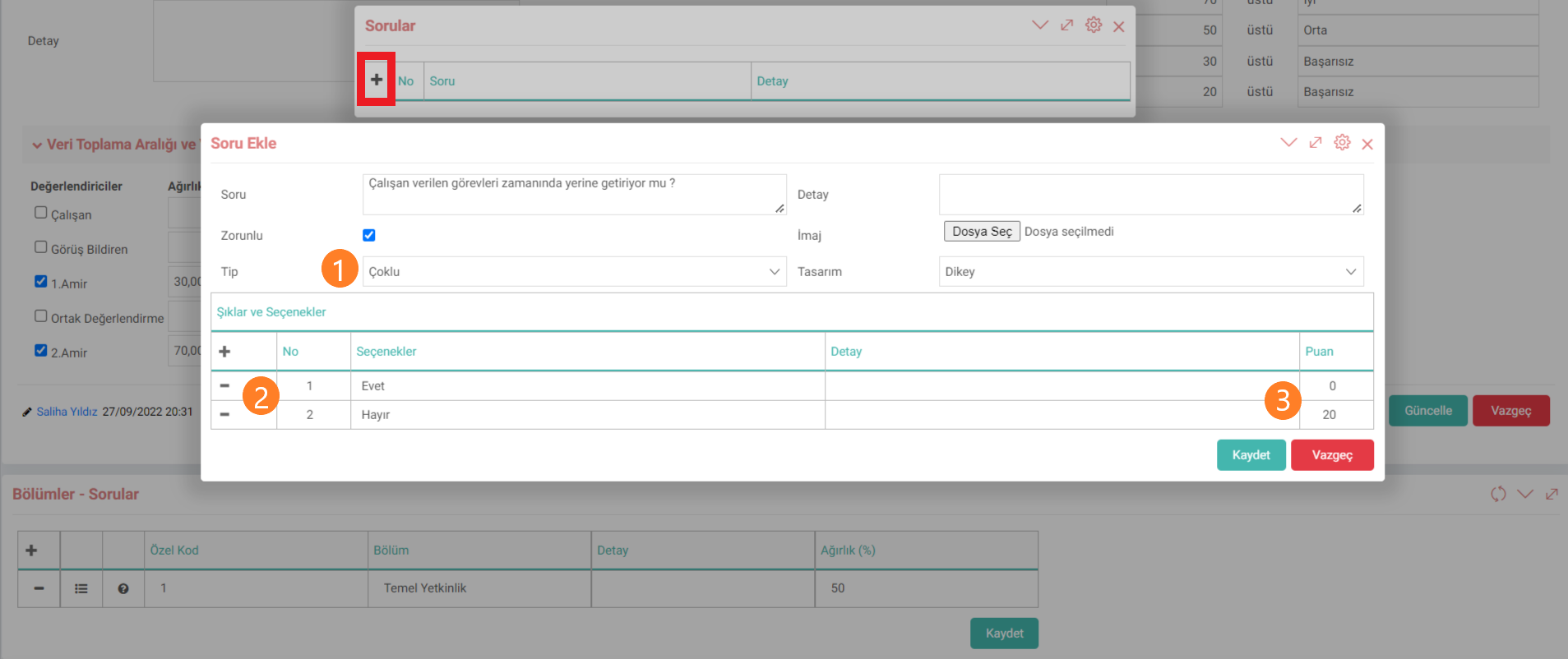
The question to be asked is defined in the Add Question box that opens. If the question must be answered, the Mandatory option is selected.
Type 1: This is the field where the answers to the question are selected as Multiple-Single-Text. According to the selection here, the answers and options for the question are defined in the Options-Options field.
2.Options: The answers and options for the question are defined.
3.Score: A score is defined for the answer according to the answers given to the question.
If desired, one or more sections or questions can be added to the form content.
The form defined in the Related fields box at the bottom of the editing screen can be associated with an employee.

All forms defined in the system are displayed on the Form Generator Listing screen. Forms are listed by typing the name of the form in the filter field or according to the Type selection.
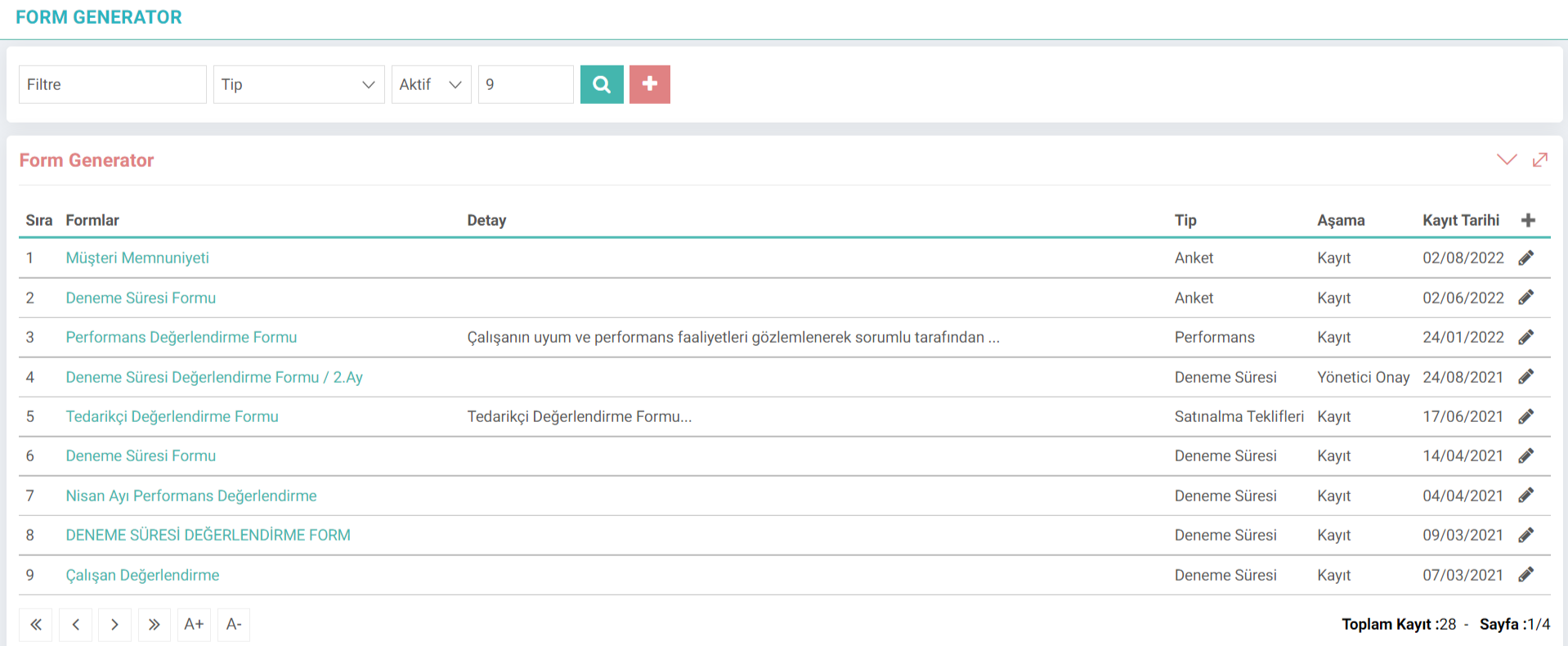
The form can be changed and updated by clicking on the detail of the record on the listing screen. By clicking on the marked areas in the image, a report can be printed according to the usage status of the form, and a new form can be created by copying the information in the form without the need to edit the content again, via the Copy button.
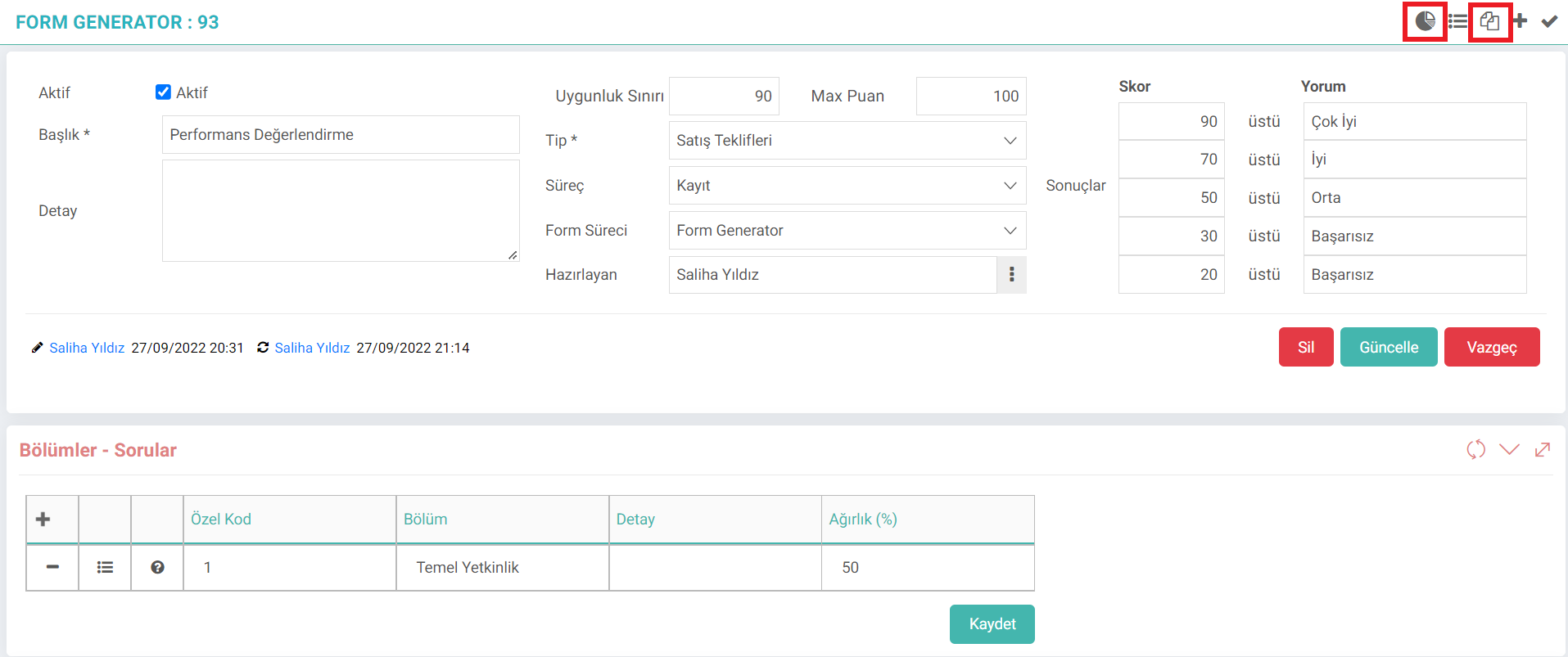
Attention:After the defined/received forms are evaluated, the form cannot be updated. In order to make an update, the evaluated record must be deleted.
This form definition made in the Performance type is put into use on employees under the Performance module. Forms made in other Types are used on the detail screen of the relevant function. For example; On the screen opened via the sales offers detail button for the form made in the Sales Offer Type, the form defined in the Evaluation Forms field is selected and processed for the relevant record.
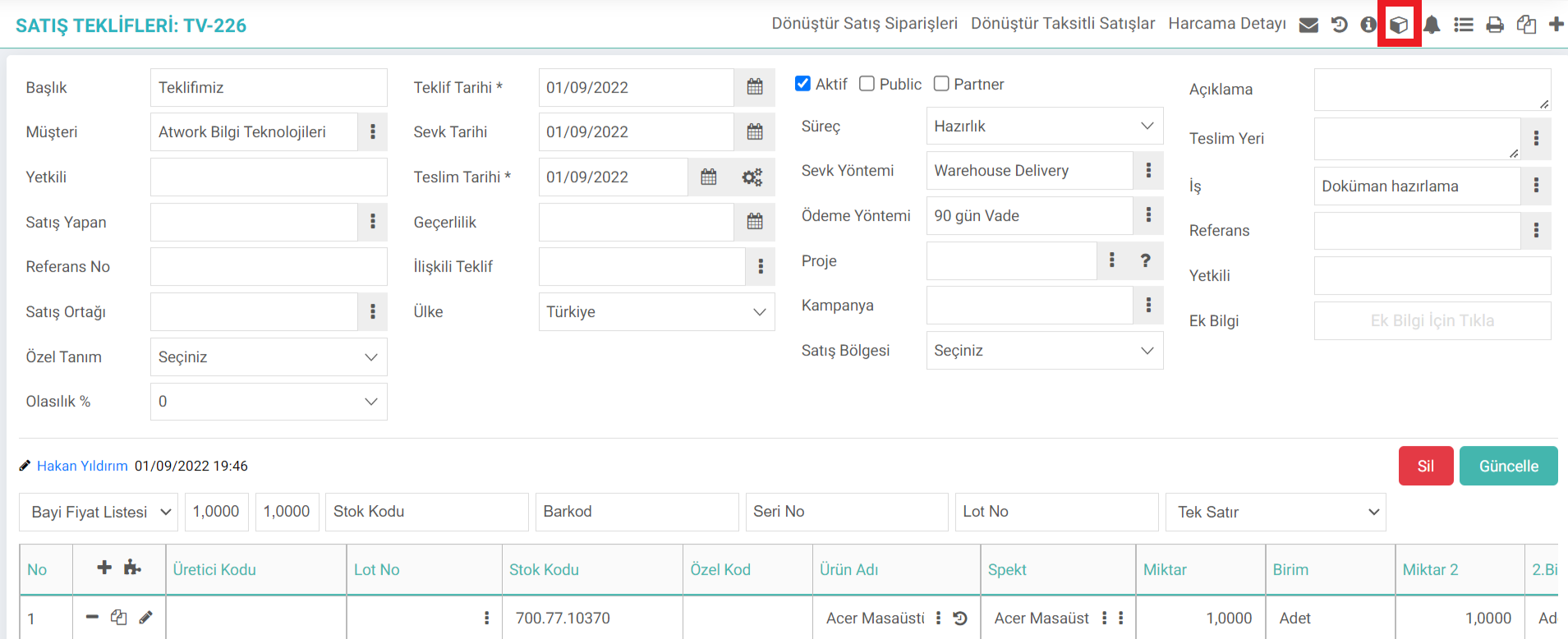
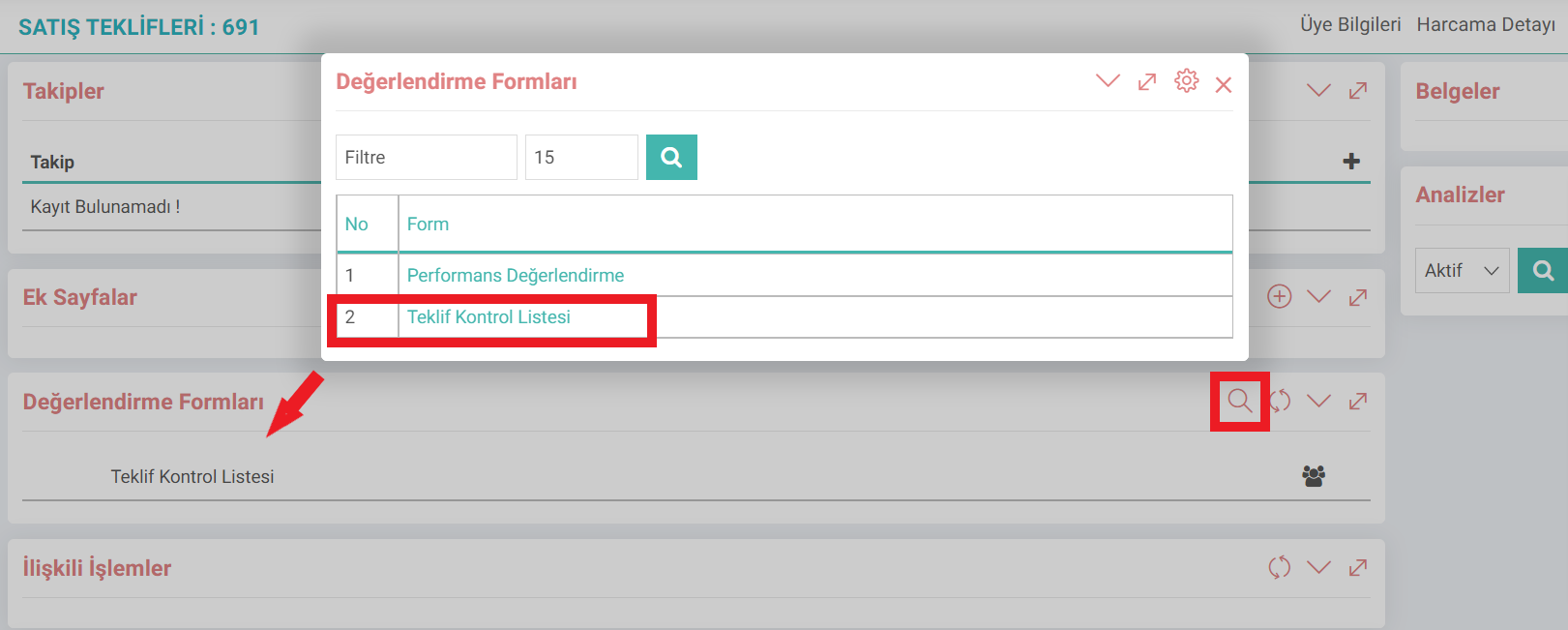
For all types, the forms are evaluated from the details of the relevant screen.
Feedback
Form Generator
Added/Edited Function: In the Control Panel > System > General Settings > Form Generator business function, the situation that caused the question titles in the form to disappear when the mandatory field in the question titles added to the section definitions was removed was fixed.