Credit Cards
Existing credit cards can be displayed on the credit cards screen and new credit cards can be defined on the system. After the definitions, transactions can be made with a credit card.
Path: ERP > Finance-Accounting > Bank > Other > Credit Cards
There are operations that need to be done before defining a credit card to the system.
- A bank account must be opened from the ERP > Finance-Accounting > Bank > Bank Accounts page. For detailed information, you can read the article titled "Definition of Banks".
- An account must be opened from the ERP > Finance - Accounting > Accounting Definitions > Chart of Accounts page. For detailed information, you can read the article titled "Accounting Chart of Accounts".
Attention: To select the credit card type, you can find the "Payment Card Types" parameter definitions under the bank heading on the Control Panel > System > Parameters screen.
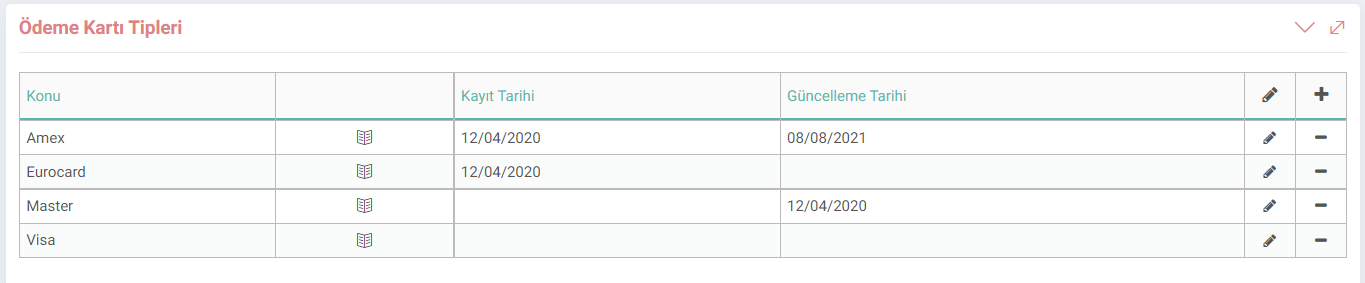
Adding a Credit Card
To add a credit card to the Workcube system, click the "+" button on the ERP > Finance-Accounting > Bank > Other > Credit Cards screen. Details about the credit card can be given according to the following items:
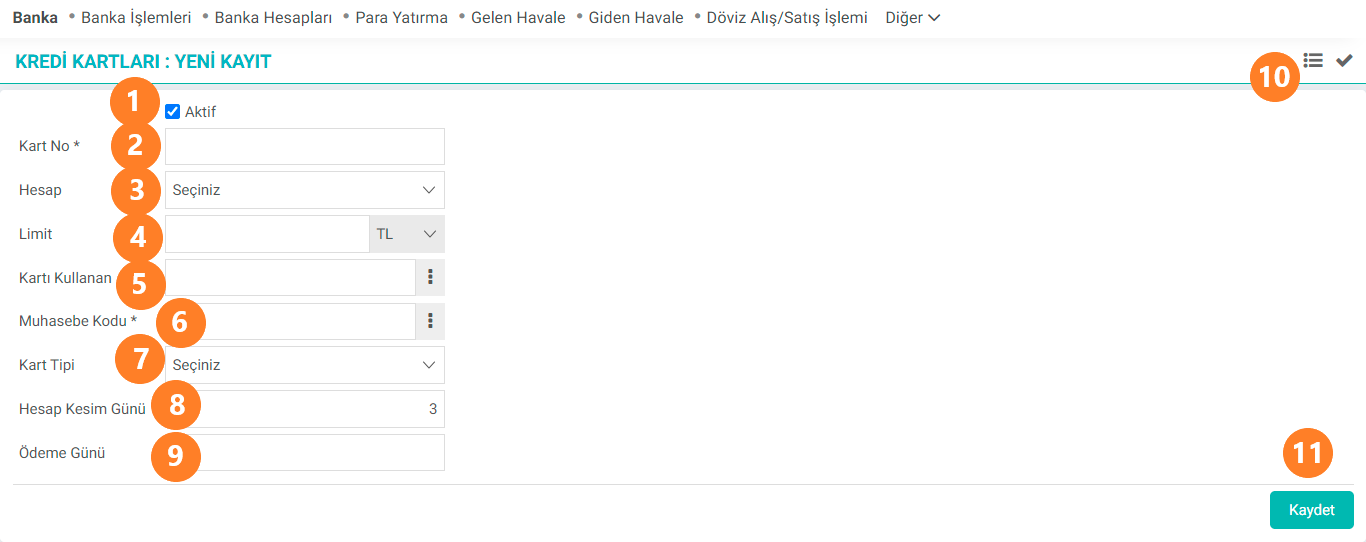
- Active: Unless this selection box is selected, the registered credit card cannot be used.
- Card Number: Card number can be entered. This is a mandatory field.
- Account: The account to be associated with the credit card can be selected from the defined accounts.
- Limit: The limit of the credit card is determined here. Transactions above this limit cannot be made. The currency in which the limit will be selected is also done here.
- Card User: The user of the card can be selected through the system.
- Accounting Code: One of the accounting codes added can be selected from the Chart of Accounts page. This is a mandatory field.
- Card Type: One of the added card types can be selected from the parameters screen.
- Setting Date:The settlement day is specified. Attention: The Settlement Day Must Be Between 1 and 31 Days!
- Payment Day: The last payment day of the credit card debt is specified.
- List: Go to the Credit Cards list screen with the list button.
- Save: After the details are added correctly, the save is made. If the details entered in our record are correct, it will appear on the list screen.
Credit Card Listing and Update
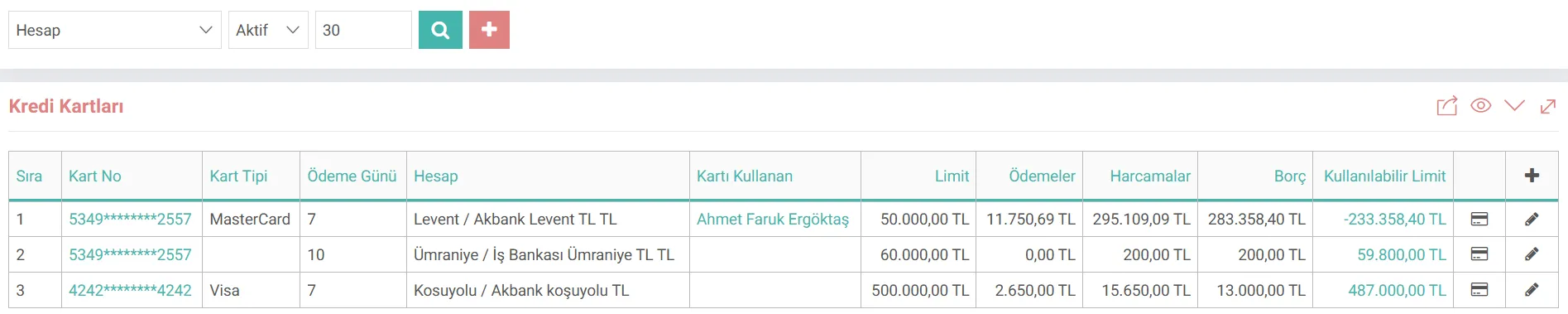
All credit cards defined in the system according to the account selection on the credit card list screen; They are listed according to card number, card type, payment date, account, card user, limit, payments, expenses, debt and available limit. If desired, arrangements can be made for the identified credit card under the ordinary card number heading in the list or by clicking on the pencil icon in the same line. Or you can go to the payment page by clicking on the credit card payments icon.
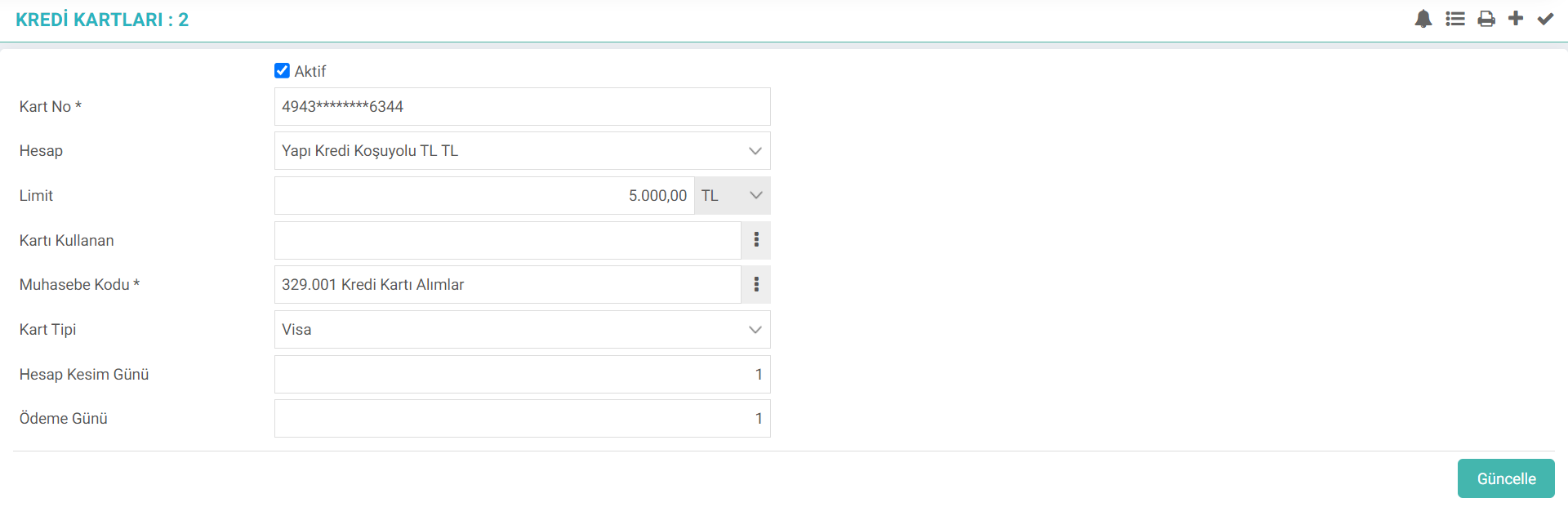
All the details entered during the registration phase on the credit card update screen. can be changed.
Attention: Changes made change the accounting records in the background.
On the update screen, you can also view and print the warnings related to this card with the help of the icons at the top right.
Feedback
2.1.8.2. Loan Types Parametric Definitions
Loan types; Bank loans are divided into three groups: individual loans, corporate loans and commercial loans. Loan types called individual loans can be divided into three groups. Three types of loans can be used: consumer loan, housing loan and vehicle loan. On Workcube, these credits are recorded in the system via the Credit Types screen on the parameters screen.
2.1.5.15. Switching to Credit Card Account
Credit Card Transfer to Account transactions are transactions coming from Virtual POS and POS devices. It is possible to transfer collection transactions to the bank account from this page.
2.1.5.11. Credit Card Payment/Collection Methods
Credit card payment and collection are among the functions offered by the Workcube Bank module.
Bank
The bank module has a familiar and simple structure. Like other W3 applications that perform monetary transactions, accounting, budget and current records are made simultaneously with the "Transaction Type" settings. Every transaction is recorded in three currencies. Actual transaction costs are recorded as a concurrent expense by selecting a budget item.
2.1.1.1. Accounting Chart of Accounts
Accounting Chart of Accounts; It is a list of standardized accounts used to record accounting transactions.
List of Credit Cards
Added/Edited Function: Expenditure, payment and available limit columns for each credit card have been added to the ERP > Finance Accounting > Bank > Credit Cards screen.