My Team and Me Page
My Team and Me business function enables effective management of teams and departments. Thanks to the job function, employees who are on leave within the team, employees who are responsible as a manager, and employees who are traveling and training can be viewed.
Path: Intranet > My Portal > Other Actions > My Team and Me
On the My Team and Me page, the employees who are connected are visible on the left. For example; Like Mehmet Yaman's superior, Ekin Yaman. On the right side are the affiliated departments.

- My Team
- Team 1:Number of employees managed as the first supervisor.
- Team 2:The number of employees managed as the second supervisor. number.
Hint: If the number of employees does not appear in these fields, the 1st supervisor and 2nd supervisor fields on the employee card should be checked.
- Active Employees
- By clicking on the Active Employees field, you can access the Company, Branch, Department and Entry-Exit date information of the employees.
- On the relevant pop-up; With the branch selection, the branch employees are listed, with the active/passive selection, the employees who are active or those who have left the job and become passive are listed.
- Those on leave
- When clicked; Name-Surname, Department, Position Type, Group Entry Date, Seniority Date, Leave Type and Leave Date, Remaining Leave Balance columns appear and the status of the personnel on leave is displayed.
- Employees who will be on leave on different days can be listed by changing the date range on the relevant pop-up.
Tip:Leaves approved by HR comes. If the 1st and 2nd Supervisor approves but HR does not, the permits will not come.
- Traveling
- Gives the number of employees in the team who are traveling.
- Those in training
- The number of employees in the team who are in training gives.
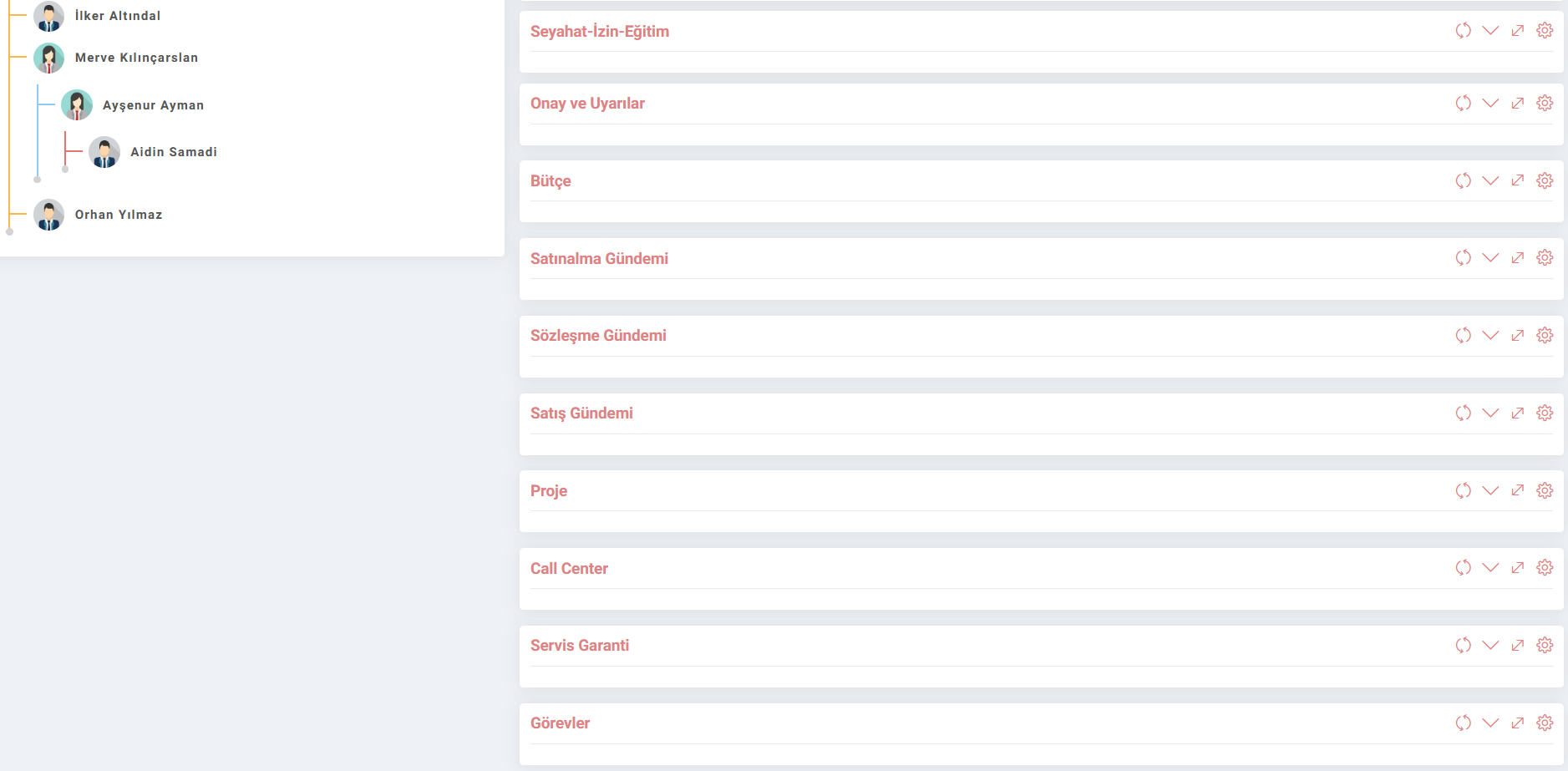
Other fields on the page;
Travel-Leave-Training: Provides a detailed list of the employees in the team. Here, it includes not only numbers but also details such as employee name and date.
Approval and Warnings: Approval and warnings active in Workflow can be checked from this area. When the process you want to control is clicked, it directs you to the relevant record on the approval and warning page.
Budget: The department's budget comes according to the income and expense distribution. Planned, Reserved, Reserved Used, Actual and Free Budget are displayed in TL and the selected 2nd currency unit.
Contract Agenda: Guarantees received based on the contracts made are shown together with their amounts.
Project: Projects in the project team are listed.
Call Center: Calls to the call center are displayed graphically. The total number of employees in the team is listed along with their stages.
Duties: The current duties of the employees in the team are shown graphically. The total number of units and the records of the employees in the team are displayed on the basis of stage and category.
Feedback
Self Service Other Transactions
In the Self-Service Other Transactions application, many requests such as purchasing, internal request, payment, personnel, travel, budget transfer can be made. Correspondence and confirmations are displayed and the request is approved or rejected.
Self Service HR Operations
In the Self Service HR application, personal information, pay slips, viewing expenses, requesting leave, etc. Operations such as these are easily provided here.
My Team and Me
Added/Edited Function: Intranet > My Portal > Other Transactions > By making arrangements for the 1st team and the 2nd team on the My Team and Me page, the number of people is displayed and the active employees and those on leave pages are opened as a pop-up.
Usage: When active employees are clicked; Company, Branch, Department and Entry-Exit dates are listed in the pop-up that opens. When Permissions is clicked; Name-Surname, Department, Position Type, Group Entry Date, Seniority Date, Leave Type and Leave Date, Remaining Leave Balance columns appear and the status of the personnel on leave is displayed.
Benefit:In this way, detailed information of the employees in my team is displayed.