Received Exchange Difference Invoice
In case of exchange rate difference between the invoice and payment date when the payment date of the previously issued invoices arrives, the amount resulting from this difference is invoiced, whichever party has an exchange rate difference in favor of it. This invoice is called "Exchange Difference Invoice".
Path: ERP > Sales-Distribution > Invoice > Purchase Invoice
What to Pay Attention to?
- If "Accounting Transaction" is not checked in the Transaction category, "Accounting Transaction for the Transaction You Selected in the accounting transactions "Not done!" warning appears.
- If the invoice amount is 0, even if "Accounting Transaction" is selected in the transaction category selected for the invoice, transactions with a value of 0 do not make accounting transactions.
- The Exchange Rate Difference product must be defined in the system and the "Foreign Exchange Loss" account must be selected in the accounting purchase account code of this product.
- The "exchange rate difference to be deducted" must be entered in the unit price section of the added product in the basket.
- Payment Method must be entered. Otherwise, payment performances cannot be monitored.
- The 2nd currencies of the lines must be entered, otherwise a report cannot be received according to the transaction currencies.
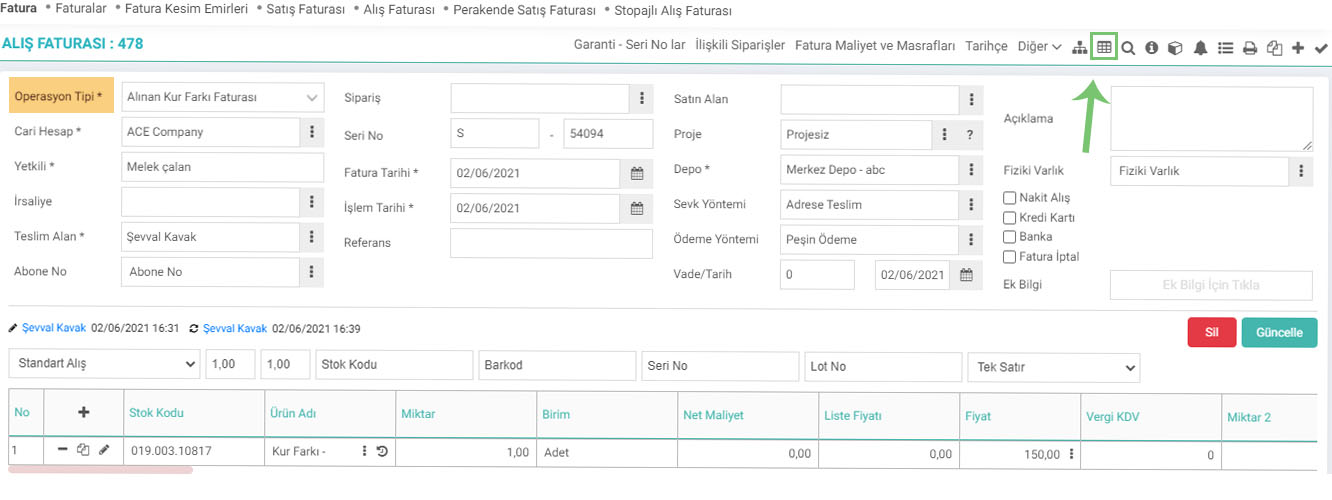
From the "Transaction Type" section on the new registration screens of the Purchase Invoice, "Received Exchange Difference Invoice" is selected and after filling in the other necessary information, the transaction is completed. is recorded.
How are the accounting records of the received exchange rate difference invoice created?
For the received Exchange Difference Invoice, the product "Exchange Difference" is defined in the system. 656 Foreign Exchange Losses Account will be debited and 320 Current account will be credited.

Why does the transaction foreign currency debit-credit amount of the received exchange rate difference invoice appear as 0?
The transaction currency results of the invoices are listed on the current statement screen. The exchange rate difference is used with a buy or sell character to cover the difference with the local currency. That's why the Transaction currency amount appears as 0 in the exchange difference invoices received.

Feedback
2.2.11.1. Invoice Parametric Definitions
Workcube Invoice Module allows you to calculate your invoices accurately, issue them on time and track your invoices effectively. It allows you to present your invoices to your customers online and allow them to track, pay or reject their invoices.
Purchase Invoice
Purchase Invoice is used to enter the invoices issued by the seller in return for the purchased goods or services.