Payroll Objections
Employees can object to payroll calculations if they think there is an error when they view their payrolls created on Workcube. The employee/employees who object are answered through expert employees authorized in this area.
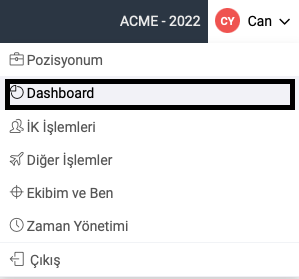
In order to object to your locked and created payroll, you must first enter the Dashboard under your name in the top menu.
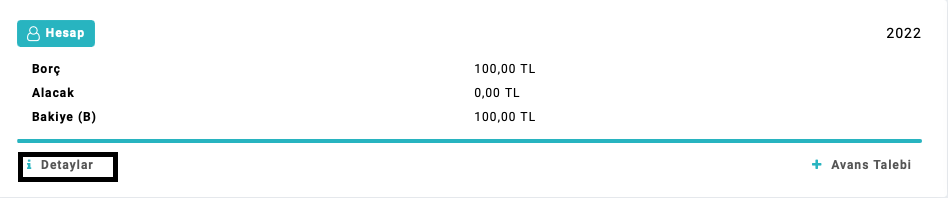
In the second stage, in the account separator It should be entered in the "Details" field.
On the screen that opens as the third stage, the start and end dates of which month's payrolls are desired to be displayed in the payroll field should be selected and search should be entered. To view the payroll below, the employee's payroll for the desired month will be opened by clicking on the square icon.

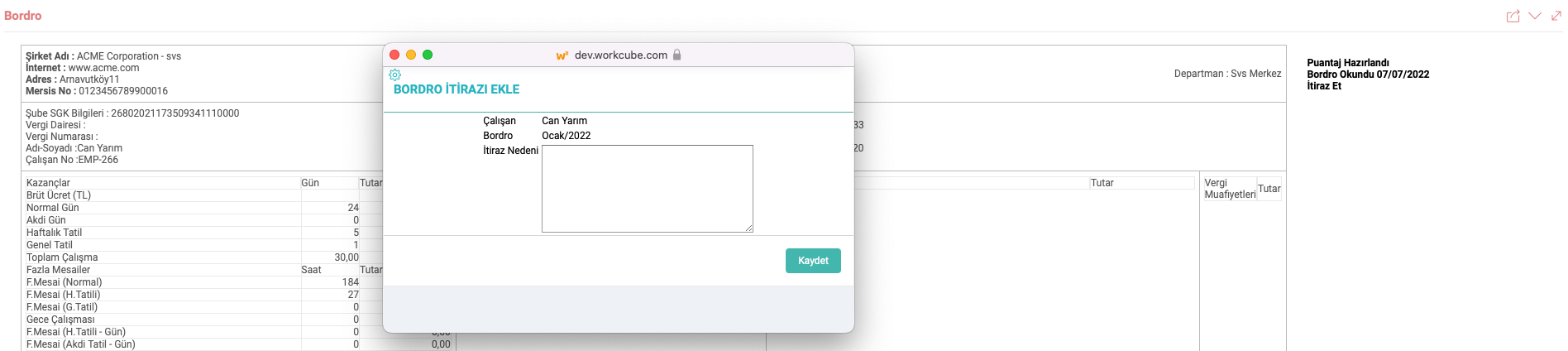
On the screen that opens as the fourth stage, "Object" should be clicked in the square on the right side of the employee's payroll.

On the screen that appears as the fifth stage, you should write the Reason for Objection and click Save.
After creating the objection record as the sixth stage. All objections made by the employee can be viewed in the "My Objections" field.

Payroll Objections I View
Path:HR - HR > Personnel-Payroll > Payroll and Payroll > Payroll Objections are listed by selecting the relevant fields on the page.

- Objector: When the name and surname of the employees who object to the payroll calculation are entered, only the relevant employee's payroll objections field will be entered.
- Month and Year: It refers to the field where the desired month and year information is entered in the listing.
- Branch: It refers to the field where the branch where the relevant employees are located is selected.
- Response Status: The relevant objection has been responded to/there is no response. It refers to the area in which it is selected and listed.
Attention:To respond to objections, the objection is answered via the "+" icon at the end of the objection.
Feedback
Self Service Other Transactions
In the Self-Service Other Transactions application, many requests such as purchasing, internal request, payment, personnel, travel, budget transfer can be made. Correspondence and confirmations are displayed and the request is approved or rejected.
intranet
Regardless of the size of the company, with the Workcube intranet application, employees can follow the company's vision online on the same platform, make transactions and help it gain a social identity with its shared structure.