Debit Credit Inequality in Accounting Transactions
Accounting records are the legal records of a business. When an invoice is issued, expense voucher, incoming money order, fixed asset invoice, etc. In transactions, an accounting voucher consisting of customer and supplier accounting codes, accounting codes of products sold or purchased, and tax codes is created.
The resulting accounting slips create debit and credit records according to the record made, and the resulting accounting slip expects the debit and credit to be equal. If Debit/Credit is not equal, a warning is given on the screen and the system stops the transaction to prevent incorrect records. If you are receiving this warning even though your debit and receivable are equal, there is a missing "Accounting Code" in the selections you have made.
Which Parameters Should Be Checked?
1-First of all, the selections in the Transaction Category should be checked.
Control Panel > BPM > Transaction Categories
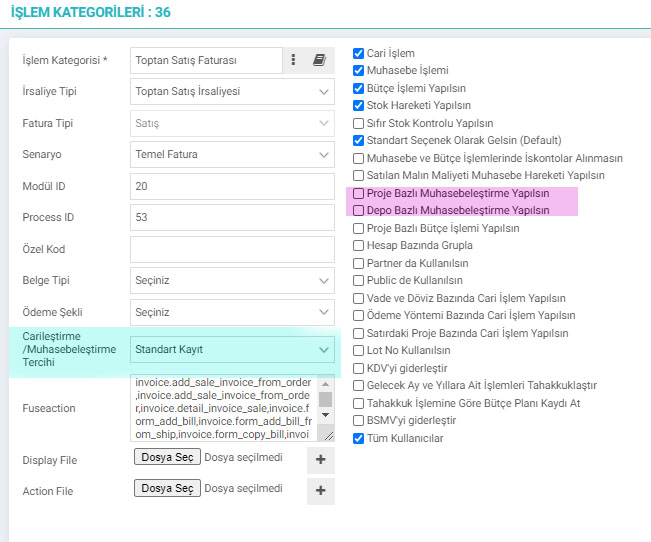
- If the Project Based Accounting box is checked, the accounting code is taken from the selected project, not the product. Therefore, if there is inequality, we check the accounting codes of the project, not the product. If the
- Warehouse-Based Accounting box is checked, the accounting code is taken from the selected warehouse, not from the product. Therefore, if there is inequality, we check the accounting codes of the warehouse, not the product.
- Currentization /Accounting Preference: It looks at the accounting code of the current account according to the parameter selected here.
2-The tax codes selected in the document should be checked.
Control Panel > System > Parameters
- VAT, SCT, SCT, BSMV, Withholding Rates, Withholding Rates
Type: VAT is selected when defining withholding rates. If you are using different VATs at the same withholding rate, you must define them all.
If there is no definition in the withholding accounting code field, it is taken from the product. If there is a definition, it is taken from the Withholding accounting code.
3- Sales and Purchase definitions should be checked for Income and Expense differences.
- ERP > Finance Accounting > Accounting Definitions > Purchase Invoice Accounting Definitions
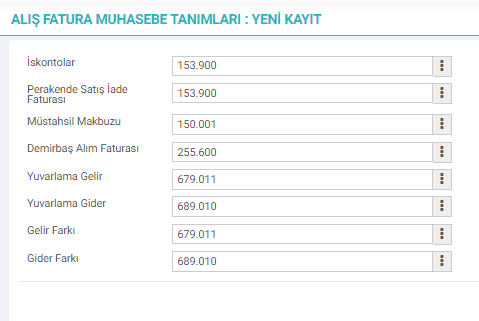
- ERP > Finance Accounting > Accounting Definitions > Sales Invoice Accounting Definitions

4- Other fields vary depending on the saved document. However, the main thing is to check all fields where the accounting code is defined in the relevant record.
- When checking the bank account and current account in the incoming transfer transaction;
ERP > Finance Accounting > Bank > Bank Accounts

.
- In the Cash Collection process, cash and current account are checked.
ERP > Finance Accounting > Cash > Safes
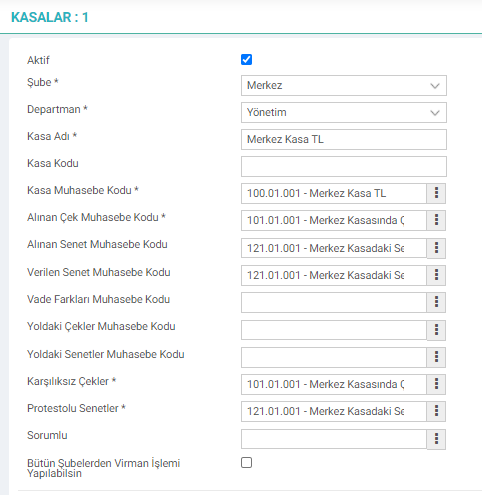
For example; Since the Checks in Transit Accounting Code of the central cash register is not defined, it will not be able to perform the Check Transfer Output transaction.
- Depending on the transaction category selected in Check/Note transactions, it looks at the relevant accounting account in the cash and bank accounts.
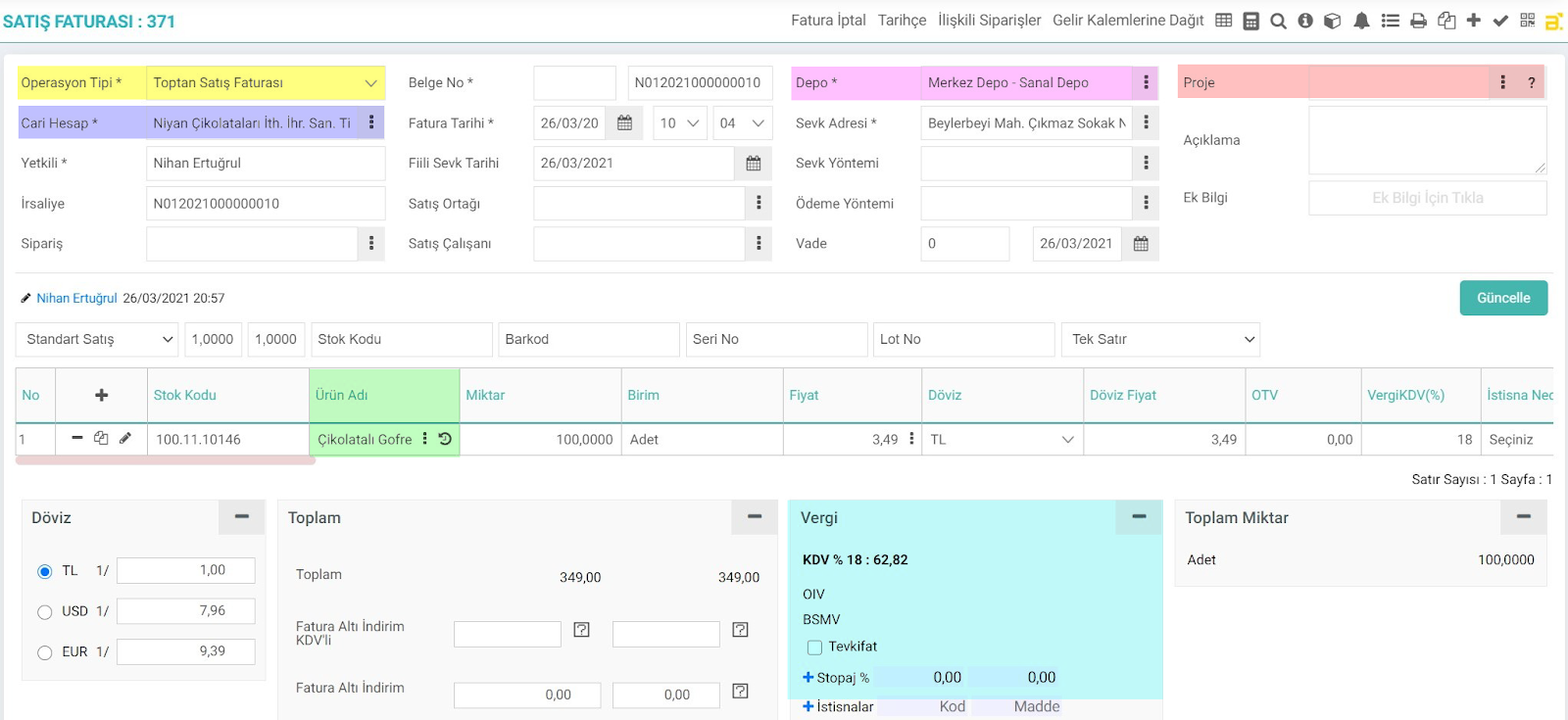
Areas to be Inspected;
- Transaction Category
- Current Account: According to the accounting preference selected in the Transaction category
- Warehouse: If warehouse-based accounting is selected in the Transaction category
- Project: If project-based accounting is selected in the Transaction category
- Product: Accounting Code is checked depending on the type of warehouse.
- For example; If the type of warehouse is Goods, it is sales account. If it is Raw Material, it is raw material account.
- VAT, SCT, SCT, BSMV, WITHholding Tax, Withholding Tax are selected from the tax code.