GoMail
Workcube GoMail is a special business object that provides bi-directional integration of Google Workspace (Gmail) accounts into the Workcube interface. The system derives its power from the Google API infrastructure and secure OAuth 2.0 authentication protocol. GoMail brings all incoming, sent, draft and trash emails under one roof, eliminating the need for users to switch between browser tabs. Working integrated with Workcube CRM (Customer Relationship Management), SCM (Supply Chain Management) and HR (Human Resources) modules, it performs dynamic authorization and directory inquiries through the e-mail addresses on employee cards.
The Importance of GoMail Integration for a Business
- Time and Productivity Increase: Employees, They can read, reply to and manage corporate e-mails without leaving the Workcube ERP system.
- Integrated Communication Infrastructure: Thanks to the contact search (searchContacts) integrated with the employee database in the Workcube HR module, full access to the contacts is provided in internal e-mail sending.
- Secure Authorization (OAuth). 2.0): User passwords are not stored in the Workcube database in any way; All transactions are carried out with Google's official OAuth 2.0 protocol and Refresh Token mechanism.
- Operational Convenience: Labels, starred e-mails and folder structures on Gmail are instantly reflected in Workcube and bulk actions are synchronized.
What Should Be Considered When Managing GoMail Transactions?
A. Configuring Company Flow Parameters
In order to activate the GoMail integration, system administrators must activate the Google API integration from the company flow parameters and define a valid Client ID / Client Secret. Otherwise, users will encounter a system warning.
B. Employee Card E-mail Match
The corporate e-mail address on the Workcube employee card of the user trying to connect to the system and the e-mail address to be authorized by Google must be exactly the same. Matching attempts with different addresses are blocked due to security protocols.
C. Session Token and Timeout Management
The system stores Google Access Token information at the session level (session.goMail_access_token) in order not to exceed API request limits. The automatic renewal mechanism is activated 60 seconds before the token expires.
D. License and Trial Period Control (Add-on Management)
GoMail integration is licensed under the Workcube Add-on architecture (WGM038 code). The plugin can be tested free of charge during a 3-day trial period. If licensing is not completed after this period, the system stops API requests.
E. Temp Directory Cleaning and Attachment Sizes
Files added when sending or replying to an e-mail are uploaded to the server's temp directory, converted to base64 format and transmitted to the Google API, and then instantly deleted from the disk for server health.
GoMail System Screen Architecture and Functional Analysis
You can use your Gmail address belonging to your Google Workspace account with all its features, without ever leaving the Workcube pages. The GoMail add-on can be used after purchasing.
For use, the Workspace Gmail address must be written in the E-mail field on the employee detail page. It is mandatory that you have the information about this e-mail.
You will need to log in to Google via the entered e-mail address and fuseaction=workspace.gmail. (There is a 3-day trial period)
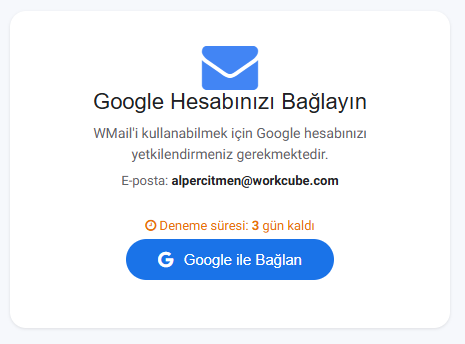
After logging in, the refresh token is registered with the e-mail address used. (fuseaction=dev.refresh_token_google) After logging into this page, all Gmail features are available from the Workcube page.
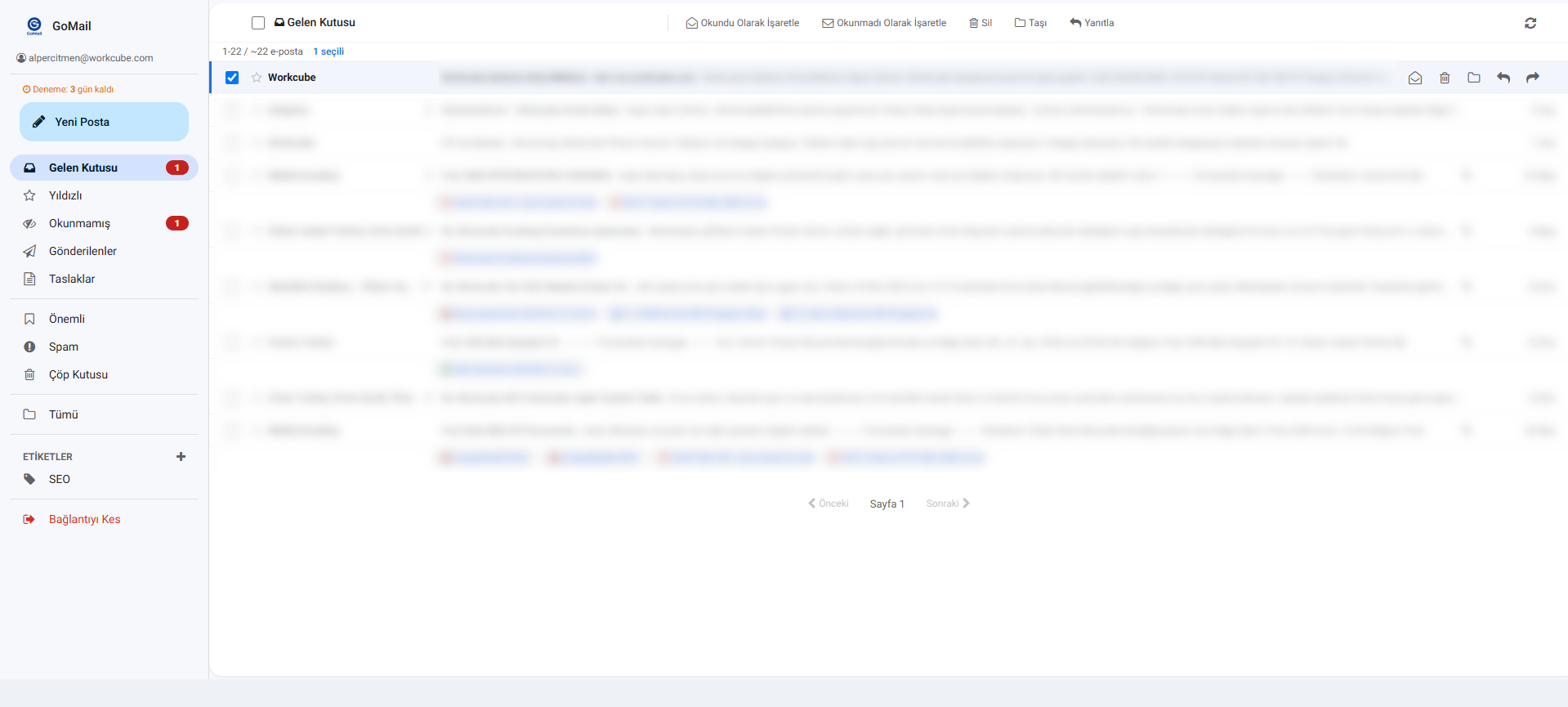
The GoMail interface combines all the capabilities of an advanced email client with corporate ERP dynamics. The basic areas on the screen and their functions are as follows:
Screen Area / Element | System Correspondence / Technical Trigger | Function and Operational Importance |
|---|---|---|
Google Link Screen | gm-connect-screen / connectGoogleAccount() | Allows secure access to the user's Google account upon first use or when the token is deleted. triggers. |
Left Folder and Navigation Panel | gm-sidebar (Inbox, Starred, Sent, Trash etc.) | Hierarchically lists standard folders and all user-defined labels (Labels) in Gmail. |
Bulk Action Bar | bulkAction()(Mark Read, Trash, Move, Untrash) | Count multiple selected e-mails as read, delete them or move them to a different folder with a single click provides. |
E-Mail Details and Reply | replyEmail & sendEmail (cc, bcc, attachments) | Reply to incoming mail in rich editor format Manages writing, adding CC/BCC and uploading files in base64 format. |
Contacts Search Box | searchContacts | Workcube Employee Cards when writing e-mails It automatically completes the recipient list by performing an instant search in the (HR) database. |
Feedback
GoMail - Gmail for Workcube
Added/Edited Function: GoMail - Workcube integrated Gmail service
What needs to be done for use: GoMail plug-in integration is required
Usage: After the integration, you must log in with the Google Workspace e-mail address in the employee detail on the GoMail page.
Benefit: Tüm Gmail features are available from Workcube pages.