Service-Warranty Parametric Definitions
Service management; maintenance, repair, technical support, etc. regarding after-sales products and services. It covers the processes. With the Workcube Service Module, you can see which type of service was provided to which customers regarding which product or solution, which service ended in what situation, etc. You can control the situations.
Attention: Before using the service module, all parametric definitions to be used within the company regarding the Service must be made under the Service-Warranty heading in Control Panel > System > Parameters > CRM.
Service Application When registering an application on the Categories
CRM > Service-Warranty > Service > Service Applications page, a selection is made between the categories defined here.

For example; If an application is to be opened due to a service error, it must be defined in the parameters. Then, this parameter is selected on the Service Application adding page.

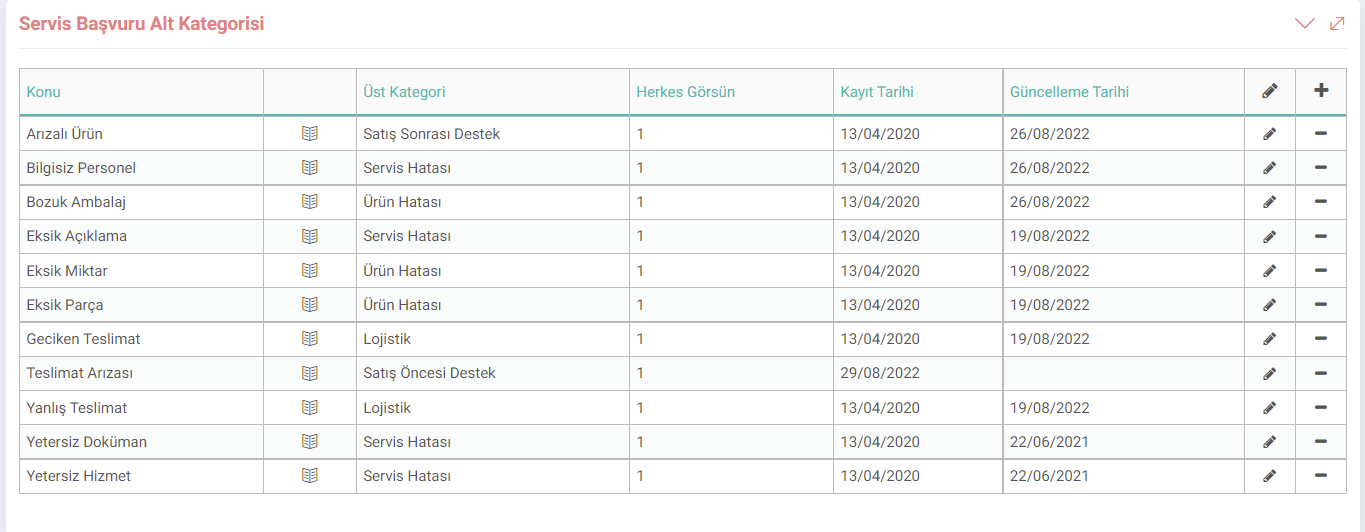
Service Application Sub-Category
You can detail the process by opening subcategories to the service categories you have previously defined.
When determining subcategories, you should associate them with the Parent Category. You can determine the subcategory by entering the main category number from the parent category field.
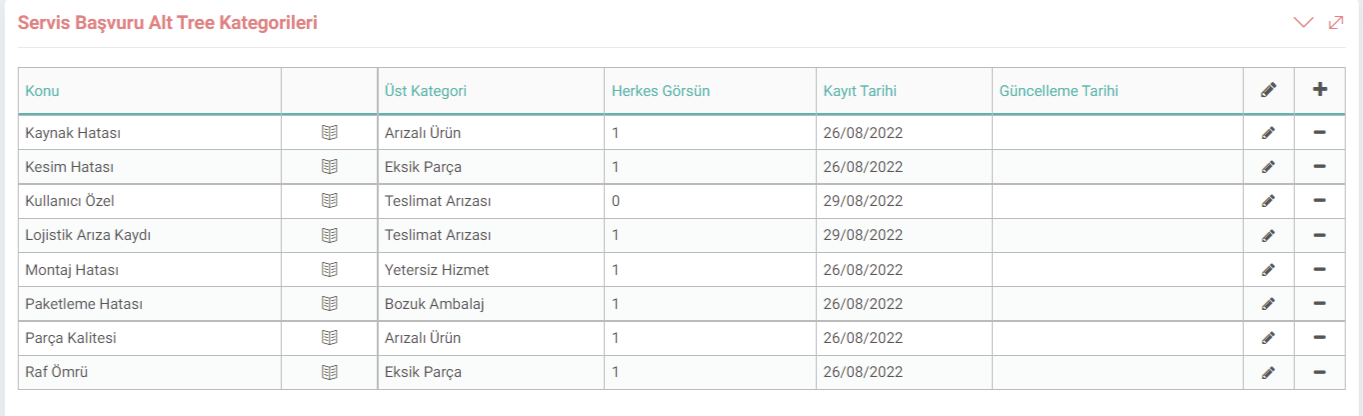
Application Subtree Categories
Application Subtree Categories are the subtree of the Application subcategories. Detailed categorization of the application is done in this area. You need to select the parent category.
Add Service Sub-Status
A definition about the sub-status of the service to be provided can be entered in this field. This way the service status can be checked. For example; In cases where the product sent to service due to a malfunction needs spare parts, the Sub-Stage can be selected as "Waiting for Spare Parts".

This parameter can be selected when making a Service Application or entering a Maintenance Result.

Service Special Definition
You can add a special definition on any subject in accordance with your operation with the Service Special Definition parameter. For example; If you want to add a customer definition when registering for service, you can add a special definition from this field.

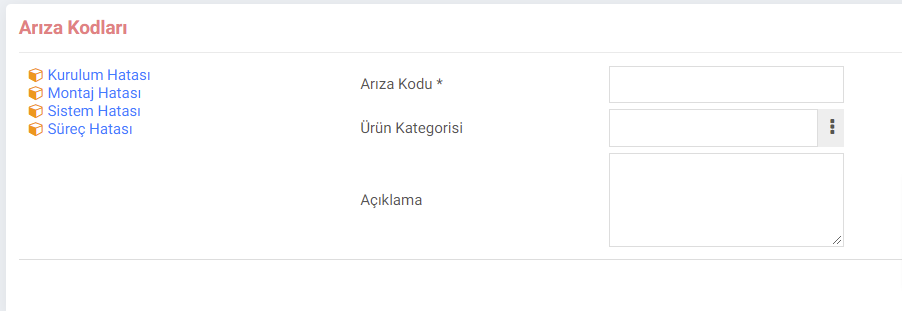
Add Error Code
With the help of this parameter, the service team can filter errors and provide faster solutions. You can enter various fault code definitions suitable for your business. For example; A business selling TVs can quickly filter the error of the product for which a service application is submitted as "Installation Error" or "Installation Error".
Service Accessories
This parameter is Service Accessories
Allows you to enter the accessory description. For example; If there is a problem with the accessory of the product for which the service application is made, the selection of this accessory can be made with the help of this parameter.

Physical Damage
Physical Damage definitions from this parameter can be selected in service applications. For example; If the computer sent for service does not have a hardware problem, if the screen is broken or scratched, the parameter to be defined in this field can be selected.

Product Service Transaction Type
The operations you have performed with this parameter. you can define.
For example; When the Technical Service Personnel goes to the service, they can detect the problem and choose which action they took in the service detail. Installation, inspection, etc.

Activities
The time spent on the operations performed is entered. If the activity type is defined, it can be specified which process the time is allocated to.
For example; Like 30 minutes of logistics and 20 minutes of service.

Service Maintenance Categories
This parameter is entered when entering the Maintenance Result on the CRM > Service-Warranty > Service > Maintenance Results page. Helps you select "Maintenance Type".

For example; If a product that you offer periodic maintenance is subject to maintenance, "Periodic Maintenance" should be selected from the Maintenance Type field.

Product Return Categories
According to businesses and the product/service provided. Return categories may vary. You can define the return categories most suitable for you from this area.

This parameter helps you select the category when making a return on the CRM > Service-Warranty > Service > Service Transactions page.

Product Return Rejection Categories
Categories to be selected in case return transactions are rejected from this field.

CRM > Service-Warranty > Service > Service Transactions page includes the definitions to be made in case the return is rejected on the screen that opens after making the return.

Workflow Design (Processes)
Stages regulating the document flow to which logical workflow constructs such as approval, rejection, partial approval, control, warning can be added by different users or departments while performing a transaction. must be created.

Feedback
4.3.2.3. Service Reports
Workcube carries out product warranty tracking and customers' service and support requests with the Service and Warranty Management Module. Service Reports include serial numbers for product tracking and after-sales support tracking service transaction reports.
Service and Warranty Case
The example scenario described here is prepared to give you an idea of how Workcube can change the business processes in your business and reflects the functions of only a few of the Workcube modules.