Output Templates
Workcube Output Center is a tool that allows you to preview your documents before printing them, download your preview document directly in the file format you want (pdf, word, excel), archive the relevant document in the digital archive, and send the document by e-mail to the people you want or to the corporate or individual accounts associated with the document.
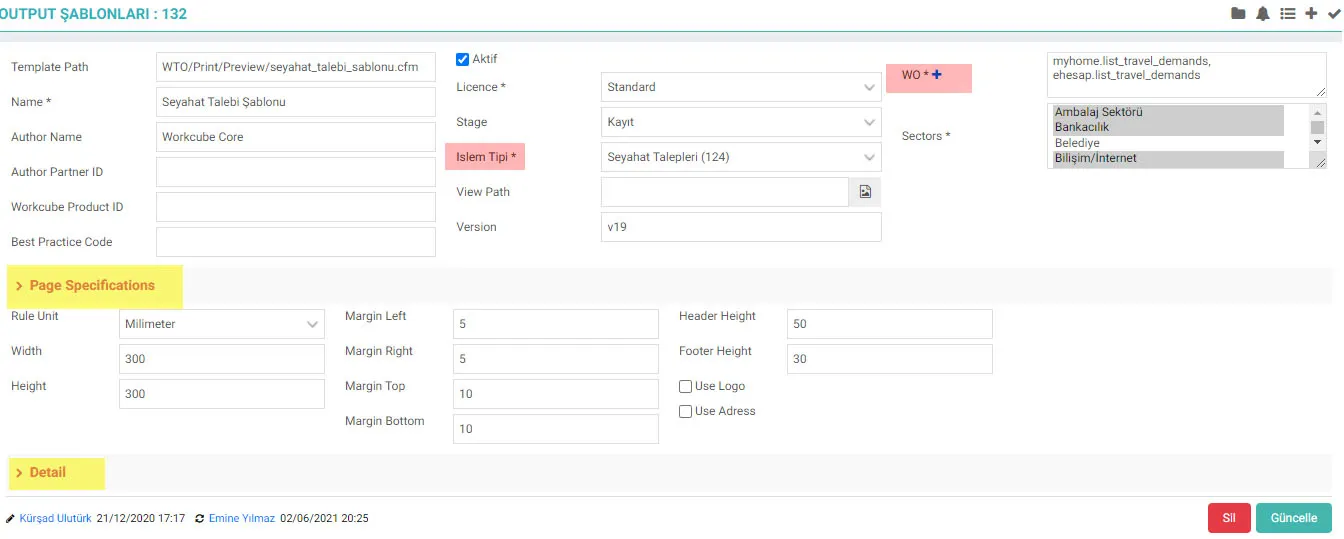
The screen is divided into 3 parts.
- The fields in the first section include the outline of the template and which WOs it affects, the associated transaction type, the template path, etc. is defined. WO fields are required to be filled. When filled, it is directed directly to the WOC with the action value entered.
- The appearance of the template is set in the Page Specifications section. Height, width, margins, whether a logo should be used or not, etc. Definitions such as are made. Header and Footer sections will come in accordance with the given dimensions.
Header: Comes from Output Template settings. If the values are empty and use logo and address is not specified, the header will not appear.
Footer: Comes from Output Template settings. If the values are empty and the logo or address is not specified, the footer will not appear. - In the Detail section, an explanation about the template is entered.
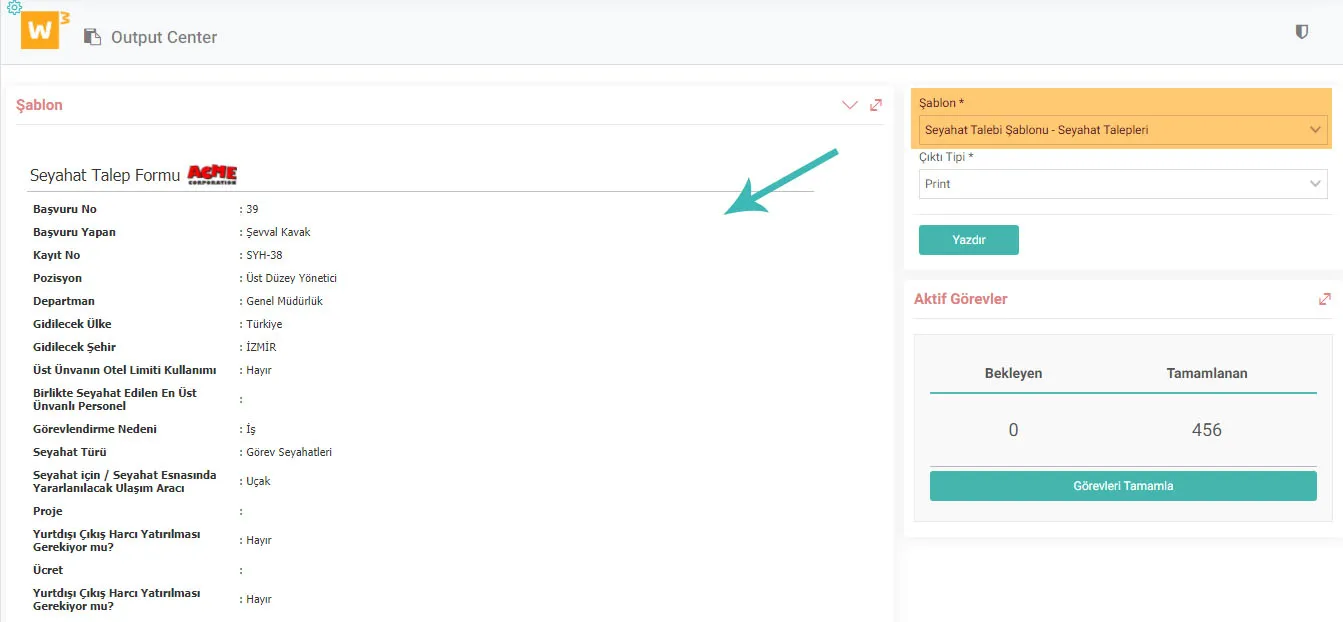
When you want to print a transaction of the transaction type in question, the WOC screen opens where you can preview and you can print your document by choosing between the templates you have defined.
Feedback
WOC Template - Download
Edited Function: File download has been added to the tab menu for standard or custom added templates in the Control Panel > System > Dev Tools > Output Templates business function.
Usage: The download icon in the tab menu in the template detail is clicked and downloaded.
Benefit: In this way, when you want to make changes to the added files, there is no need for a server machine. Editing can be done by downloading files from the system. In addition, the template added in the test environment was added to the live environment after control.