Depositing Money from Cash Register to Cash Register
With Whops, depositing money from cash register to cash register can be done easily via the Workcube screens.
Path: Extensions > Addon Modules > Whops > Depositing Money from Cash Register to Cash Register
The Cash Register to Cash Deposit screen can be used. If it is not created from the cash registers screen, a cash register must be defined. When defining a cash register, the cash register and the branch of the cash register must be the same. Otherwise, it will not appear as a selection.
When defining the cash register, the "Let it work with Whops" option must be selected.
Cash registers can be listed in certain date ranges according to branch, whops and cash register.
Information about the cash register and the cash register to which money is deposited can be accessed from the list. The total amount of cash delivered from the cash register to the cash register is also listed here.
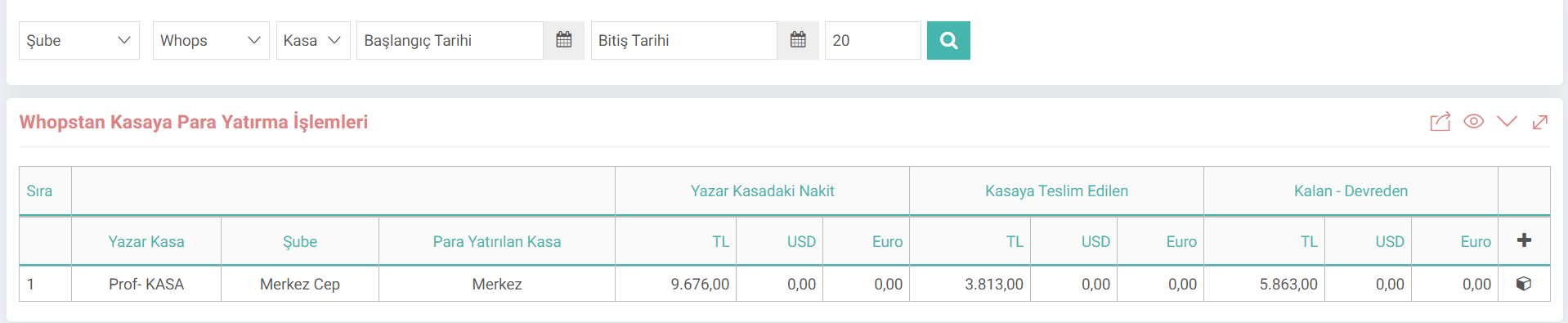
By clicking on the box at the end of the cash register line, information on how much money has been deposited is also included here.
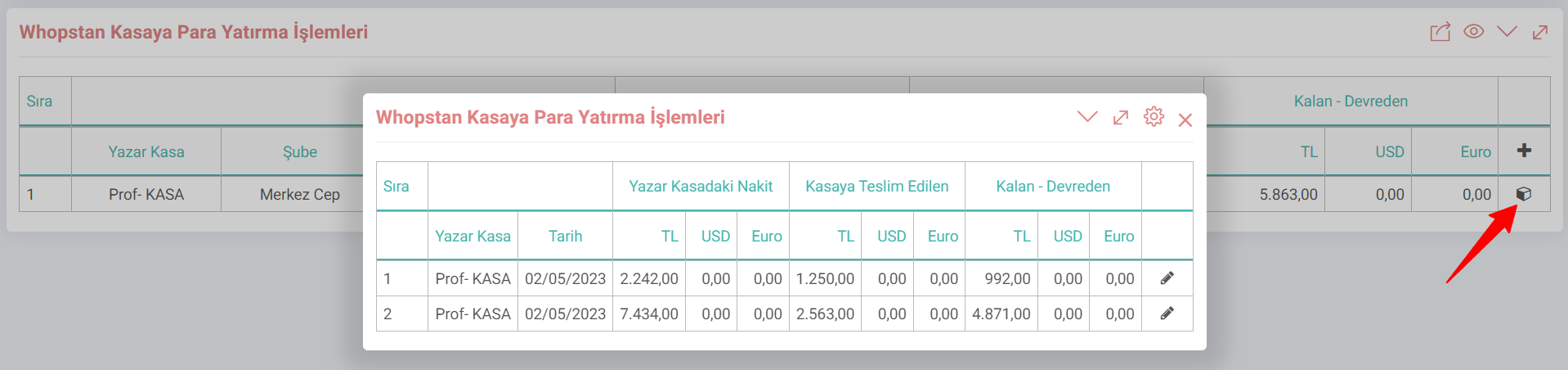
Now let's examine how to transfer money from cash register to cash register.
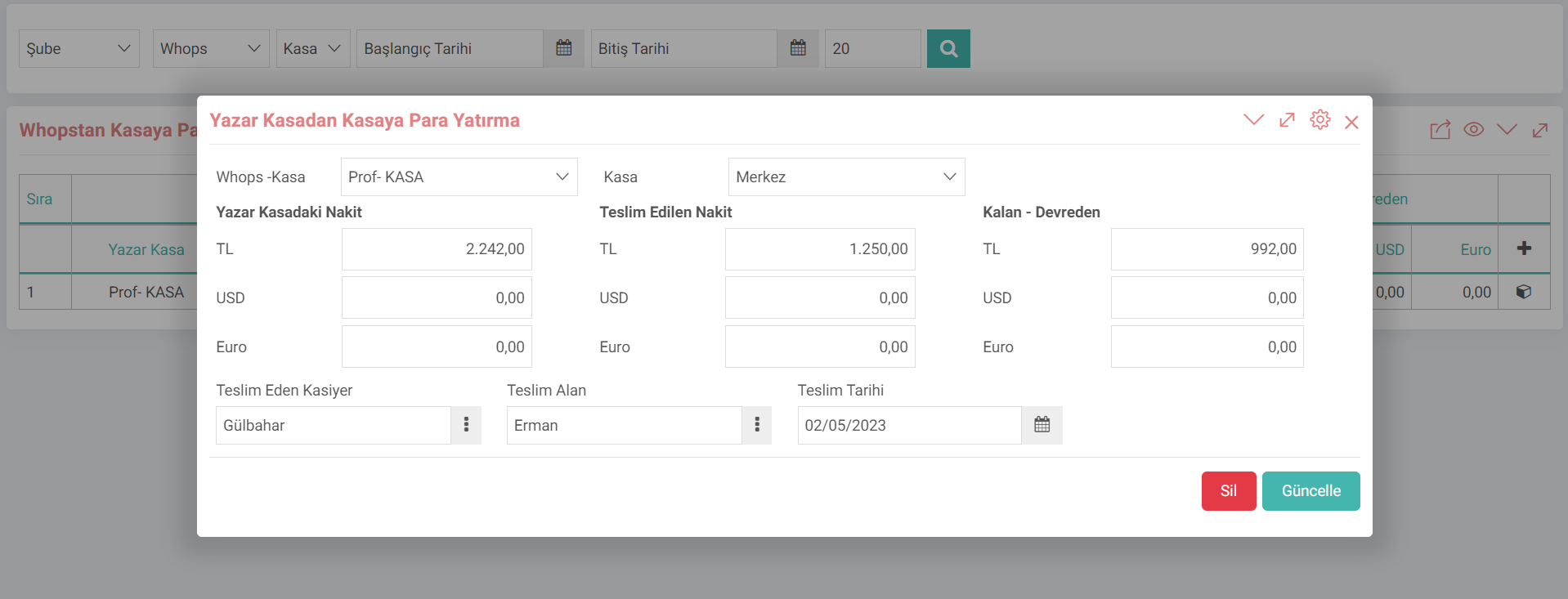
- You can transfer money from cash register to cash register by clicking the "+" button.
- Cash register and cash register information are selected. When the cash register is selected, the cash in the cash register comes automatically.
- The incoming amount comes according to the retail sales invoice.
- The numerical value of how much cash has been delivered must be entered in the Delivered Cash field.
- After selecting the delivering cashier and the delivery recipient, the transaction is performed by clicking the "Save" button.
Hint: Retail Since this transaction is made through the sales invoice transaction type, it will make an accounting transaction. For this transaction to work correctly, products, current and similar parametric accounting definitions must be complete.
Feedback
WHOPS Dashboard
WHOPS Dashboard; It is a ready-made report that displays sales made at cash registers based on branch, cash register and category.
12. Workcube Whops
Workcube WHOPS is a cash register application that helps you manage your retail sales processes. With Whops, every institution; It allows end-to-end management of all your retail sales processes required for businesses of all sizes such as markets, stores, restaurants and cafes, from a single center.