Robots
Robots are tools that work integrated with Robotic Tasks and aim to facilitate their use, enabling them to perform the features of the operations defined in the standard. It contains pre-made files that make it easier to configure Robotic Tasks. The properties and details of robots can be edited more specifically, and they also allow operations to be performed as desired using the default URL in Robotic Tasks without the need to create any new WO.
Path: Control Panel > System > Dev Tools > Robots
Robot Creation
Robotics A new robot is defined by going to the robots page via the "Robots" tab at the top right of the tasks listing page.
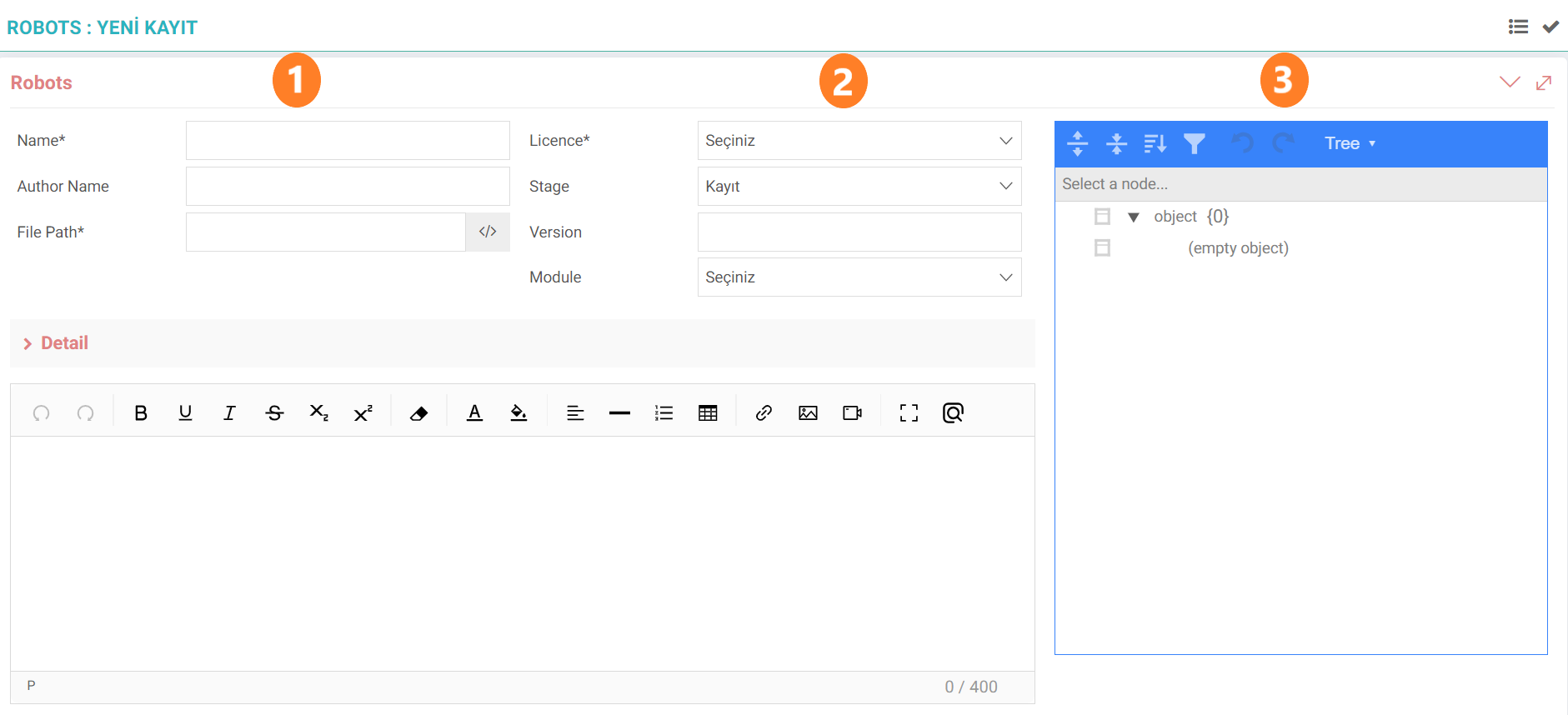
Part 1:
- Name: Enter the name of the robot.
- Author Name: Information of the person who created the robot is entered.
- File Path:The source directory information where the physical file runs is entered.
Section 2:
- Licence: One of the Standard and Add-on options is selected. It is automatically defined in standard free and factory settings installations. It must be purchased when the add-on is selected.
- Stage:Process selection is made. (The process must be defined and authorized via the Control Panel > BPM > Processes page.)
- Version: The built robot can be versioned later when it is reconfigured with extra features.
- Module: Module information to which the robot is connected. is entered.
Part 3:
- JSON Configuration:JSON information of the robot is entered. There are two selections: Tree and Text. You can manually write all the features one by one using the "Tree" option, or you can enter the previously prepared JSON data into the "Text" section. can be copied.
Tip: When JSON settings are made directly from the Tree section, if you want to view and edit the output, it is possible to do so with the Text option.
Listing Screen
Saved robots can be listed afterwards. Search can be made by selecting the name of the robot author, the module it is connected to and the license type in the filtering options.

Robotic Tasks
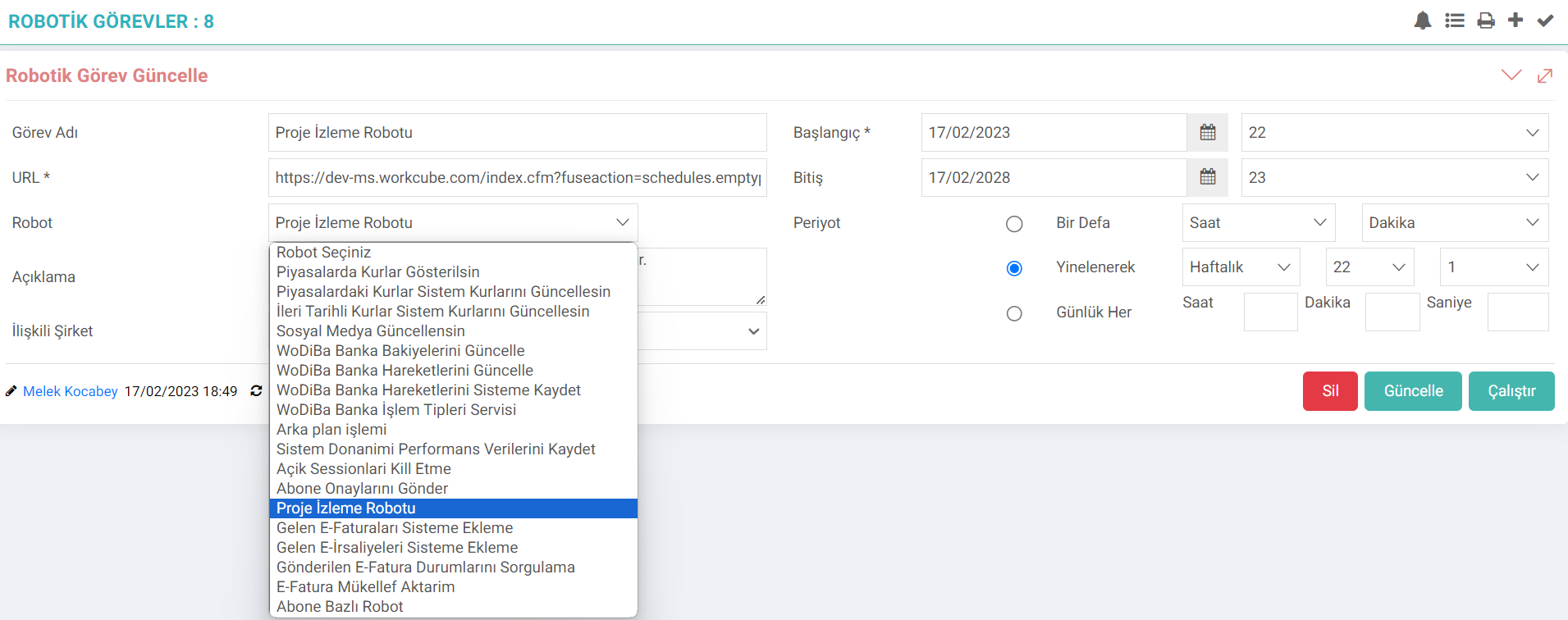
All robots created on the Robots page will come directly in the options available in the Robot selection in Robotic Tasks. From here, a robotic task is created by selecting the relevant robot and working time.
Feedback
robots
Added/Edited Function:A new robot has been added on the Control Panel > System > Dev Tools > Robotic Tasks > Robots page.
What needs to be done for use: A new robot is added as standard or add-on on the Robots page. This added robot should then be selected from the robot field for robotic tasks.
Benefit: It was possible to perform desired operations using the default URL in Robotic Tasks without the need to create any new WO.