Code Diff Editor
Code Diff Editor is a difference search tool between files on Workcube. The differences between customized files and standard files are compared line by line as code. By scrolling two files simultaneously on the screen, the differences found are marked in color, making it easier to detect code sections.
Path: Control Panel > System > Dev Tools > Customized Files
Code Diff Editor Usage
To use the Code Diff editor, the file must first be opened. If a file has been customized before, the special files under the "Customized Codes" function can also be accessed from the "Diff" icon.
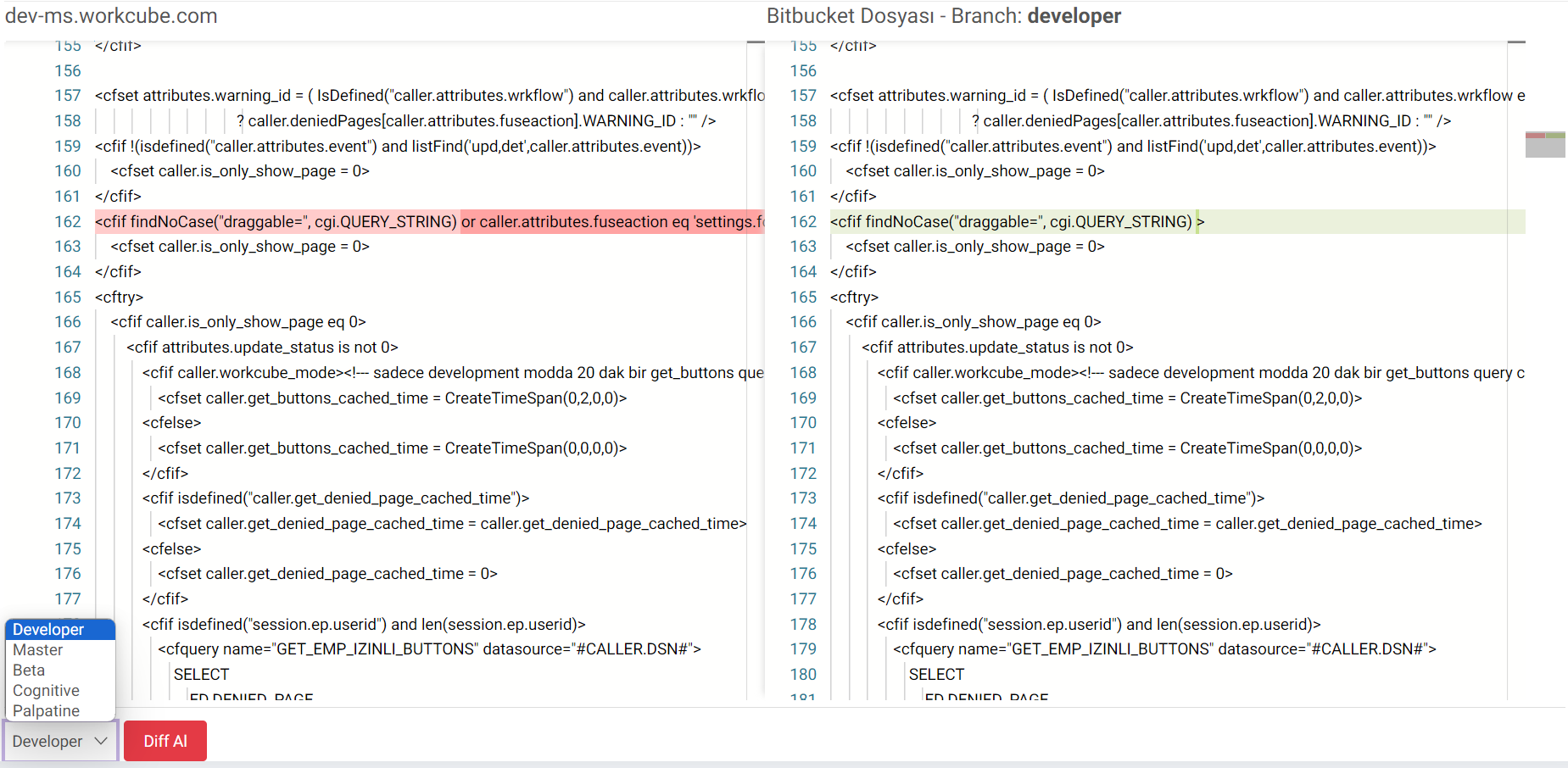
- Clicking on the diff icon opens the editor. Two files are displayed simultaneously by scrolling on the screen.
- On the left, the current state of the file, that is, the modified version, is displayed.
- On the right, the current state of the file in the selected branch on Bitbucket is displayed.
- The differences can be found by scrolling. The differences found are marked in color and make it easier to detect the code sections.
- To view it in different branches, it can be checked by clicking get diff on branches such as developer, master, beta, cognitive, palplatine at the bottom left.
Feedback
Code Diff Editor
Added/Edited Function: Code Diff Editor function has been added.
Usage: To use the Code Diff editor, the file must first be opened. If a file has been customized before, the special files under the "Customized Codes" function can be accessed from the "Diff" icon. The files are compared by selecting the relevant branch. The differences will appear in color.
Benefit:The differences between the standard file and the customized file can be displayed on Workcube.