Basket Additional Definitions
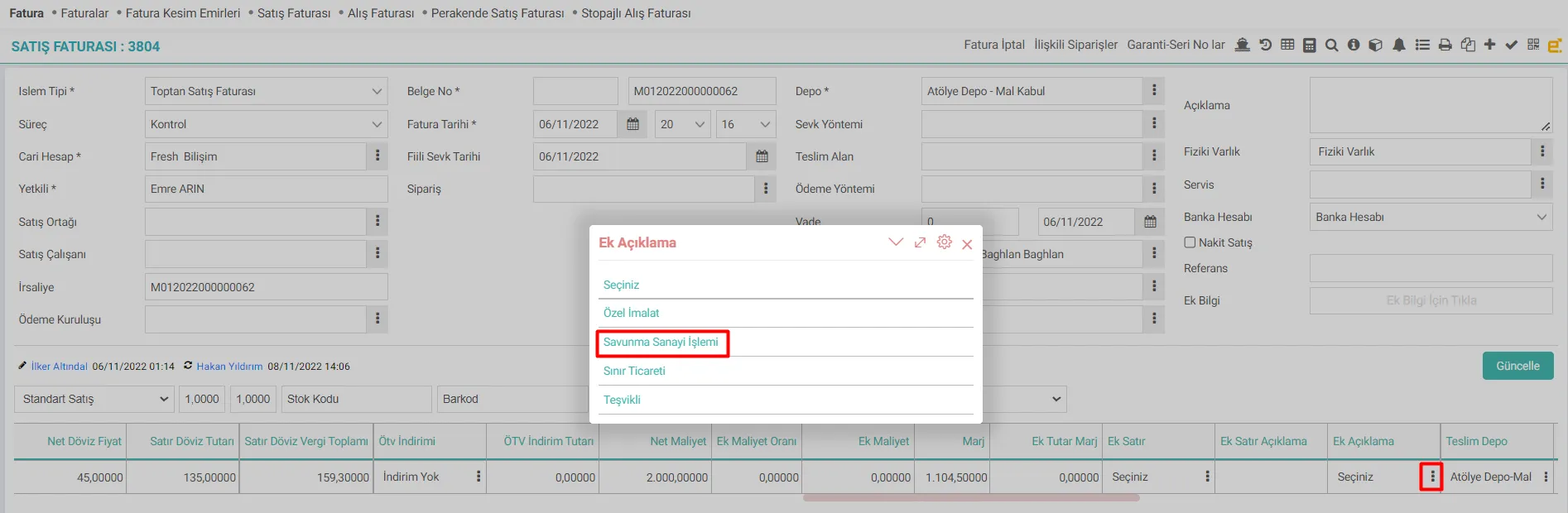
In Workcube, basket areas are set through the basket structure. If you want to make extra definitions based on row-based needs in the use of basket fields, the desired definitions are added with Basket Additional Definitions.
Path:Control Panel > System > General Settings > Basket Additional Definitions
Adding basket additional definitions

- Additional Definition: Necessary definitions are entered.
- Display Location: There are two basket versions available in Workcube. One or all of the Basket1, Basket2 versions are selected
- Description: Optionally, a definition description is entered. Here, the purpose of use can be entered as a description.
- Basket Template: Which basketball template you want to use is selected, more than one can be selected.
After the relevant selections are made, go to the page designer basket structure settings of the basket template. Here it is updated by selecting the "Annotation" column. Afterwards, relevant selections are made by clicking on the annotation on the line.
Recommendation: To get detailed information about the use of basketball areas, you can read our article titled "Basket Settings and Usage".
Feedback
Basket Settings and Usage
Basket is a component used throughout Workcube. It enables line-by-line records to be made in issuing purchase/sales invoices of products or services, recording sales and purchase orders, and many other objects.
General Settings
There are definitions and settings that need to be made in order to use the system functions on Workcube. These parametric definitions and settings will affect the system usage of all users. Therefore, adjustments in these general settings can be made depending on the authorization groups.