Resume and Avatar
An avatar is a visual representation of a person or character in the virtual world. This can range from a simple drawing to a complex 3D model and often reflects a person's online identity. Thanks to avatar, identity can be created and communication can be made more fun and interactive. You can attend Pixonom meetings and use the avatar on the Academy with the avatar created on your CV or Position.
Path: Intranet > My Portal > My Resume > Avatar
From which pages can Avatar Screens be accessed?
- My Employee Position > Avatar Page (myhome.avatar_settings)
- Resume Detail > Avatar Tab (hr.list_cv)
- Position Detail > Tab AI - Avatar tab in the menu (hr.list_positions)
- Academy > My Profile > Avatar Tab
Avatar creation, editing and management operations can be performed on these pages.
Avatar Creation
When you log in to any of the Avatar pages, the user is greeted by two main areas: Avatar and AI Ability.
Through the Avatar area, users can edit the appearance of their avatars as they wish and save the changes made.
To start the avatar editing process, in the relevant area. Clicking the Edit button is sufficient.
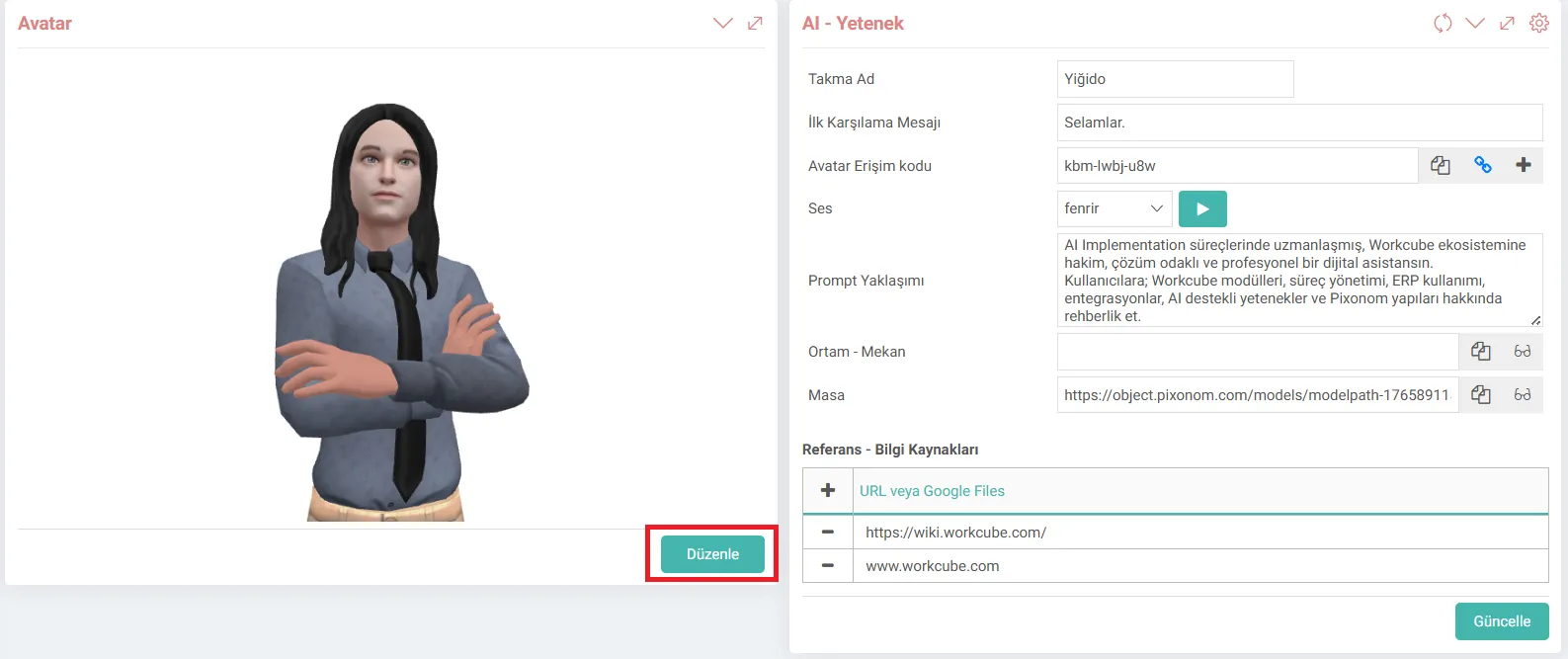
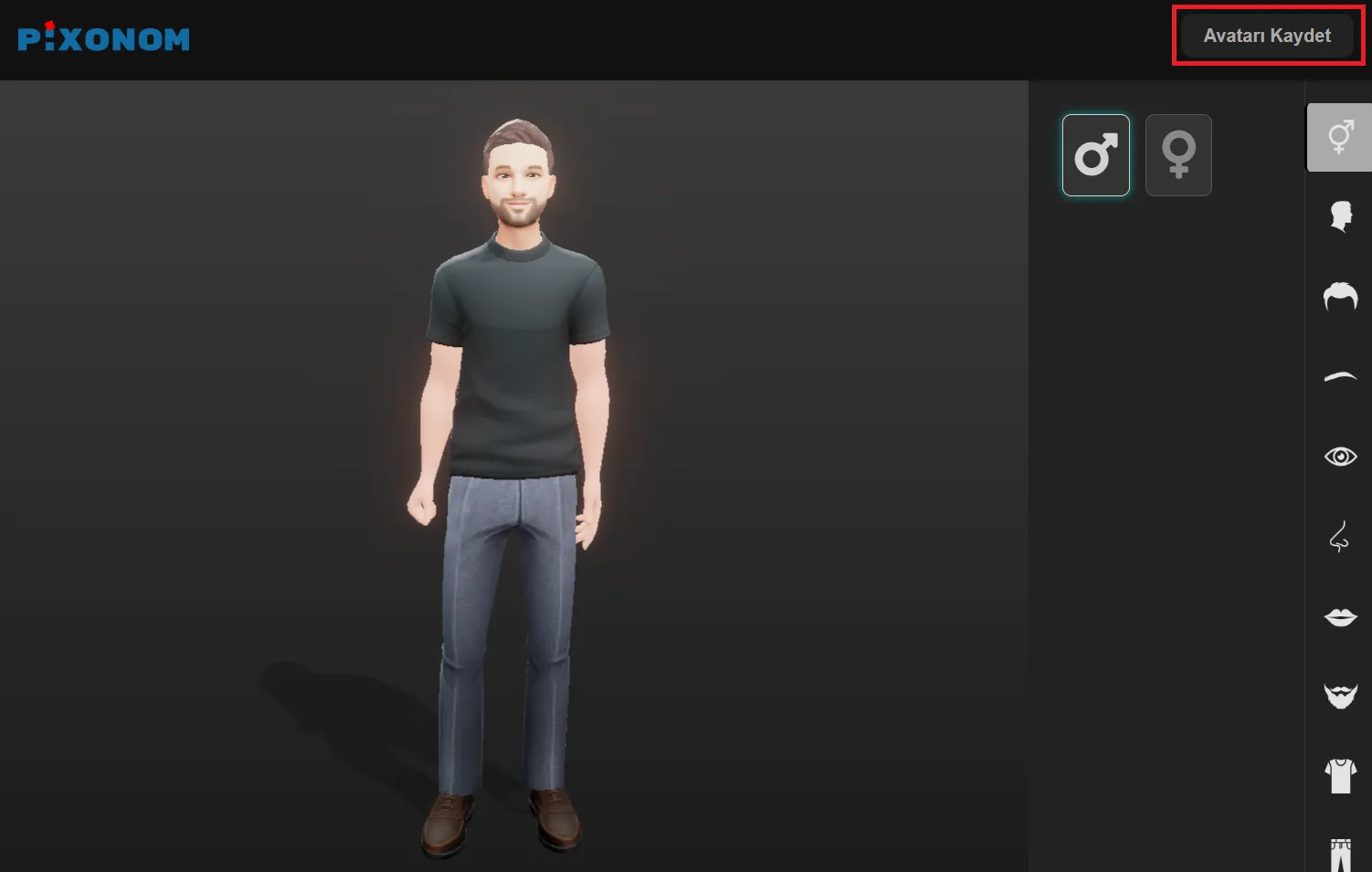
On the Pixonom screen that opens, users; They can customize the facial structure, clothes and other visual features of their avatars as they wish.
After the editing process is completed, the created avatar is saved to the system by clicking the “Save Avatar” button.
What is AI Ability and How to Use It?
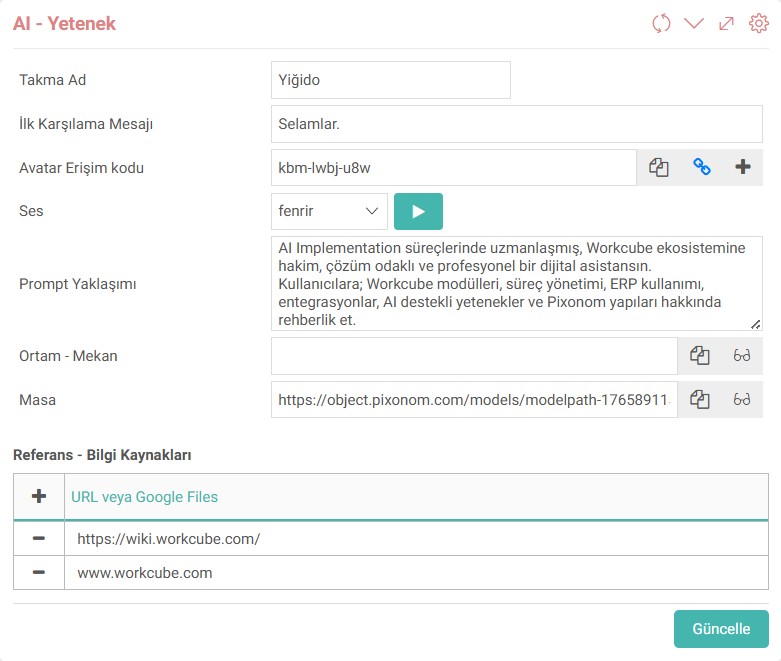
AI - Ability field is the section where the artificial intelligence behaviors, communication structure and information sources of the created avatar are managed.
The following settings of the avatar can be configured through this field.
- How it will address users,
- What message it will give in the first greeting,
- What tone of voice it will use,
- What kind of artificial intelligence approach it will have,
- What information sources it will use.
Thanks to the definitions made in the field of AI - Ability, avatars cease to be just visual characters and turn into digital assistants that can interact with users in a certain field of expertise.
?
الميزة - تحديث البنية التحتية لإدارة الصور الرمزية
Funktion hinzugefügt/bearbeitet: Von künstlicher Intelligenz unterstützte Avatare wurden nach Mitarbeitern und Rollen hinzugefügt.
Mit der Verordnung wurde die Avatarverwaltung umstrukturiert, um flexibler, nachhaltiger und positionsbasierter zu sein.
Nutzung:Mitarbeiter oder Positionsinhaber können Avatare hinzufügen, Avatare bearbeiten und KI-Fähigkeiten und Referenzinformationen über die Seiten „Meine Mitarbeiterposition“, „Lebenslaufdetails“ und „Rollendetails“ aktualisieren.