Forum
Forumsanwendung; Es ermöglicht Ihnen, eine starke Zusammenarbeit aufzubauen, indem Sie Mitarbeiter, Benutzer und Kunden zusammenbringen. Im Forumbereich werden Diskussionsthemen für aktuelle Geschäfts- oder Projektideen erstellt. Der Informationsfluss wird durch die Veröffentlichung von Fragen und Antworten zum Thema im Forum sichergestellt. Durch die Erstellung eines Forums wird die Qualität der Arbeit oder Projekte erhöht.
Pfad: Intranet > Forum
Forumeintrag
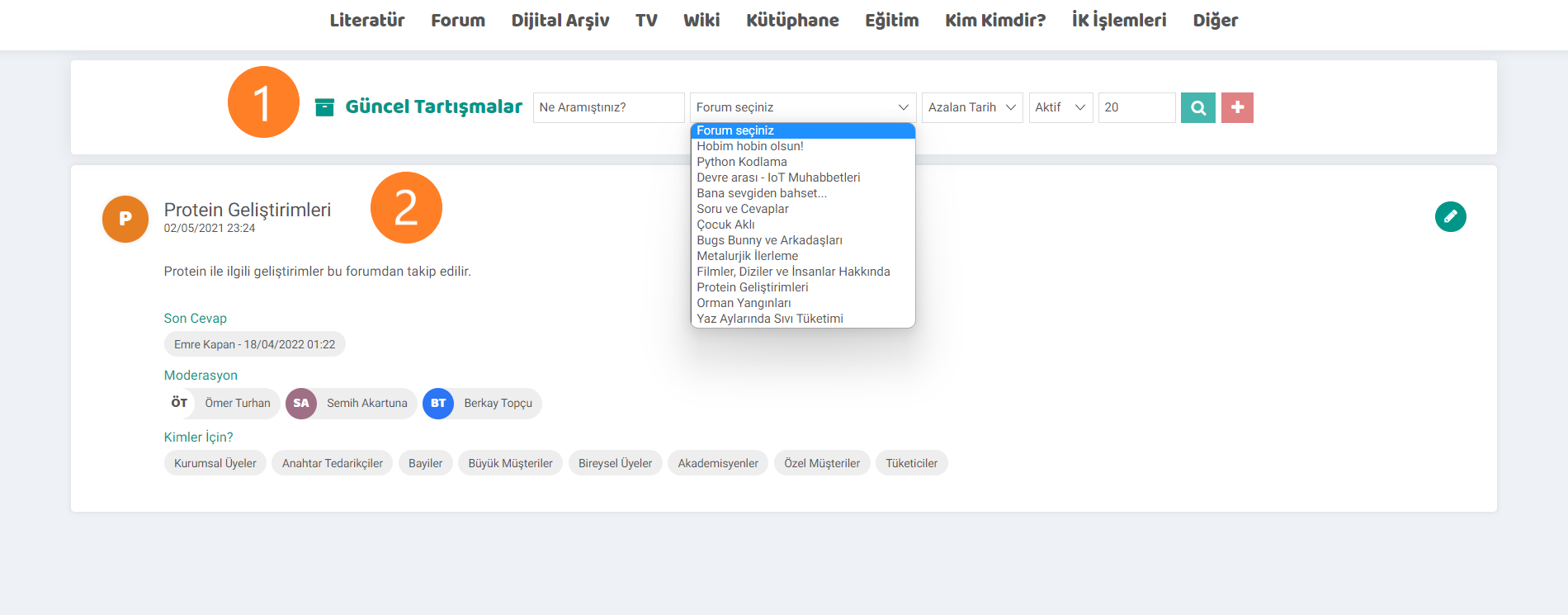
- Im Bereich mit dem Forumeintrag können Sie nach dem gewünschten Thema suchen um Informationen über die Forentitel zu erhalten oder diese im Abschnitt „Forum auswählen“ anzuzeigen und auf das entsprechende Forum zuzugreifen.
- In diesem Bereich werden alle bei der Auflistung ohne Auswahl erstellten Foren angezeigt. Der Betreff des Forums, die letzte auf das Formular geschriebene Antwort, die Person, die das Formular verwaltet, und die Informationen, für die das Formular erstellt wurde, werden angezeigt. Wenn Sie Änderungen am Forum vornehmen möchten, können Sie dies über den Aktualisierungsbildschirm tun, indem Sie auf das Stiftsymbol klicken.
Hinzufügen und Aktualisieren eines Forums
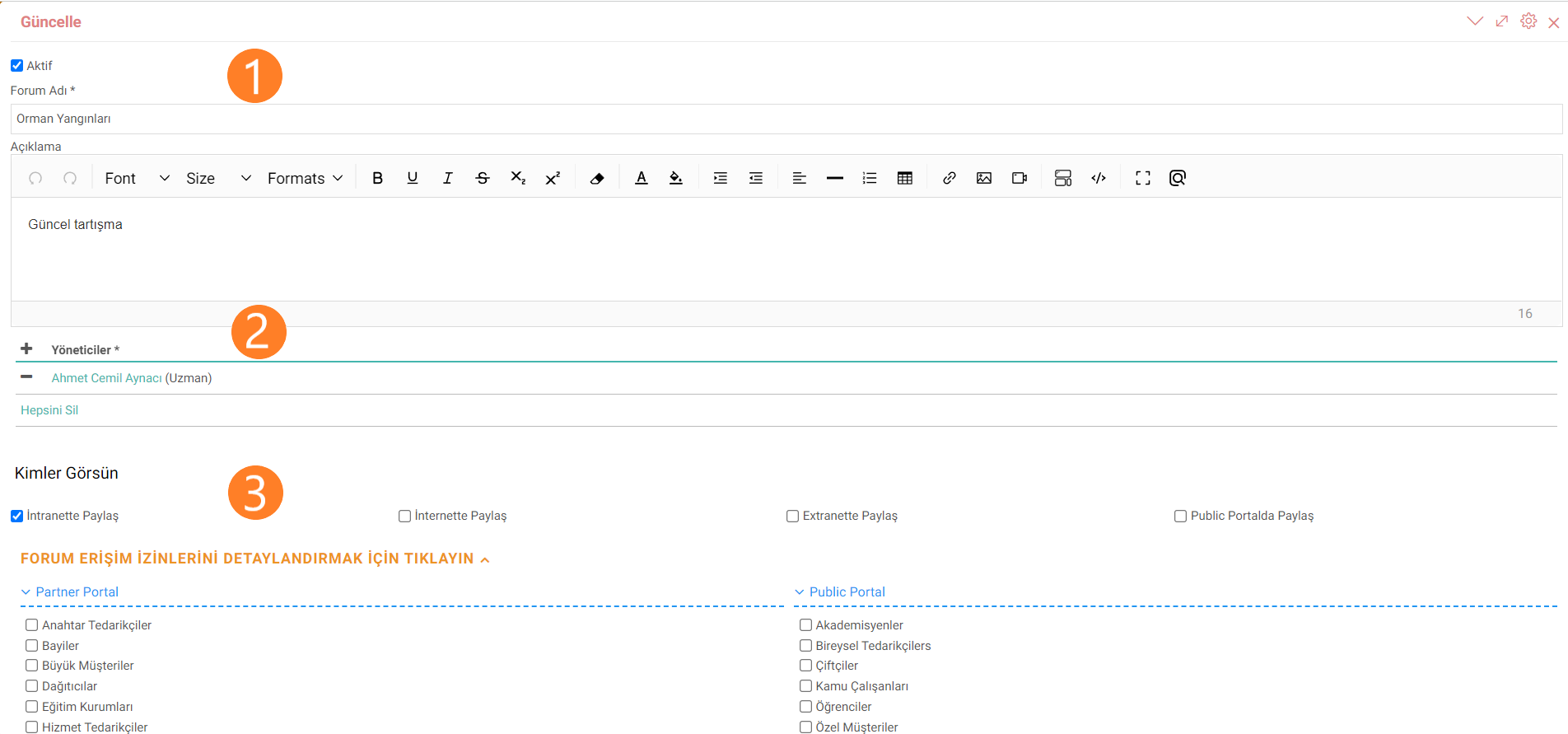
Die Bildschirme zum Hinzufügen und Aktualisieren von Foren funktionieren auf die gleiche Weise.
- Der Name des zu erstellenden Themas oder Ereignisses wird eingegeben. Im Beschreibungsfeld können der Inhalt des Themas und die zu stellenden Fragen angegeben werden.
- Die Personen und Moderatoren, die das Formular verwalten, werden festgelegt.
- Die Details der Zugangsinformationen zum Forum werden mithilfe von Auswahlfeldern ausgewählt. Die Zielgruppen, an die sich das Forum richtet, werden festgelegt.
Empfehlung:Wenn die im Beschreibungsfeld zu stellenden Fragen festgelegt sind, verhindert dies, dass die Redner teilnehmen Off-Topic.
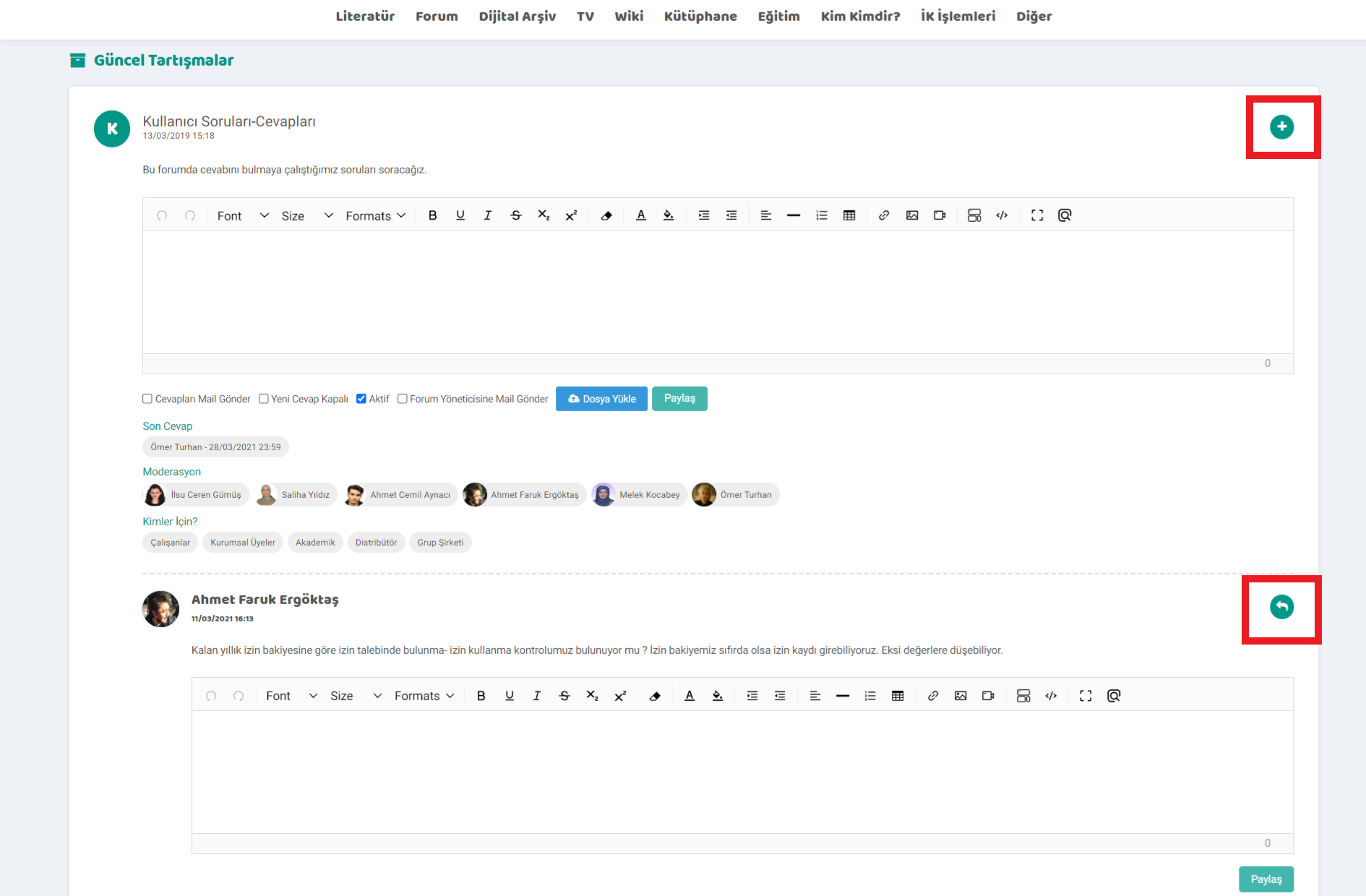
Plus in den erstellten Foren. Mit Hilfe des Icons wird ein neues Thema zum Forum hinzugefügt. Das Hochladen der Datei erfolgt zum Thema. Wie das Problem übermittelt werden soll, an wen es weitergeleitet werden soll und welchen Status das Problem hat, wird durch die Optionen bestimmt.
Antworten und Fragen können mit dem Antwortsymbol zu den im Forumthema geschriebenen Antworten oder Fragen hinzugefügt werden.

Kullanılması istenmeyen kelimelerin yasaklanmasını sağlar. Bu sayede daha saygılı ve güvenli bir çalışma ortamı yaratılır.