Product Parametric Definitions
Product Management module is the module in which information records are kept and managed for the final products and/or services sold within a business and the inputs supplied such as finished products, semi-finished products, spare parts, raw materials and services.
Before product operations start Control Panel > System > Parameters. All parametric definitions to be used within the company regarding the Product in the in Product and Stocks module must be made.
Product Category Management
Path: ERP > Sales-Distribution > Products and Stocks > Product Category Management
It ensures that all products purchased and sold by the business are categorized and managed by the related company and those responsible. Workcube allows you to categorize your products by specifying a category for them.
For example: Main category: spare parts; Subcategory: computer spare parts etc.
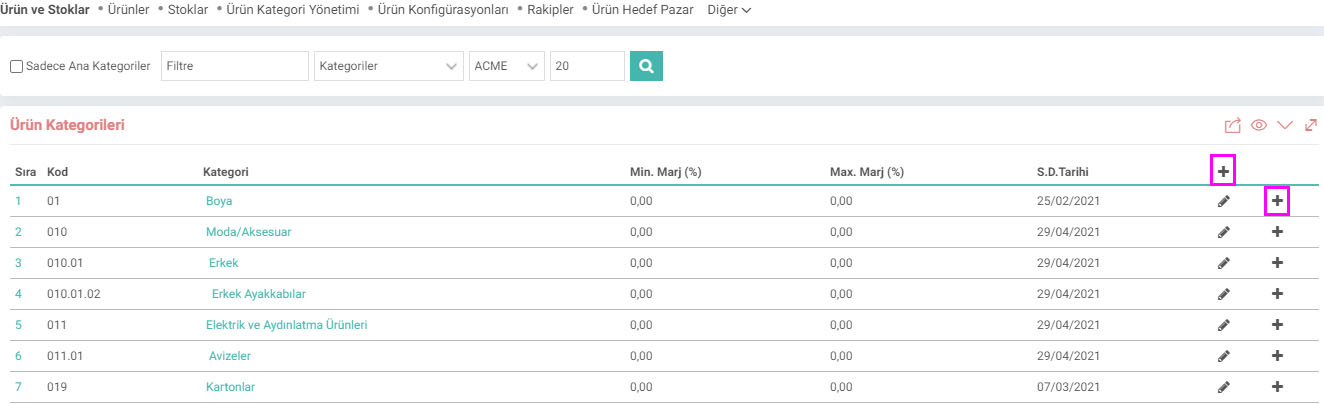
Click the “+” icon to open the main category.
The "+" icon at the end of the line of the opened category allows you to open a subcategory for that category.
The defined categories are then associated with the relevant product/service and the classification process is completed. For detailed information, you can review the "Product Category Management" document.
Unit Types
Path: Control Panel > System > Parameters > Unit Types
Unit definitions include length, weight, etc. There are unit types as distinguishing features for units. "Unit Types" definitions are made before unit definitions.

Units
Path: Control Panel > System > Parameters > Units
In operations to be performed with the products The unit must be defined for the relevant products (purchase, sale, shipment, etc.). Units are added by clicking on the
“+” icon, and the unit type is also selected when unit definitions are made. If e-Government products are used, you can enter the UNECE (United Nations Economic Commission for Europe) standard and code of the units.

Brand
Path: Control Panel > System > Parameters > Brand
This definition refers to parent companies (brands) that sell or purchase more than one product under the same brand name or with different brands at the same time.
This function is especially used to measure the total business volume done with the same company or brand and to make the necessary reports.
Type: The code of the brand you have entered becomes important with the "Create a Brand-Based Product Code?" option in the Company Flow Parameters.

Model
Path: Control Panel > System > Parameters > Model
Model definitions are parameters that play an important role in defining and classifying the product. You can save model descriptions, either unbranded or associated with a relevant brand identified.

Accounting Budget Code Groups
Path: ERP > Sales-Distribution > Product and Stocks > Budget Accounting Code Groups
Accounting codes to be used in the accounting transactions of the products
Thanks to accounting code groups, instead of selecting accounting codes for each product detail one by one, they can be created in one place and reflected on all products collectively.
For example; Raw Material, Finished Goods, Semi-Finished Products, etc.

Product Target Market
Path: ERP > Sales-Distribution > Product and Stocks > Product Target Market
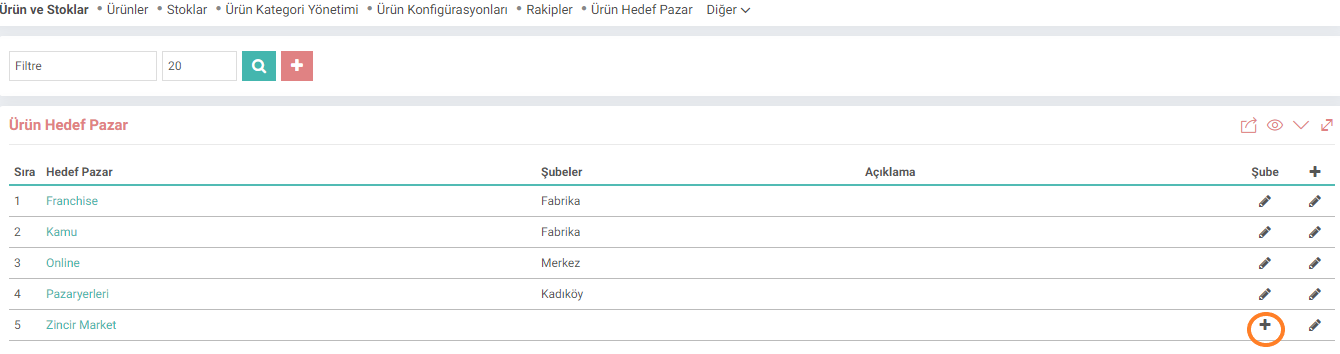
It is used to define the Target Market on a branch basis.
The list created here is displayed in the "Target Market" field on the product detail page and allows defining the Target Market for the product.
Target Market definition can be made geographically, or the market can be defined as the target audience.
For example: Germany, Marmara Region, IT Managers, D and E Socioeconomic Status Groups, etc. All of these can be defined as separate Target Markets.
Product Configuration
Path: ERP > Sales-Distribution > Product and Stocks > Product Configuration
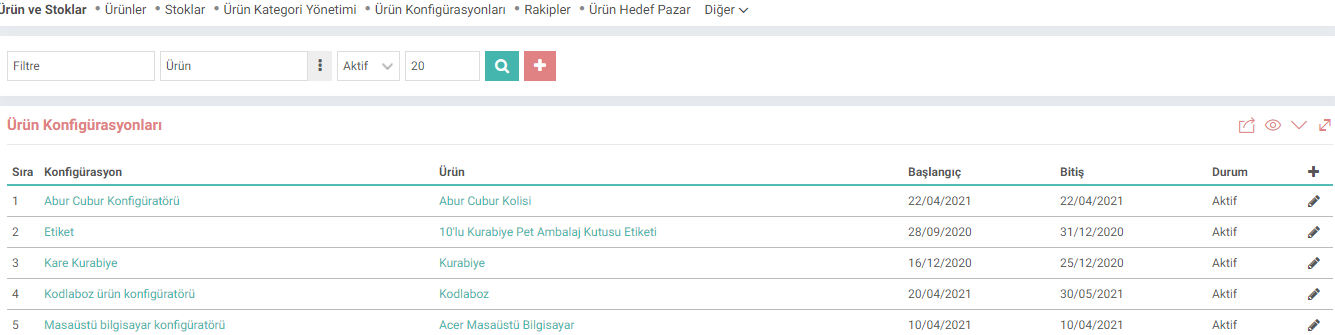
Product configurator selects the products in a category depending on the features of the user. allows shaping.
Product Additional Information
Path: Control Panel > System > Parameters > Additional Information
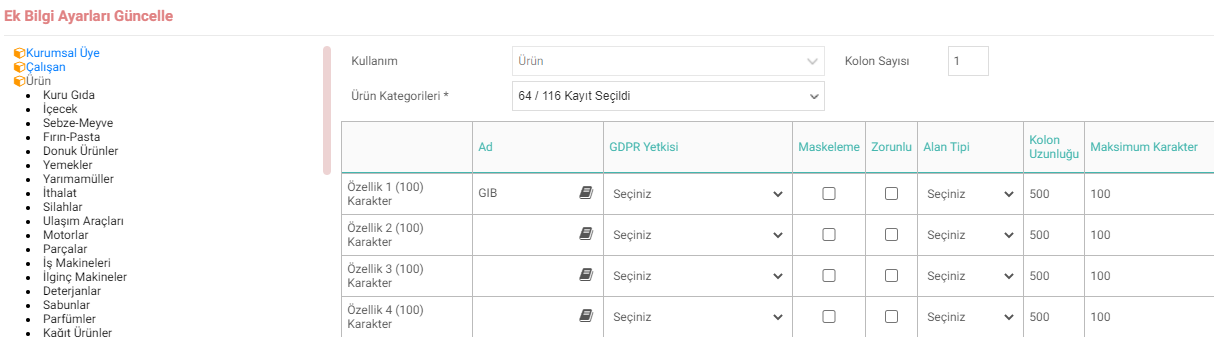
In order to enter Additional Information about the product
Additional information parameters must be defined for this feature, which affects product detail and update pages.
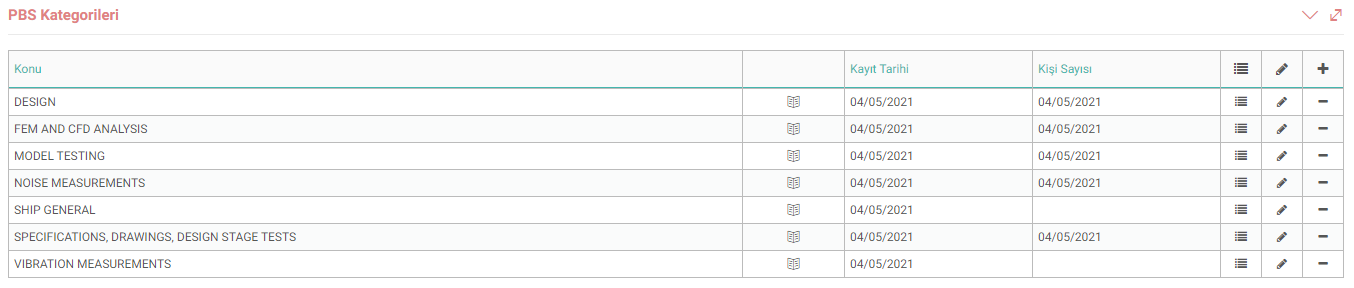
PBS Categories
Path: Control Panel > System > Parameters > PBS Categories
A PBS header - refers to a system on the ship whose code will be generated. Weapon Systems, Cooling Systems, Propulsion Systems etc.
PBS Codes
Path: Control Panel > System > Parameters > PBS Codes
PBS codes name each system on the ship to be produced Cost and pricing operations of these systems are carried out through these codes. PBS codes are used when submitting a price and/or bid, entering a tender, and determining budgets.

Product Features
Path: ERP > Sales-Distribution > Product and Stocks > Product Features
Product feature definitions are the definitions of different features and variations (color, size, It is used to identify smell etc. For detailed information, you can review the "Product Feature Definitions and Variation Management" document.

Feedback
14.4.3. Assign Product Manager
A responsible person is added to the categories, model and brand created with the Workcube Assign Product Manager screen. Categories, brands and models are managed with the assigned responsible persons.
14.7. Parameters
Parameters are one of the main features of Workcube. The definition options on the pages can be increased with parameters. Thus, definitions can be made in accordance with the sector in which the company operates.
2.2.2.1.9. Basic Product Descriptions
The product management module is the module in which information records are kept and managed for the final products and/or services sold within a business and the inputs supplied such as finished products, semi-finished products, spare parts, raw materials and services. Module Sales, purchasing, production, stock, agreement, service, campaign etc. It works directly integrated with other Workcube modules.
Products and Stocks
Managing products in Workcube is much more than stock codes or stock cards. Workcube, product hierarchy, images, contents, type, qualities, pricing, variations, cost, shelf life, warranty, production processes, etc. It allows you to manage all kinds of detailed data about your products and services together and centrally.
2.2.2.1.3. Product XML Settings
The product management module is the module in which information records are kept and managed for the final products and/or services sold within a business and the inputs supplied such as finished products, semi-finished products, spare parts, raw materials and services.