My Leaves
With Workcube My Leaves, employees in the organization can view their leave application status, approved annual leaves, the leaves they use by categories, their annual entitlements, and their leave days and remaining days.
Purpose of Use of My Leaves
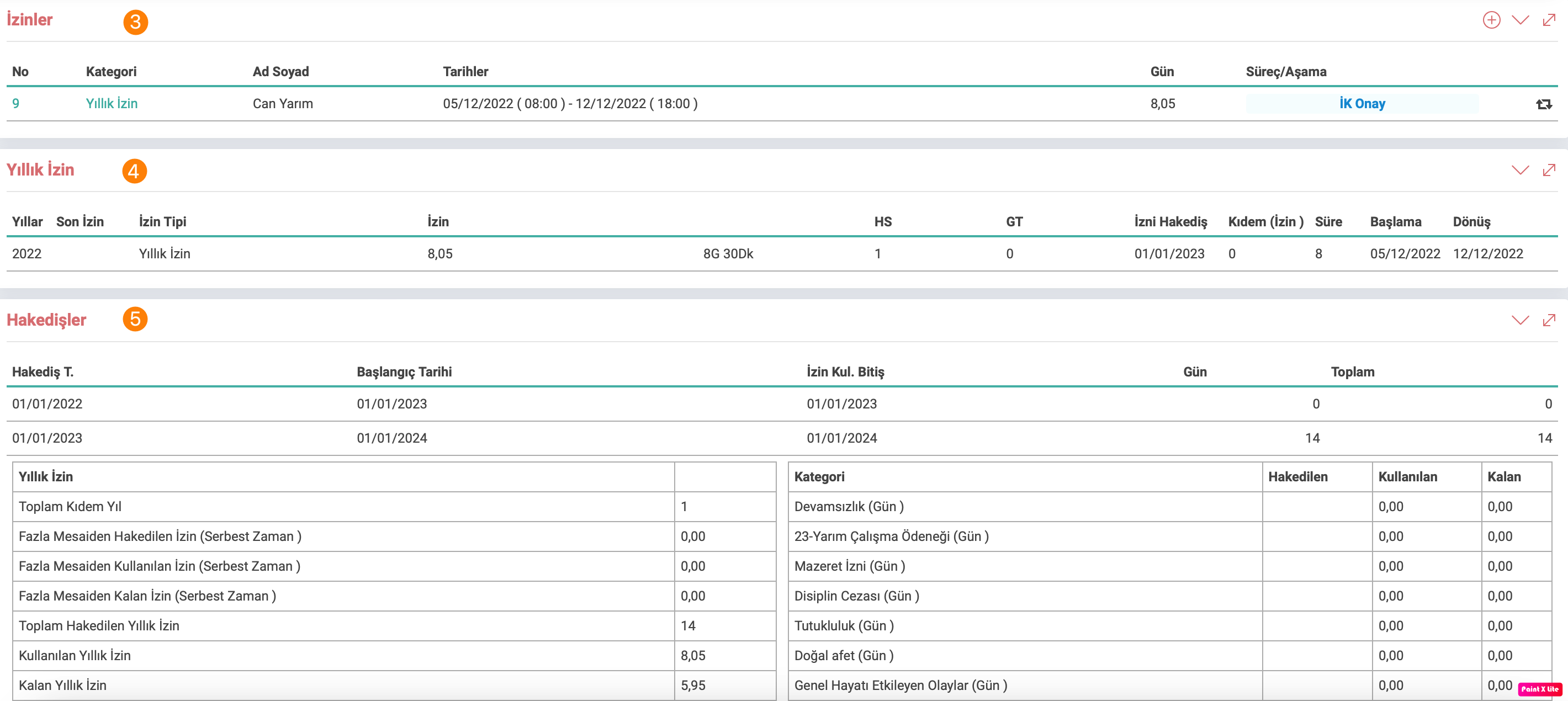
In the leaves pending approval field. It is possible to instantly view the approval process stages in detail by separating the leaves applied by the employee according to their categories.
In the Leaves field, the leaves used by the employee since the start of work can be seen in detail, by separating them according to the categories of the approved leaves.
In the Annual Leave field, the start and end dates of the annual leaves used by the employee since the start of work and the number of days they have been used in detail.
In the progress payments field, all of the leave types that are marked to be shown in the progress payments in the leave excuse categories, especially the annual leave, are included in the progress payment, used and remaining days.
One of the main purposes of use in this screen is to check whether the correct data is defined for the employee by checking how many days of annual leave have been used, how many days are left and whether the process has been approved or not. Whichever type of leave the employee wants to include in the progress payment field, the relevant check box on the relevant screen should be checked. In order to fill in the field of leave types other than annual leave on the progress payment screen, day data must be entered in the field at the bottom of the leave and excuse categories. Otherwise, the relevant field will be empty.

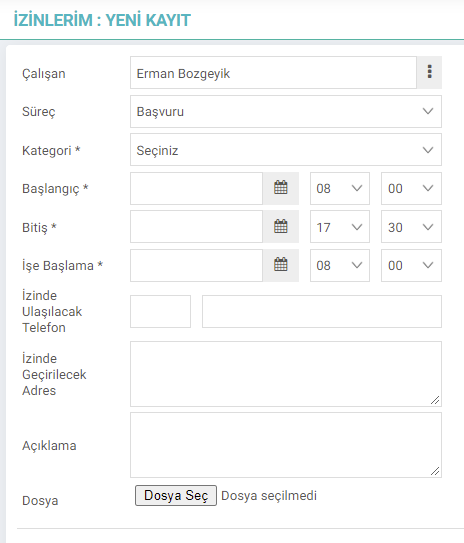


Ücretli, ücretsiz izin vb. kategorileri e-bildirge karşılıkları ile birlikte tanımlanmasını sağlar. Yapılan tanımlar bordroya etki eder.
Bordro, puantaj, İzin kayıtları için resmi tatillerin girilmesini sağlar.
Çalışanlar izin başvuru durumlarını, onaylanan yıllık izinlerini, kullandıkları izinleri kategorilere ve yıllık hakedişleriyle birlikte izin günlerini ve kalan günlerle görüntüleyebilmeleri için kullanılır.
İş süreçlerinin tasarım ve akışlarını oluşturur.
Kaydedilen belgelerin çıktılarının alınması için kullanılır. Standart şablonlar seçilebilir ya da özel şablonlar eklenebilir, ayrıca şablonlar yetkiye bağlanabilir.
xml_offtime_ise_giris_tarihi İşe Giriş Tarihi Onay Bekleyen İzinler Listesine Gelsin mi?
xml_offtime_show_hour İzinlerin saat bilgisi gösterilsin mi?