ChatFlow
Dies ist der Bildschirm, auf dem Workcube-Benutzer und Besucher per Nachrichten kommunizieren und Benachrichtigungen erhalten.
Pfad: Hauptmenü > Nachricht > ChatFlow

Wenn Sie auf das Lächeln-Symbol im Bild im oberen Menü klicken, werden die aktiven Personen im System angezeigt und die Chat-Datensätze werden in der Konversation angezeigt Symbol.
Auf der Seite „Workflow“ im Chatflow-Bildschirm erhalten Sie je nach Ihrer Berechtigung Warnungen und Benachrichtigungen. wird angezeigt. Ausführliche Informationen finden Sie in unserem Artikel „Warnungen und Genehmigungen“.
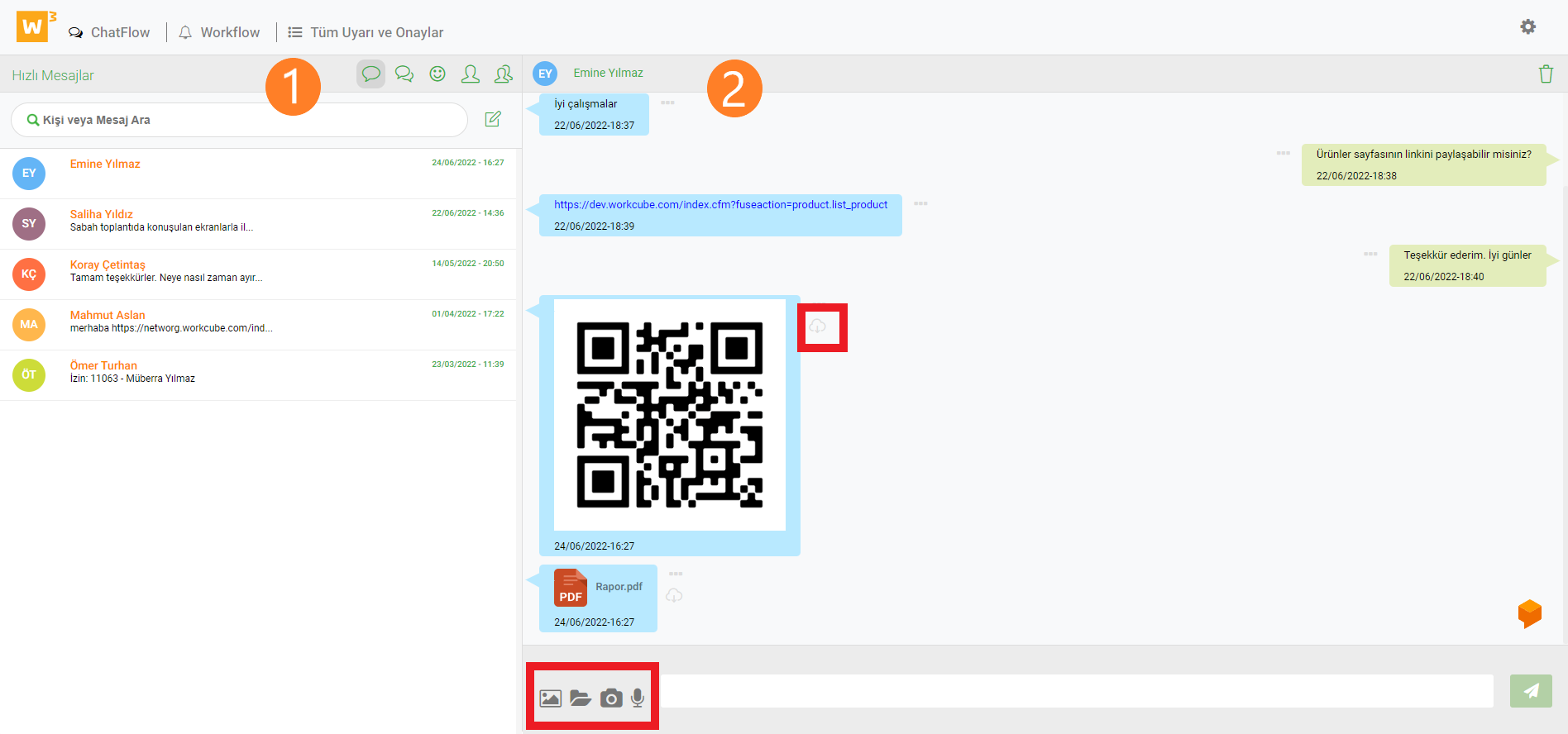
1. In diesem Abschnitt können Sie Online-Benutzer sehen und sehen, an welcher Seite sie gerade arbeiten, und sie bei Bedarf aus dem System entfernen. Die Korrespondenz mit den Benutzern wird bereitgestellt. Benutzer können mithilfe von Symbolen Schnellnachrichten, Gruppenanrufe und Besucher erreichen.
2. Im Nachrichtenbereich können Fotos, Dateien, Sprachaufnahmen und Schnappschüsse versendet werden. Wenn Sie auf die Datei- und Bildsymbole klicken, wird der Sendevorgang abgeschlossen, indem die zu sendenden Dokumente und Bilder zum sich öffnenden Bildschirm hinzugefügt werden. Der Download erfolgt durch Klicken auf das Cloud-Symbol neben den eingehenden Bildern und Dokumenten.
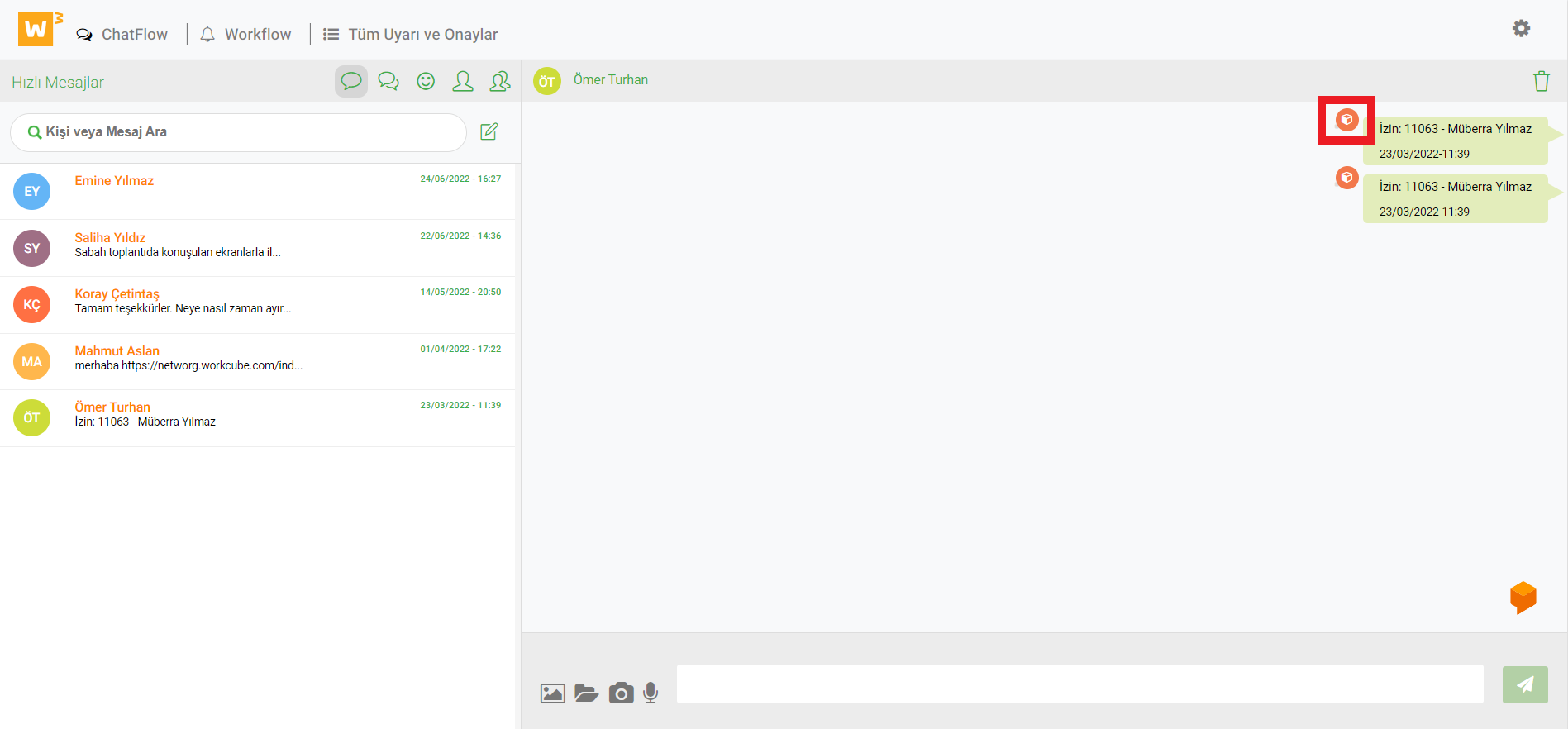
Durch Klicken auf das Prozessdetailsymbol neben den über den Prozess gesendeten Nachrichten gelangen Sie zum Prozess Details.
Der Prozess und die Phasen organisieren die Dokumentdatensätze. Das Auswahlfeld für die Vorbereitungs-, Genehmigungs- und Ablehnungsmechanismen für die Prozessphase von Dokumenten wird angezeigt. Andererseits werden die Operationen stufenweise durchgeführt. Es werden Workflow-Datensätze erstellt. Benachrichtigungen werden per E-Mail oder systeminternen Online-Benachrichtigungen oder Chatflow erstellt.
?
Wer ist wer?
Mit der Who's Who-Seite können Sie auf die Kontaktinformationen von Firmenmitarbeitern, Kunden, Geschäftspartnern und Lieferanten im Kommunikationsnetzwerk Ihres Unternehmens zugreifen. Diese Seite bietet Kommunikation und Jobsharing.
Workflow-Designer
Workflow-Designer; Es handelt sich um ein Zeichentool, mit dem Unternehmen ihre Ziele, Branchen und Geschäftsabläufe visualisieren und ihre Arbeitsabläufe definieren können.
Warnungen und Genehmigungen
Workcube hat eine prozessbasierte Struktur. An diesen Prozessen beteiligen sich die Nutzer entsprechend ihrer Rollen und Befugnisse als Macher oder Prüfer. Der Warn-Genehmigungsmechanismus ist von entscheidender Bedeutung für den reibungslosen Ablauf und Abschluss der Prozessschritte.
Favoriten – Responsive
Die Favoriten auf dem Chatflow-Bildschirm sind auf Mobilgeräten nicht mehr sichtbar.