Code Diff Editor
Der Code Diff Editor ist ein Tool zur Differenzsuche zwischen Dateien auf Workcube. Die Unterschiede zwischen benutzerdefinierten Dateien und Standarddateien werden Zeile für Zeile als Code verglichen. Durch das gleichzeitige Scrollen zweier Dateien auf dem Bildschirm werden die gefundenen Unterschiede farblich markiert, was das Erkennen von Codeabschnitten erleichtert.
Pfad: Systemsteuerung > System > Entwicklungstools > Angepasste Dateien
Code-Diff-Editor Verwendung
Um den Code Diff-Editor zu verwenden, muss die Datei zuerst geöffnet werden. Wenn eine Datei zuvor angepasst wurde, können die speziellen Dateien unter der Funktion „Angepasste Codes“ auch über das Symbol „Diff“ aufgerufen werden.
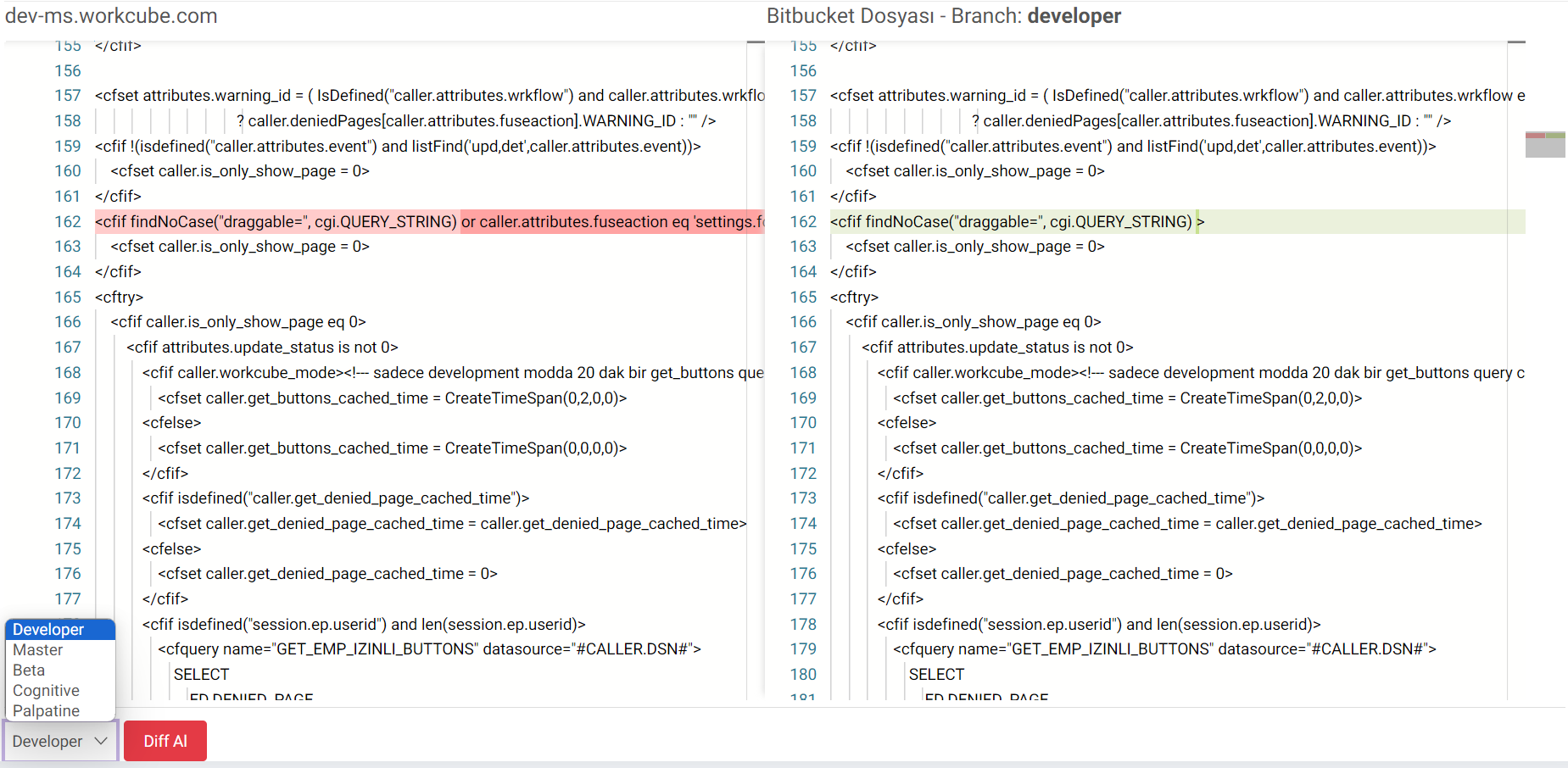
- Ein Klick auf das Diff-Symbol öffnet den Editor. Durch Scrollen auf dem Bildschirm werden zwei Dateien gleichzeitig angezeigt.
- Links wird der aktuelle Status der Datei, also die geänderte Version, angezeigt.
- Rechts wird der aktuelle Status der Datei im ausgewählten Zweig auf Bitbucket angezeigt.
- Die Unterschiede können durch Scrollen gefunden werden. Die gefundenen Unterschiede werden farblich markiert und erleichtern das Erkennen der Codeabschnitte.
- Um es in verschiedenen Zweigen anzuzeigen, kann es überprüft werden, indem man unten links auf Get Diff in Zweigen wie Developer, Master, Beta, Cognitive, Palplatine klickt.
Feedback
Code-Diff-Editor
Hinzugefügte/bearbeitete Funktion: Die Funktion „Code Diff Editor“ wurde hinzugefügt.
Verwendung: Um den Code Diff Editor zu verwenden, muss die Datei zuerst geöffnet werden. Wenn eine Datei zuvor angepasst wurde, können die speziellen Dateien unter der Funktion „Benutzerdefinierte Codes“ über das Symbol „Diff“ aufgerufen werden. Der Vergleich der Dateien erfolgt durch Auswahl des entsprechenden Zweigs. Die Unterschiede werden farbig angezeigt.
Vorteil:Die Unterschiede zwischen der Standarddatei und der benutzerdefinierten Datei können auf Workcube angezeigt werden.