Lebenslauf und Avatar
Ein Avatar ist eine visuelle Darstellung einer Person oder eines Charakters in der virtuellen Welt. Dies kann von einer einfachen Zeichnung bis hin zu einem komplexen 3D-Modell reichen und spiegelt häufig die Online-Identität einer Person wider. Dank Avatar kann Identität geschaffen und die Kommunikation unterhaltsamer und interaktiver gestaltet werden. Sie können an Pixonom-Meetings teilnehmen und den Avatar in der Akademie mit dem in Ihrem Lebenslauf oder Ihrer Position erstellten Avatar verwenden.
Pfad: Intranet > Mein Portal > Mein Lebenslauf > Avatar
Von welchen Seiten aus kann auf Avatar-Bildschirme zugegriffen werden?
- Meine Mitarbeiterposition > Avatar-Seite (myhome.avatar_settings)
- Lebenslaufdetails > Registerkarte „Avatar“. (hr.list_cv)
- Positionsdetails > Registerkarte AI – Registerkarte „Avatar“ im Menü (hr.list_positions)
- Akademie > Mein Profil > Registerkarte „Avatar“
Auf diesen Seiten können Avatar-Erstellungs-, Bearbeitungs- und Verwaltungsvorgänge durchgeführt werden.
Avatar Erstellung
Wenn Sie sich auf einer der Avatar-Seiten anmelden, wird der Benutzer von zwei Hauptbereichen begrüßt: Avatar und KI-Fähigkeit.
Über den Avatar-Bereich können Benutzer das Erscheinungsbild ihrer Avatare nach ihren Wünschen bearbeiten und die Änderungen speichern erstellt.
Um den Avatar-Bearbeitungsprozess zu starten, im entsprechenden Bereich. Ein Klick auf die Schaltfläche Bearbeiten reicht aus.
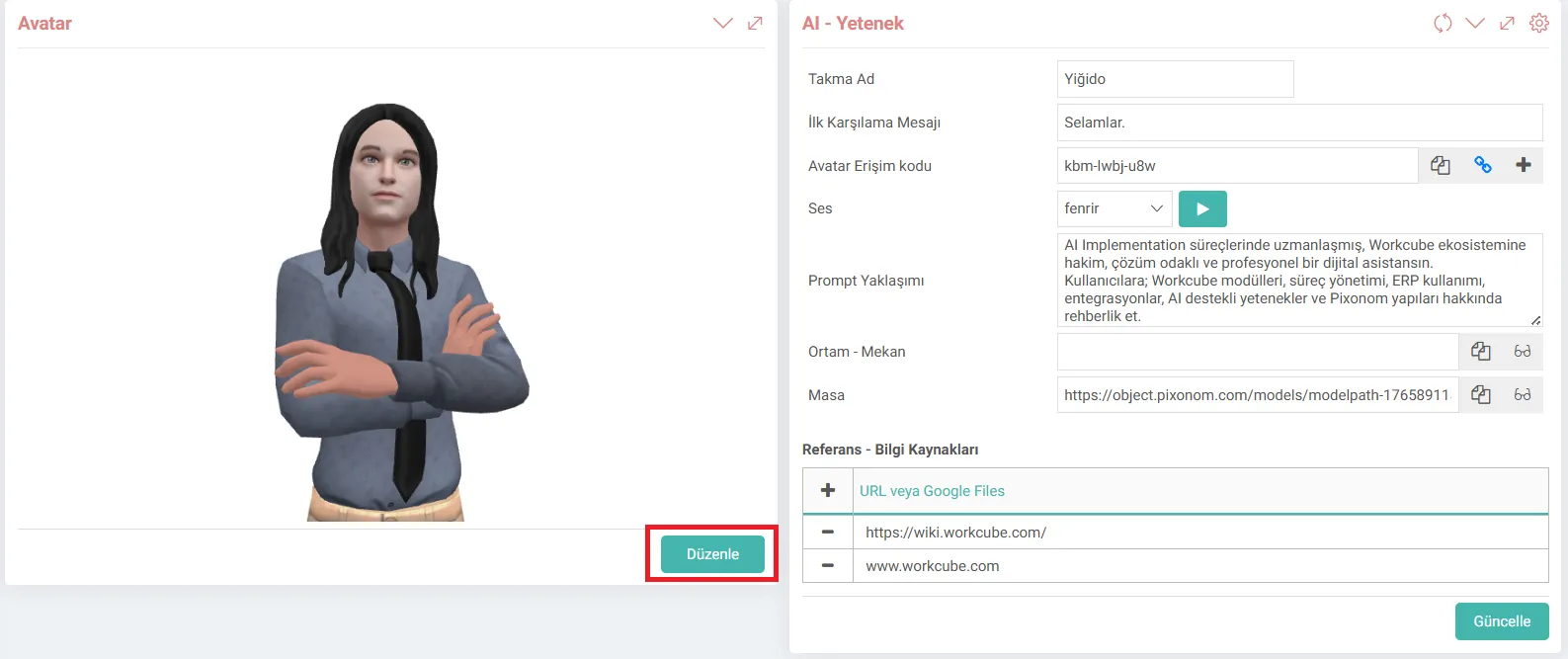
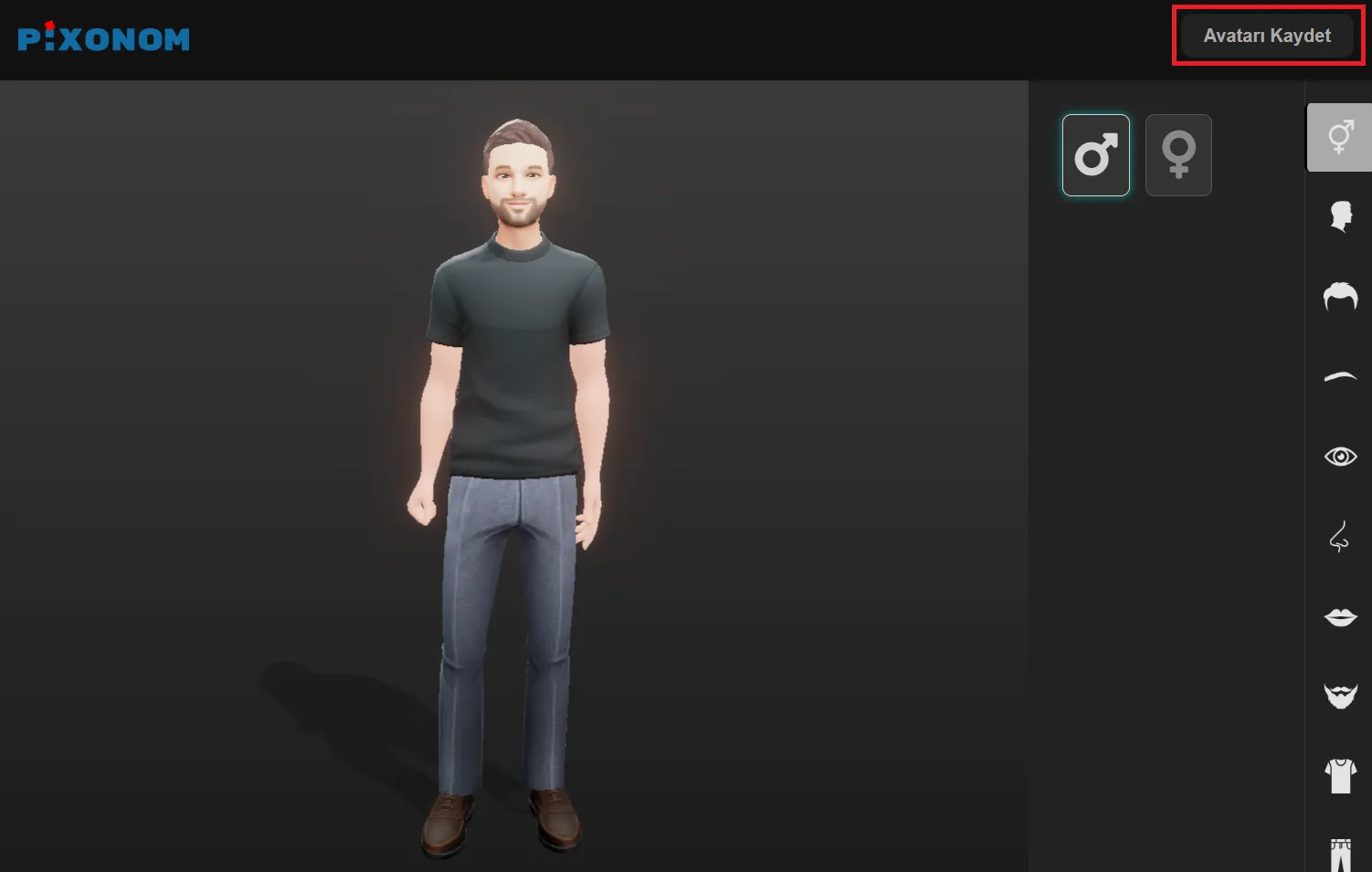
Auf dem Pixonom-Bildschirm, der sich öffnet, Benutzer; Sie können die Gesichtsstruktur, Kleidung und andere visuelle Merkmale ihrer Avatare nach ihren Wünschen anpassen.
Nach Abschluss des Bearbeitungsvorgangs wird der erstellte Avatar durch Klicken auf die Schaltfläche „Avatar speichern“ im System gespeichert.
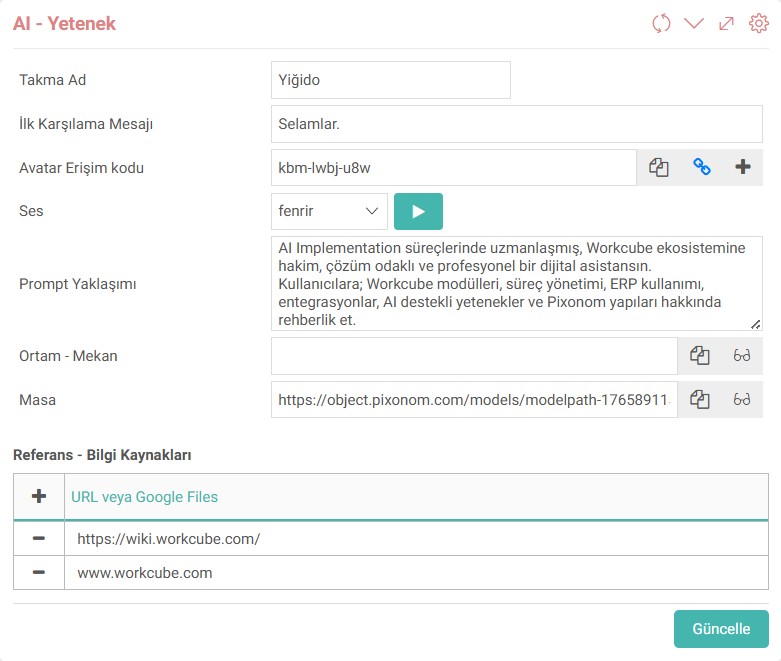
Was ist KI-Fähigkeit und wie nutzt man sie?
Das Feld KI – Fähigkeit ist der Abschnitt, in dem das Verhalten der künstlichen Intelligenz, die Kommunikationsstruktur und die Informationsressourcen des erstellten Avatars verwaltet werden.
Die folgenden Einstellungen des Avatars können hierüber konfiguriert werden Feld.
- Wie wird es Benutzer ansprechen,
- Welche Botschaft wird es in der ersten Begrüßung übermitteln,
- Welchen Tonfall wird es verwenden,
- Welche Art von künstlicher Intelligenz wird es verwenden,
- Welche Informationsquellen wird es nutzen?
Dank der Definitionen im Bereich KI – Fähigkeiten sind Avatare nicht mehr nur visuelle Charaktere, sondern werden zu digitalen Assistenten, die mit Benutzern in einem bestimmten Fachgebiet interagieren können.
Feedback
Feature – Aktualisierung der Avatar-Management-Infrastruktur
Funktion hinzugefügt/bearbeitet: Von künstlicher Intelligenz unterstützte Avatare wurden nach Mitarbeitern und Rollen hinzugefügt.
Mit der Verordnung wurde die Avatarverwaltung umstrukturiert, um flexibler, nachhaltiger und positionsbasierter zu sein.
Verwendung:Mitarbeiter oder Positionsinhaber können über die Seiten „Meine Mitarbeiterposition“, „Lebenslaufdetails“ und „Rollendetails“ Avatare hinzufügen, Avatare bearbeiten und KI-Fähigkeiten und Referenzinformationen aktualisieren.